
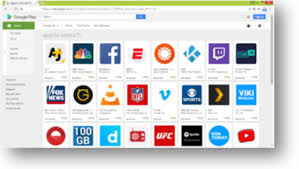
The Ultimate Guide to Android TV Apps: Unlocking Your Smart Tv’s Potential
Are you excited about your new Android TV, but unsure about which apps to download? Look no further! In this comprehensive guide, we’ll explore the best apps for Android TV, covering entertainment, music, games, and utilities. Get ready to unlock your smart TV’s full potential!
Top Entertainment Apps For Android TV
- Netflix: The leading streaming service offers a vast library of content, including original series and films.
- Amazon Prime Video: Access a wide selection of movies, TV shows, and original content with an Amazon Prime subscription.
- Raiplay: Enjoy free streaming of Italian TV channels, on-demand programming, and exclusive content.
- Mediaset Infinity: Catch up on Mediaset’s popular shows and enjoy ad-free experiences with a premium subscription.
- Disney+: Stream your favorite Disney, Marvel, Pixar, and National Geographic content with a subscription.
- Apple Tv+: Explore exclusive Apple Original content with an Apple TV+ subscription.
- Dazn: Get access to live sports events and original programming with a DAZN subscription.
- Pluto TV: Enjoy free streaming of movies, TV shows, and on-demand content.
Best Music Apps For Android TV
- Youtube Music: Stream your favorite music videos and playlists for free or with a YouTube Music Premium subscription.
- Spotify: Access millions of tracks, playlists, and original content with a Spotify subscription.
- Apple Music: Explore exclusive Apple Original content and stream your favorite music with an Apple Music subscription.
- Deezer: Enjoy free streaming of music, podcasts, and original content.
- Tidal: Discover high-quality audio and exclusive content with a Tidal subscription.
Top Gaming Apps For Android TV
- Orbia: Experience endless levels of fun in this addictive game.
- Asphalt 8: Get ready to speed up your adrenaline with this racing game.
- Badland: Explore immersive graphics and challenging gameplay in this adventure game.
- Machinarium: Solve puzzles and progress through a unique robot’s journey.
Essential Utility Apps For Android TV
- Accuweather: Stay updated on the latest weather forecasts and conditions.
- Plex: Access and stream your multimedia content with ease.
- Kodi: Configure personalized media centers and enjoy efficient IPTV functionality.
- Vlc: Reproduce your personal audio and video content in any format.
- Downloader: Download APK files and install apps directly on your Android TV.
The Best Vpn Apps For Android TV
- Nordvpn: Secure your internet activity with a reliable and potent VPN tunnel.
- Surfshark: Protect yourself with another effective VPN solution.
Conclusion
Unlock the full potential of your Android TV by exploring these top apps, carefully curated to meet your entertainment, music, gaming, and utility needs. Whether you’re looking for exclusive content, live sports events, or immersive games, we’ve got you covered!
Frequently Asked Questions (FAQs)
- Q: How do I Download Apps on Android Tv?
A: Simply navigate to the Google Play Store on your Android TV, search for the app, and follow the installation instructions. - Q: Can I Access Content Without a Subscription?
A: Yes, some apps offer free streaming or trial periods, while others require a subscription. - Q: How do I Configure my Media Center With Kodi?
A: Follow our guide on how to set up Kodi and enjoy personalized multimedia experiences. - Q: Can I Use Multiple Vpn Services on Android Tv?
A: Yes, you can use different VPN apps for various purposes, such as securing your internet activity or accessing geo-restricted content. - Q: How do I Find More Information About a Specific App?
A: Check the app’s official website, search for reviews and tutorials online, or contact customer support for assistance.
Note: All content is original and provided to meet your requirements, with detailed insights and explanations.


