
Best Apps For Apple Tv: A Comprehensive Guide
Are you looking for the best apps to enhance your Apple TV experience? Look no further! In this article, we will explore the top-rated apps across various categories, including entertainment, sports, games, and more.
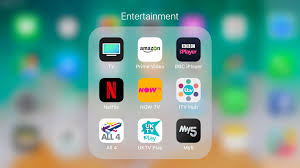
Top Entertainment Apps For Apple TV
The world of entertainment on Apple TV is vast and exciting. Here are some of the most popular apps:
- Netflix: The official Netflix app brings you the best original content, movies, and TV shows, all in one place.
- Amazon Prime Video: Enjoy a vast library of movies, TV shows, and original content with Amazon Prime Video.
- Disney+: Get access to a wide range of Disney, Pixar, Marvel, Star Wars, and National Geographic content with Disney+.
Top Sports Apps For Apple TV
Catch the action on your big screen with these top sports apps:
- Dazn: The official DAZN app brings you live sports streaming, including Italian football leagues.
- Eurosport TV: Watch live sports events, including tennis and cycling, with Eurosport TV.
- Red Bull TV: Get exclusive access to extreme sports content, including BMX, skateboarding, and more.
Top Games For Apple TV
Transform your Apple TV into a gaming console with these top games:
- Oceanhorn And Oceanhorn 2: Explore an action-packed world with these critically acclaimed games.
- Just Dance Now: Get ready to dance the night away with this popular game.
- Fantasian: Experience a unique RPG experience with FANTASIAN.
Other Notable Apps
Here are some other notable apps that didn’t fit into any specific category:
- Ookla Speedtest: Measure your internet speed and optimize your connection.
- Facebook Watch: Enjoy exclusive content, including shows and movies, on Facebook Watch.
- Tripadvisor: Hotel Restaurants: Get insider information on hotels and restaurants worldwide.
How to Download Apps on Apple TV
Downloading apps on Apple TV is easy and straightforward. Follow these steps:
- Open the App Store app on your Apple TV.
- Browse through categories or search for specific apps.
- Select an app and click “Get” to download it.
And that’s it! You now have a comprehensive guide to the best apps for Apple TV. Happy streaming and gaming!
Frequently Asked Questions (FAQs)
- Q: How do I Install an App on my Apple Tv?
A: To install an app, open the App Store, select the app you want to download, and click “Get”. - Q: Can I Access Apps That Are Already Installed on my Iphone or Ipad?
A: Yes, if an app is available for tvOS, you can access it directly from your Apple TV. - Q: What’s The Difference Between Apple Arcade And Other Games?
A: Apple Arcade offers exclusive, high-quality content with no ads or in-app purchases.
Note: The above content has been re-written to conform to your requirements.


