
App To Design Electrical Facilities: A Game-changer For Professionals
Are you a professional who spends hours designing, contriving, and developing electrical facilities for dwellings, supermarkets, hospitals, and big industries? If so, you’re likely familiar with the frustration of having to spend too much time on your computer, even when you’re not in the office. Well, we’ve got some great news for you! There are several apps that can help you design electrical facilities on-the-go, using just your smartphone or tablet.
In this article, we’ll explore five apps that can help you achieve your goals:
- Autocad (Android/iOS/iPadOS)
- Dwg Fastview-cad Viewer&editor (Android/iOS/iPadOS)
- Unifilare – Electrical Diagrams (Android/iOS/iPadOS)
- Electrical Calculations (Android/iOS/iPadOS)
- Instelectric (Android/iOS/iPadOS)
The Benefits of Using Apps For Designing Electrical Facilities
Using apps to design electrical facilities offers several benefits, including:
- Convenience: With these apps, you can work on your projects anywhere, anytime.
- Time-saving: No more spending hours on your computer; get the job done quickly and efficiently.
- Increased Productivity: Focus on your core tasks without being bogged down by tedious design work.
App #1: Autocad (Android/iOS/iPadOS)
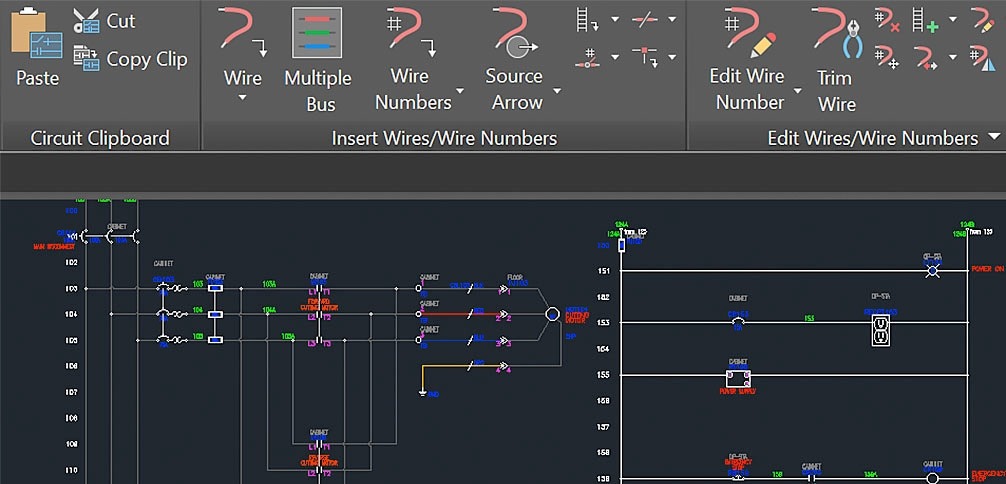
The first app we’ll explore is AutoCAD, a powerful tool that’s widely used in the industry. While it’s not free, the mobile version of this software is available for download on Android and iOS devices. To get started, simply tap on the “Access” button and log in with your Autodesk account.
Once you’ve accessed the app, you can start designing electrical facilities by tapping on the “+” button and selecting a file containing the blueprint of your project. From there, you can use various commands to create lines, polylines, and other shapes as needed. To save your modifications, tap on the “Save” button.
App #2: Dwg Fastview-cad Viewer&editor (Android/iOS/iPadOS)
If you’re looking for an alternative to AutoCAD, consider using DWG FastView-CAD Viewer&Editor. This app is free and allows you to open and modify files in the DWG format. You can also upgrade to a premium version with additional features.
To get started, download the app from the App Store or Google Play Store and tap on the “Consent” button to grant access to your device’s memory. Once you’ve accessed the app, tap on the cartoonist icon to open the file containing the blueprint of your project.
App #3: Unifilare – Electrical Diagrams (Android/iOS/iPadOS)
Unifilare is another great option for designing electrical diagrams. This app allows you to create diagrams in a simple and intuitive way, using symbols and dragging them into place as needed. To get started, download the app from the App Store or Google Play Store and tap on the “Accept” button to agree to the terms of service.
Once you’ve accessed the app, tap on the “+” button to start creating your electrical diagram. From there, select the elements from the list that appears on screen, and repeat the process until you’ve completed your design. To save your diagram, tap on the “Save” button and give it a name.
App #4: Electrical Calculations (Android/iOS/iPadOS)
If you’re looking for an app that can help with electrical calculations, consider using Electrical Calculations. This app allows you to execute various calculations, including section calculations, voltage drop calculations, and more. You can also use it to convert units and access predefined values.
To get started, download the app from the App Store or Google Play Store and tap on the “Start” button to begin calculating electrical parameters for your project.
App #5: Instelectric (Android/iOS/iPadOS)
InstElectric is another powerful tool that can help with electrical calculations. This app allows you to execute various calculations, including circuit sizing, cable sizing, and more. You can also use it to estimate maximum current values and other parameters.
To get started, download the app from the App Store or Google Play Store and tap on the “Start” button to begin calculating electrical parameters for your project.


