
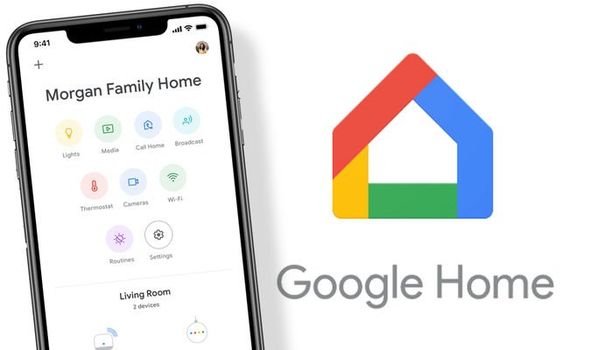
Google Home: Your Ultimate Personal Assistant
Are you ready to take your home entertainment experience to the next level? Look no further than Google Home, the intelligent speaker that has revolutionized the way we interact with technology. With its advanced voice recognition capabilities and seamless integration with various services, Google Home is the perfect addition to any smart home setup.
In this comprehensive guide, we will delve into the world of Google Home and explore its numerous features, applications, and integrations. Whether you’re a tech-savvy individual or just looking for a simple way to control your living space, this article has got you covered.
What is Google Home?
Google Home is an intelligent speaker developed by Google that uses artificial intelligence (AI) to understand voice commands and execute various tasks. This device can be used as a standalone unit or integrated with other smart home devices to create a seamless and connected experience.
Setting Up Google Home
Before diving into the features of Google Home, let’s cover the setup process. Setting up your Google Home device is relatively straightforward:
- Connect your Google Home device to your Wi-Fi network.
- Download and install the Google Home app on your smartphone or tablet.
- Follow the in-app instructions to set up your device and link it to your Google account.
Google Home Features
Now that we’ve covered the setup process, let’s explore some of the key features of Google Home:
- Voice Control: Use voice commands to control various aspects of your smart home, such as lighting, temperature, and entertainment systems.
- Smart Home Integration: Seamlessly integrate Google Home with other smart devices in your home, including lights, thermostats, security cameras, and more.
- Music And Entertainment: Stream music from popular services like Spotify, YouTube Music, and Deezer, or watch videos on demand using YouTube and Netflix.
Compatible Apps For Google Home
While Google Home comes with built-in support for various services, there are many compatible apps that can enhance your experience. Here are some of the most popular ones:
- Spotify: Stream music from Spotify directly to your Google Home device.
- Youtube Music: Access a vast library of music content and control playback using voice commands.
- Deezer: Enjoy a wide range of music, podcasts, and radio stations on demand.
- Netflix: Watch movies and TV shows directly on your TV via Chromecast or Google Home.
Other Apps For Google Home
While the above-mentioned apps are some of the most popular ones, there are many other integrations available that can further enhance your experience. Here are a few examples:
- Google Calendar: View upcoming events, schedule appointments, and set reminders using natural voice commands.
- Smart Life: Control various smart devices in your home, including lights, thermostats, and security cameras.
- Ifttt (If This Then That): Create custom recipes to automate tasks and control various smart devices.
- Tunein: Listen to live radio stations from around the world.
Tips And Tricks For Google Home
To get the most out of your Google Home device, here are a few tips and tricks to keep in mind:
- Use Voice Commands: Speak to your Google Home device using natural language to control various aspects of your smart home.
- Integrate Multiple Services: Link multiple services to your Google Home account for seamless integration.
- Customize Settings: Adjust settings to suit your preferences, such as changing the default music service or adjusting notification alerts.
Conclusion
Google Home is a powerful personal assistant that can revolutionize the way you interact with technology. With its advanced voice recognition capabilities and seamless integrations with various services, Google Home is an essential addition to any smart home setup.
Whether you’re looking for a simple way to control your living space or want to dive deeper into the world of smart home automation, this article has provided you with a comprehensive guide to getting started with Google Home.


