
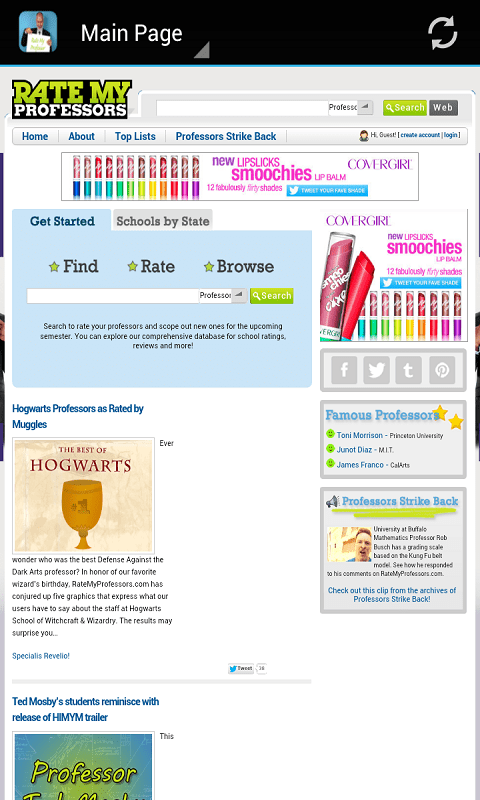
Discovering The Best Apps For Professors: Simplifying Education With Technology
As a professor, managing a classroom can be a daunting task, especially when it comes to keeping track of student records, organizing lessons, and communicating with parents. Fortunately, technology has come to the rescue with a plethora of apps designed specifically for educators like you.
In this article, we’ll explore some of the best apps for professors that can simplify your work, making it easier to focus on what matters most – teaching and mentoring your students.
The Challenges of Traditional Classroom Management
Traditional classroom management often involves juggling multiple tasks simultaneously, such as:
- Keeping track of student records and grades
- Organizing lessons and materials
- Communicating with parents and administrators
- Managing absences and behavioral issues
These tasks can be time-consuming and tedious, leaving you with limited time to focus on teaching and mentoring your students.
Introducing The Best Apps For Professors
Fortunately, there are numerous apps available that can help you streamline these tasks, making it easier to manage your classroom and devote more time to what matters most – teaching.
Here are some of the best apps for professors:
Edmodo
- Available on: Android, iOS, iPadOS
- Description: Edmodo is a popular app that allows you to assign homework, share resources, and communicate with parents and students. You can also use it to create quizzes, polls, and other interactive activities.
Creating an Account And Setting Up Your Class
To get started with Edmodo, simply download the app, register for a free account, and follow these steps:
- Tap on the “Create a class” button
- Enter your classroom information, including the name, description, and category
- Add students to your class by entering their names or using a CSV file
Google Classroom
- Available on: Android, iOS, iPadOS
- Description: Google Classroom is a free app that allows you to create and distribute assignments, communicate with parents and students, and track student progress.
Getting Started With Google Classroom
To set up Google Classroom, follow these steps:
- Download the app and sign in with your Google account
- Create a new course by tapping on the “+” button
- Enter your course information, including the name and description
Teacherkit
- Available on: Android, iOS, iPadOS
- Description: TeacherKit is an all-in-one app that allows you to manage student records, track attendance, and assign grades.
Getting Started With Teacherkit
To set up TeacherKit, follow these steps:
- Download the app and register for a free account
- Create a new class by tapping on the “+” button
- Add students to your class by entering their names or using a CSV file
Padlet
- Available on: Android, iOS, iPadOS
- Description: Padlet is a collaborative app that allows you to create virtual whiteboards for brainstorming and discussion.
Getting Started With Padlet
To set up Padlet, follow these steps:
- Download the app and sign in with your account
- Create a new Padlet by tapping on the “+” button
- Add collaborators by entering their names or using a CSV file
Kahoot!
- Available on: Android, iOS, iPadOS
- Description: Kahoot! is a popular game-based learning app that allows you to create quizzes and assessments.
Getting Started With Kahoot!
To set up Kahoot!, follow these steps:
- Download the app and sign in with your account
- Create a new quiz by tapping on the “Create” button
- Add questions and answers, and customize the game settings
Other Apps For Professors
If you’re looking for more apps to help you manage your classroom, here are some other options:
- ClassDojo: A popular app for tracking student behavior and communicating with parents.
- Additio: An all-in-one app for managing student records, tracking attendance, and assigning grades.
- IDoceo: An iPad app for transforming your device into a powerful classroom management tool.
Conclusion
Managing a classroom can be challenging, but with the right apps, you can streamline tasks, improve communication, and focus on what matters most – teaching and mentoring your students. These apps are designed to simplify education, making it easier for you to do your job.
Faqs
Q: What is the best app for managing student records?
A: TeacherKit is an all-in-one app that allows you to manage student records, track attendance, and assign grades.
Q: How can I communicate with parents using these apps?
A: Edmodo and Google Classroom allow you to send messages and updates to parents directly from the app.
Q: Are these apps free?
A: Yes, most of these apps are free to download and use. Some offer premium features or subscriptions for additional functionality.
Q: Can I use these apps on multiple devices?
A: Yes, many of these apps allow you to sync data across multiple devices, making it easier to manage your classroom on the go.
Q: Are these apps available in different languages?
A: Most of these apps are available in multiple languages, including English, Spanish, French, and Italian.
Q: Can I customize the layout and settings of these apps?
A: Yes, many of these apps allow you to customize the layout and settings to suit your needs and preferences.
Q: How can I get started with these apps?
A: Simply download the app, register for a free account, and follow the steps outlined in this article to get started.


