
App To Capsize Color Of The Hairs: A Guide
Are you tired of the same old hairstyle? Do you want to try out new colors and styles without committing to a permanent change? Look no further! In this article, we’ll explore some amazing apps that allow you to capsize color of the hairs virtually.
What Is Hair Color App?
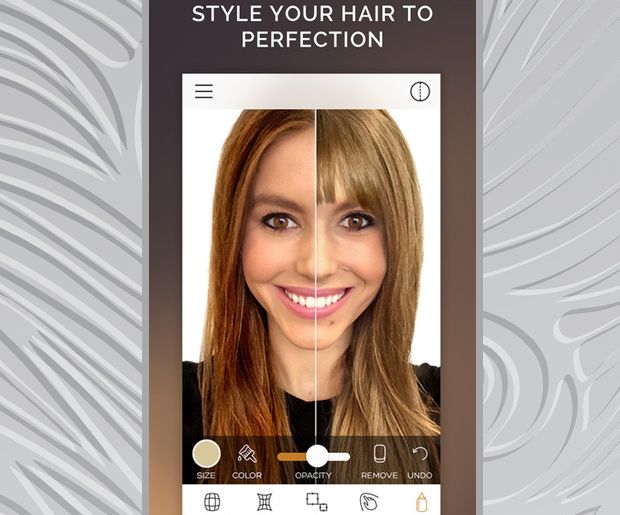
Hair Color App is an innovative tool that enables you to try out different hair colors and styles on your device. With just a few taps, you can transform your look without leaving your home. This app is available for both Android and iOS devices.
Benefits Of Using A Hair Color App
- Convenience: Try out new hair colors and styles from the comfort of your own home.
- Cost-effective: No need to visit a salon or purchase expensive hair dye.
- Experimentation: Try out different looks without committing to a permanent change.
Top 5 Apps To Capsize Color Of The Hairs
- Hair Color (Android/iOS/iPadOS): This app allows you to try out various hair colors and styles on your device. With over 100 colors to choose from, you’ll be able to find the perfect look for you.
- Style My Hair (Android/iOS): Developed by L’Oréal, this app offers a wide range of hairstyles and colors to try out. With its user-friendly interface, you can easily navigate through different styles and colors.
- Hair Style Editor (Android): This app provides an advanced editing experience, allowing you to add virtual moustaches, beard, and haircuts to your photo.
- Hairstyle: Hair Colour Maker (iOS/iPadOS): This app offers a simple yet effective way to try out different hair colors and styles on your device.
How To Use A Hair Color App
- Download The App: Search for the app in the App Store or Google Play Store.
- Choose a Photo: Select a photo of yourself or choose a virtual model.
- Try Out Different Colors: Browse through various hair colors and styles, and select the ones that appeal to you.
- Share Your Look: Share your new hairstyle on social media or save it as a favorite.
Other Notable Apps
- Hairs capsize royal color (Android)
- Acconciatura Perfect (iOS/iPadOS)
- Instagram (Android/iOS): Try out different hair colors and styles using the app’s built-in filters.
Conclusion
Trying out new hairstyles and colors has never been easier! With these amazing apps, you can experiment with different looks without leaving your home. Whether you’re looking to try out a new color or style, these apps will help you find the perfect look for you.
Faqs
- Q: What is a Hair Color App?
A: A hair color app is an innovative tool that enables you to try out different hair colors and styles on your device. - Q: Can I Use a Hair Color App on my Computer?
A: Yes, you can use photo editing software like Adobe Photoshop to capsize color of the hairs on your computer. - Q: How do I Choose a Hair Color App?
A: Look for an app that suits your needs and preferences. Consider factors such as user-friendliness, variety of colors, and sharing options. - Q: Can I Share my New Hairstyle on Social Media?
A: Yes, most hair color apps allow you to share your new look on social media platforms. - Q: Do I Need to Purchase a Separate App For Each Device?
A: No, many hair color apps are available on multiple platforms, so you can use them across different devices. - Q: Can I Try Out Different Hairstyles And Colors Without Purchasing The Premium Version?
A: Yes, most hair color apps offer free versions that allow you to try out basic features. However, some premium features may require a paid subscription. - Q: How do I Get Started With Using a Hair Color App?
A: Simply download the app, choose a photo, and start browsing through different colors and styles. Follow the instructions provided by the app for further guidance. - Q: Can I Use a Hair Color App to Change my Actual Hairstyle or Hair Color?
A: No, hair color apps are designed for virtual experimentation only. If you want to change your actual hairstyle or hair color, consult with a professional stylist or barber.


