
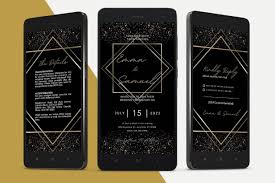
The Ultimate Guide to Creating Invitations: Top Apps to Try
Are you tired of using the same old boring invitation templates? Look no further! In this article, we’ll explore the top apps to create invitations that will make your event planning a breeze.
Why Use an App to Create Invitations?
Creating invitations can be a tedious task, especially when you have to design and print them yourself. But with the right app, you can create stunning invitations in just minutes. Not only do these apps save you time, but they also offer a wide range of customizable templates, designs, and features that will make your event stand out.
Top Apps to Create Invitations
- Canva (Android/iOS/iPadOS)
Canva is one of the most popular design apps available today. It offers a vast library of customizable templates, including invitations for various events like birthdays, weddings, and graduations. With Canva, you can add your own photos, text, and designs to make your invitation truly unique.
The Ultimate Guide to Creating Invitations: Top Apps to Try
-
Invitations For Parties of Birthday (Android/iOS/iPadOS)
This app is perfect for creating invitations for birthday parties, weddings, and other events. With a wide range of customizable templates and designs, you can create an invitation that reflects your personal style.
-
Invitation Maker Of Desygner (Android/iOS)
Desygner is another popular design app that allows you to create stunning invitations for various events. With its user-friendly interface and vast library of templates, you can create an invitation in just minutes.
-
Invitation Card Maker (Android)
This app offers a wide range of customizable templates and designs for creating invitations. With its easy-to-use interface, you can create an invitation that reflects your personal style.
-
Invitation Maker 2.0 (Android)
Invitation Maker 2.0 Is another popular design app that allows you to create stunning invitations for various events. With its user-friendly interface and vast library of templates, you can create an invitation in just minutes.
Other Apps to Create Invitations
In addition to the apps mentioned above, there are several other options available for creating invitations. Some of these include:
-
Invitation Card Designer (Android)
This app offers a wide range of customizable templates and designs for creating invitations. With its easy-to-use interface, you can create an invitation that reflects your personal style.
-
Desyne (iOS/iPadOS)
Desyne is another popular design app that allows you to create stunning invitations for various events. With its user-friendly interface and vast library of templates, you can create an invitation in just minutes.
-
Microsoft Word (Android/iOS/iPadOS)
Microsoft Word is a popular word processing app that offers a wide range of features and templates for creating documents, including invitations. With its easy-to-use interface, you can create an invitation that reflects your personal style.
-
Pages (iOS/iPadOS)
Pages is another popular design app that allows you to create stunning invitations for various events. With its user-friendly interface and vast library of templates, you can create an invitation in just minutes.
Creating Invitations With Whatsapp
If you don’t have access to a computer or smartphone, you can still create an invitation using WhatsApp. By modifying your status message, you can add text, photos, and designs to make your invitation truly unique.
Conclusion
In conclusion, creating invitations doesn’t have to be a tedious task. With the top apps mentioned above, you can create stunning invitations in just minutes. Whether you’re planning a birthday party, wedding, or graduation celebration, these apps offer a wide range of customizable templates and designs that will make your event stand out.
Faqs
-
What Are Some Popular Apps to Create Invitations?
Some popular apps to create invitations include Canva, Invitations for Parties of Birthday, Invitation Maker Of Desygner, Invitation Card Maker, and Invitation Maker 2.0.
-
How do I Create an Invitation With Whatsapp?
To create an invitation using WhatsApp, you can modify your status message by adding text, photos, and designs.
-
What Are Some Other Apps to Consider For Creating Invitations?
Some other apps to consider include Invitation Card Designer, Desyne, Microsoft Word, Pages, and Invitations App.
-
How do I Save my Invitation Design in The App?
The process of saving your invitation design may vary depending on the app you’re using. However, most apps allow you to save your design as an image or PDF file.
-
Can I Customize Templates in The App?
Yes, many apps offer customizable templates that you can personalize with your own text, photos, and designs.
-
Are There Any Specific Features I Should Look For When Choosing a Design App?
When choosing a design app, consider factors like ease of use, customization options, and availability of templates and designs.
-
Can I Create Invitations on my Tablet or Smartphone?
Yes, many design apps are available on tablets and smartphones, making it easy to create invitations on-the-go.
-
How do I Share my Invitation With Others?
Most design apps allow you to share your invitation via social media, email, or messaging apps like WhatsApp.


