
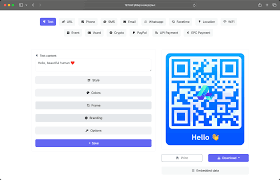
The Ultimate Guide to Creating QR Codes: Top Apps And Tips
Are you looking for a way to share information quickly and easily? Do you want to create QR codes without breaking the bank? Look no further! In this article, we’ll explore the top apps for creating QR codes on Android and iOS devices.
As a tech enthusiast, I’ve always been fascinated by the utility of QR codes. These small squares can hold a wealth of information, from website links to text messages. And with the right app, you can create your own QR codes in no time.
What is a QR Code?
Before we dive into the apps, let’s quickly explain what a QR code is. A QR code (Quick Response code) is a type of two-dimensional barcode that can be read by smartphones and tablets using a camera or scanner app. They’re commonly used for:
- Sharing website links
- Displaying text messages
- Providing contact information
- Sharing files and documents
Top Apps For Creating QR Codes
Here are the top apps for creating QR codes on Android and iOS devices:
1. Binary Eye (Android)
If you’re looking for a reliable and free app to create QR codes, look no further than Binary Eye. This app is available on the Google Play Store and supports a wide range of formats, including EAN 8 and EAN 13.
How it Works:
- Download the app from the Google Play Store.
- Launch the app and select the type of QR code you want to create (e.G., Website link or text message).
- Enter the information you want to include in the QR code.
- Choose the dimensions and error correction level for your QR code.
- Save or share your QR code.
2. QR Tails Generator by Qrysta (iOS/iPadOS)
If you’re an iOS user, don’t worry – we’ve got you covered! The QR Tails Generator by Qrysta is a popular app that allows you to create QR codes with ease.
How it Works:
- Download the app from the App Store.
- Select the type of content you want to include in your QR code (e.G., Website link or text message).
- Enter the information and add any additional details (e.G., Color or logo).
- Share or save your QR code.
Other Apps For Creating QR Codes
There are several other apps available on Android and iOS devices that can help you create QR codes. Some of these include:
- Simple QR (Android/iOS/iPadOS)
- QR & Barcode Scan (Android)
- App To Create QR Tails Green Pass (iOS)
Tips And Tricks:
Here are some additional tips to keep in mind when creating QR codes:
- Use a clear and high-quality image for the best results.
- Keep your QR code small and concise – too much information can be overwhelming!
- Experiment with different colors and designs to make your QR code stand out.
Conclusion
Creating QR codes has never been easier! With these top apps and tips, you’ll be well on your way to creating your own QR codes in no time. Whether you’re sharing a website link or displaying contact information, QR codes are an excellent way to share information quickly and easily. Happy scanning!


