
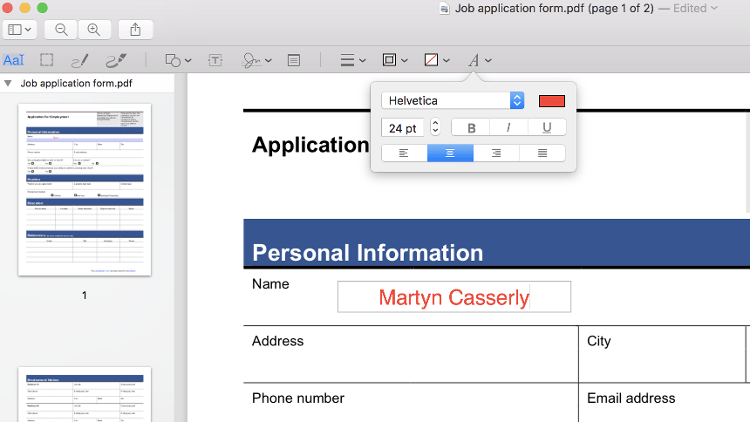
The Ultimate Guide to Modifying Pdf Files on Your Smartphone or Tablet
Are you tired of struggling with PDF files on your smartphone or tablet? Do you wish you could modify them easily without needing a computer? You’re in luck! With the right apps, you can edit and enhance your PDFs directly on your mobile device. In this article, we’ll explore the best apps to modify PDF files on Android, iOS/iPadOS, Windows, and macOS.
Introduction
PDF files have become an essential part of our digital lives. We use them to share documents, read e-books, and even take notes. However, modifying these files can be a hassle, especially when you’re away from your computer. That’s where mobile apps come in – to save the day! In this article, we’ll introduce you to the top-notch apps that will revolutionize the way you interact with PDFs on your smartphone or tablet.
Adobe Acrobat Reader (Android/iOS/Windows/macOS)
Are you searching for a reliable and feature-rich PDF reader? Look no further than Adobe Acrobat Reader. This app is available on all major platforms, including Android, iOS/iPadOS, Windows, and macOS. With Adobe Acrobat Reader, you can:
- Edit PDFs with ease by adding annotations, highlights, and more
- Sign documents digitally for added security
- Convert PDFs to Word, Excel, or PowerPoint formats
- Combine and compress multiple PDF files into one
Adobe Acrobat Reader is a must-have app for anyone working with PDFs. It’s free to download on Android and iOS/iPadOS devices, and you can also access the desktop version on Windows and macOS computers.
Foxit Mobile Pdf (Android/iOS/Windows/macOS)
Are you looking for an alternative to Adobe Acrobat Reader? Look no further than Foxit Mobile PDF! This app is available on all major platforms and offers a range of features, including:
- Editing PDFs with annotations, highlights, and more
- Protecting files with certificates and passwords
- Creating new PDF documents from scratch
- Merging multiple PDF files into one
Foxit Mobile PDF also has a subscription-based model that unlocks advanced features, such as file protection and creation. You can download the app for free on Android, iOS/iPadOS, Windows, and macOS devices.
Pdf Expert by Readdle (iOS/iPadOS/macOS)
Are you searching for an expert-level PDF editor? Look no further than PDF Expert by Readdle! This app is specifically designed for iPadOS and macOS users and offers a range of features, including:
- Editing PDFs with advanced tools, such as text editing and signature adding
- Synchronizing files across all your devices using cloud storage services
- Protecting documents with passwords and certificates
PDF Expert by Readdle also has a subscription-based model that unlocks advanced features. You can download the app for free on iOS/iPadOS and macOS devices.
Trailer (iOS/iPadOS/macOS)
Are you an Apple user looking for a simple yet effective PDF editor? Look no further than Trailer! This app is available on iOS, iPadOS, and macOS devices and offers a range of features, including:
- Editing PDFs with basic tools, such as text editing and signature adding
- Synchronizing files across all your devices using iCloud services
Trailer is a great option for users who want to keep their PDF editing experience simple. You can download the app for free on iOS, iPadOS, and macOS devices.
Other Apps
If you’re still not satisfied with the apps listed above, don’t worry! There are many other options available that cater to specific needs. Some of these include:
- Office (Android/iOS) – A mobile version of Microsoft Office that allows users to edit PDFs using advanced tools.
- Xodo PDF (Android/iOS/Windows) – A reader and editor app that supports various file formats, including PDFs.
- Media365 Book Reader (Android) – An e-book reader app that also allows users to modify PDF files.
Conclusion
Modifying PDF files on your smartphone or tablet has never been easier! With the apps listed above, you can edit, enhance, and protect your documents with ease. Whether you’re a student, professional, or simply someone who wants to stay organized, these apps are sure to revolutionize the way you interact with PDFs.
Faqs
- Q: What is The Best App For Modifying Pdf Files?
A: The best app for modifying PDF files depends on your specific needs and preferences. Adobe Acrobat Reader and Foxit Mobile PDF are excellent options for users who want advanced features, while Trailer and Office offer more basic editing tools. - Q: Can I Edit Pdfs Directly on my Smartphone or Tablet?
A: Yes! With the apps listed above, you can modify PDF files directly on your mobile device without needing a computer. - Q: Are These Apps Free to Download?
A: Some of the apps listed are free to download, while others require a subscription or purchase. - Q: Can I Synchronize my Pdfs Across All my Devices Using Cloud Storage Services?
A: Yes! Many of the apps listed offer synchronization capabilities with popular cloud storage services, such as Google Drive and iCloud. - Q: What File Formats do These Apps Support?
A: The apps listed above support various file formats, including PDFs, Word documents, Excel spreadsheets, PowerPoint presentations, and more. - Q: Can I Protect my Pdf Files With Passwords And Certificates?
A: Yes! Some of the apps listed offer password protection and certificate-based security features to safeguard your PDF files. - Q: Are These Apps Compatible With Windows And Macos Devices?
A: Yes! Many of the apps listed are available on all major platforms, including Android, iOS/iPadOS, Windows, and macOS. - Q: Can I Convert my Pdfs to Other File Formats Using These Apps?
A: Yes! Some of the apps listed allow users to convert their PDF files to Word documents, Excel spreadsheets, PowerPoint presentations, and more.


