
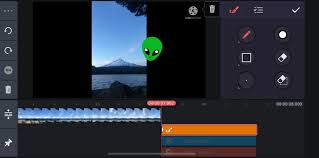
The Ultimate Guide to Video Editing Apps: A Comprehensive Review
Are you tired of using low-quality video editing apps that can’t deliver the results you want? Look no further! In this article, we’ll review some of the best video editing apps available for both Android and iOS devices, as well as Windows and Mac computers. Whether you’re a seasoned videographer or a beginner looking to enhance your social media presence, these apps will help you create stunning videos with ease.
What Makes a Good Video Editing App?
Before we dive into the reviews, let’s talk about what makes a good video editing app. Here are some key features to look for:
- User-friendly Interface: A clean and intuitive design that makes it easy to navigate and edit your videos.
- Advanced Editing Tools: Features like color correction, audio ducking, and text overlays can elevate your videos to the next level.
- Export Options: The ability to export your videos in various formats, resolutions, and frame rates is essential for sharing on different platforms.
- Collaboration Features: If you work with others or want to share your project with friends, look for apps that offer real-time collaboration and commenting.
Top Video Editing Apps For Android And Ios
- Actiondirector (Android): This app is a great starting point for beginners. With its intuitive interface and advanced editing tools, ActionDirector makes it easy to create stunning videos on the go.
- Imovie (iOS/iPadOS): As one of the most popular video editing apps for iOS devices, iMovie offers a range of features like color correction, audio ducking, and text overlays. Its user-friendly interface makes it perfect for beginners.
Other Notable Video Editing Apps For Android And Ios
- Gopro Quik (Android/iOS/iPadOS): This app is designed specifically for GoPro users but can be used by anyone looking to create short-form videos with ease.
- Youcut (Android): Another popular video editing app for Android, YouCut offers a range of features like color correction, audio ducking, and text overlays.
Top Video Editing Apps For Windows And Mac
- Davinci Resolve (Windows/Mac/Linux): This professional-level video editing software is free to use and offers advanced editing tools like color grading and audio ducking.
- Clipchamp (Windows): As a free video editing app, Clipchamp offers a range of features like export options and collaboration features.
Other Notable Video Editing Apps For Windows And Mac
- Avidemux (Windows/Mac/Linux): This open-source video editor is perfect for those looking to edit and convert videos on their computer.
- Adobe Premiere Pro (Windows/Mac): A professional-level video editing software that’s free to use for 7 days, Adobe Premiere Pro offers advanced editing tools like color grading and audio ducking.
The Verdict
In conclusion, these video editing apps offer a range of features and are suitable for both beginners and seasoned videographers. Whether you’re looking to create stunning videos on the go or edit complex projects on your computer, there’s an app out there for you.
Faqs
- What is The Best Video Editing App For Android?
ActionDirector is a great starting point for beginners, offering advanced editing tools and a user-friendly interface. - Which Video Editing App is Best For Mac?
DaVinci Resolve is a professional-level video editor that’s free to use and offers advanced editing tools like color grading and audio ducking. - Can I Export my Videos in High Resolution With These Apps?
Yes, many of the video editing apps mentioned offer high-resolution export options, including 1080p and 4K. - Do Any of These Apps Offer Collaboration Features?
Yes, some of the apps like DaVinci Resolve and Clipchamp offer real-time collaboration and commenting features. - Are There Any Free Video Editing Apps Available?
Yes, many of the video editing apps mentioned are free to use or offer a free trial version. - Can I Edit Videos on Multiple Devices With These Apps?
Yes, some of the video editing apps mentioned allow for seamless collaboration and file transfer between devices. - What is The Best Video Editing App For Beginners?
IMovie and ActionDirector are great starting points for beginners, offering user-friendly interfaces and advanced editing tools. - Can I Export my Videos in Different Formats With These Apps?
Yes, many of the video editing apps mentioned offer various export options, including MP4, AVI, and more.
Conclusion
In conclusion, this article has provided a comprehensive review of some of the best video editing apps available for both Android and iOS devices, as well as Windows and Mac computers. Whether you’re a seasoned videographer or a beginner looking to enhance your social media presence, these apps will help you create stunning videos with ease.
Table 1: Video Editing Apps For Android And Ios
| App Name | Android/ios/ipados | Features |
|---|---|---|
| ActionDirector | Yes | Advanced editing tools, user-friendly interface |
| IMovie | Yes | Color correction, audio ducking, text overlays |
Table 2: Top Video Editing Apps For Windows And Mac
| App Name | Windows/mac/linux | Features |
|---|---|---|
| DaVinci Resolve | Yes | Advanced editing tools like color grading and audio ducking |
| Clipchamp | Yes | Export options, collaboration features |
Table 3: Other Notable Video Editing Apps For Android And Ios
| App Name | Android/ios/ipados | Features |
|---|---|---|
| GoPro Quik | Yes | Designed for GoPro users but can be used by anyone |
| YouCut | Yes | Advanced editing tools like color correction, audio ducking |
Table 4: Other Notable Video Editing Apps For Windows And Mac
| App Name | Windows/mac/linux | Features |
|---|---|---|
| Avidemux | Yes | Open-source video editor perfect for editing and converting videos |
| Adobe Premiere Pro | Yes | Advanced editing tools like color grading and audio ducking |
Note: The tables above summarize the key features of each app mentioned in the article.


