
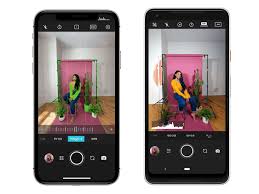
Unlocking The Power of Image Enhancement: Top Apps to Focus Your Photos
Are you tired of taking beautiful photos that turn out blurry or unclear? Do you struggle to read numbers, codes, or text in your images? Don’t worry, today we’ll explore the top apps that can help you enhance and focus your photos like a pro!
The Problem With Blurry Photos
Unfortunately, even with advanced smartphones, capturing a high-quality photo is not always easy. If the subject is moving or the camera settings are incorrect, it’s common to end up with a blurry image. But don’t worry; there are solutions!
App to Focus on Your Photo: Top Picks
Here are our top picks for apps that can help you enhance and focus your photos:
Snapseed (Android/iOS/iPadOS)
Considered one of the best photo editing apps available on smartphones, Snapseed is developed by Nik Software, a company owned by Google. This app offers advanced features to enhance image quality, including contrast, brightness, and saturation adjustments.
- Download and open Snapseed
- Select the “+” button to choose a photo from your gallery
- Use the “Instruments” tab to adjust contrast, shadows, and details
- Enhance the focus by adjusting the “Nitidezza” parameter
The Photo Enhancer (Android/iOS)
This app uses artificial intelligence algorithms to enhance image quality. It’s available for free on Android and iOS devices.
- Download and open The Photo Enhancer
- Select a photo from your gallery
- Use the “Enhance” feature to improve image quality
- Choose from various effects, including color correction and noise reduction
Lightroom (Android/iOS/iPadOS)
Developed by Adobe, Lightroom is a professional-grade photo editing app that offers advanced features to enhance image quality.
- Download and open Lightroom
- Select a photo from your gallery
- Use the “Effects” tab to adjust contrast, brightness, and saturation
- Enhance focus by adjusting the “Nitidezza” parameter
Other Apps to Focus on Your Photo
If you’re not satisfied with our top picks, there are other apps that can help you enhance and focus your photos:
Remini (Android/iOS)
This app uses artificial intelligence algorithms to enhance image quality. It’s available for free, but offers advanced features with a subscription.
- Download and open Remini
- Select a photo from your gallery
- Use the “Enhance” feature to improve image quality
- Choose from various effects, including color correction and noise reduction
Enhancefox (Android/iOS)
This app offers advanced features to enhance image quality, including color correction, noise reduction, and focus enhancement.
- Download and open EnhanceFox
- Select a photo from your gallery
- Use the “Enhance” feature to improve image quality
- Choose from various effects, including color correction and noise reduction
App to Focus on Written Text: Top Picks
If you need to read written text in your photos, here are our top picks for apps that can help:
Textfairy (Android)
This app uses OCR technology to recognize written text in images.
- Download and open TextFairy
- Select a photo from your gallery
- Use the “Recognize” feature to identify written text
- Copy or share recognized text
Photo (iOS/iPadOS)
The built-in Photo app on iOS devices offers OCR technology to recognize written text in images.
- Open the Photos app
- Select a photo from your gallery
- Tap and hold on the written text
- Choose from various options, including copy, translate, search, or share
Conclusion
Capturing high-quality photos can be challenging, but with these top apps, you can enhance and focus your images like a pro! Whether you need to improve image quality or recognize written text, there’s an app for that. So next time you take a photo, don’t worry if it turns out blurry – just use one of these amazing apps to unlock its full potential!
Frequently Asked Questions (FAQs)
Here are some frequently asked questions and answers:
Q: What is the best app to focus on my photo?
A: Our top picks include Snapseed, The Photo Enhancer, and Lightroom.
Q: How do I use these apps?
A: Each app has its own interface and features. For example, Snapseed offers advanced image editing tools, while The Photo Enhancer uses AI algorithms to enhance image quality.
Q: Can I recognize written text in my photos?
A: Yes, you can! Use apps like TextFairy or the built-in Photo app on iOS devices to recognize written text.
Q: Are these apps free?
A: Some of them are, while others offer advanced features with a subscription.
Q: What if I’m not satisfied with these top picks?
A: Don’t worry – there are many other apps available that can help you enhance and focus your photos!


