
The Ultimate Guide to Creating Videos on Your Smartphone
Are you tired of using complicated software to edit videos on your computer? Do you want to create stunning videos directly on your smartphone or tablet? Look no further! In this article, we’ll explore the best apps for creating videos on mobile devices, and show you how to use them like a pro.
Why Use Mobile Apps For Video Editing?
Mobile apps offer several advantages over traditional video editing software. They are portable, easy to use, and require minimal setup. Plus, many of these apps are free or low-cost, making them an attractive option for creators on-the-go.
The Best Apps For Creating Videos on Mobile Devices
Here are some of the top mobile apps for creating videos:
Capcut (Android/iOS/iPadOS)
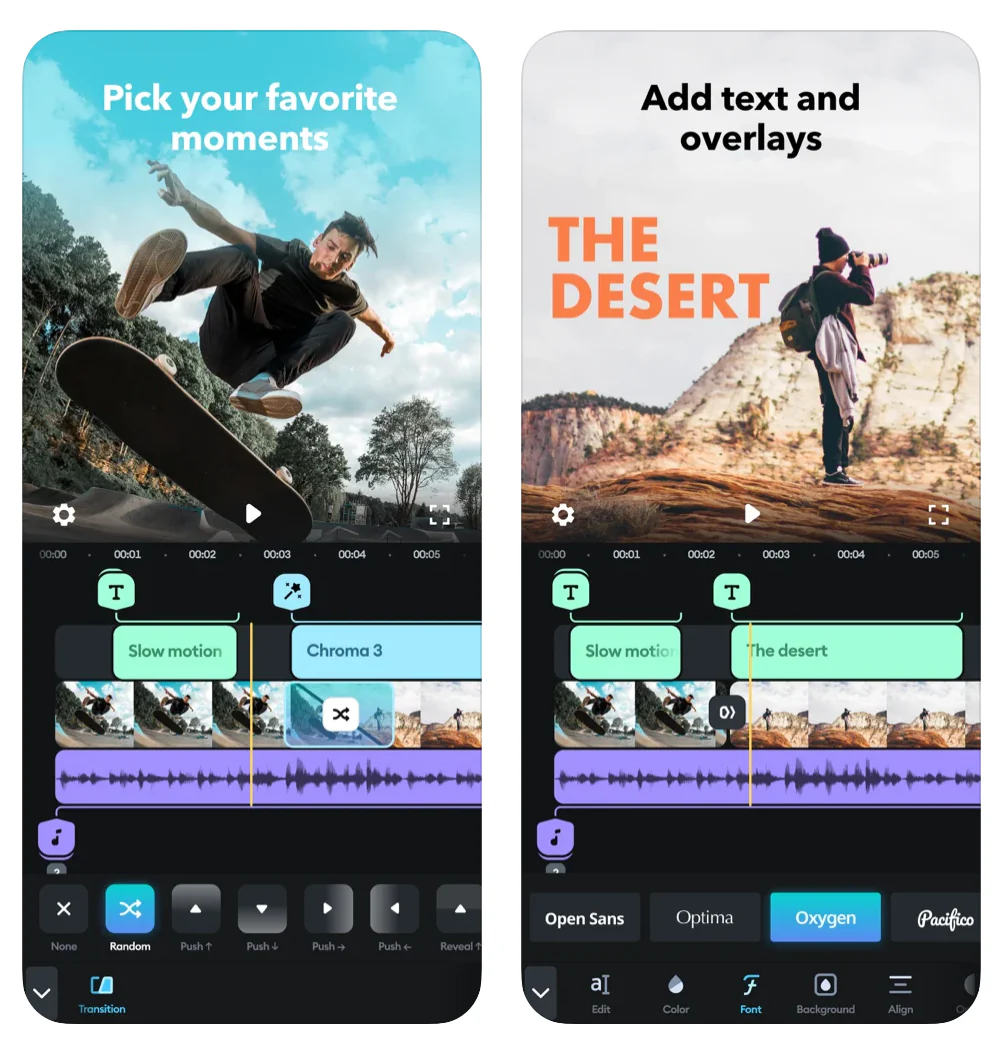
- CapCut is one of the most popular video editing apps available. With a user-friendly interface and a wide range of features, it’s perfect for beginners and pros alike.
- Download: Free on Google Play Store and Apple App Store
- Features: Trim, split, merge, rotate, and apply filters to your videos; add text, stickers, and effects; export in various resolutions and formats
Imovie (iOS/iPadOS)
- IMovie is a powerful video editing app developed by Apple. It’s free on all iOS devices and offers a range of features that make it perfect for creating stunning videos.
- Download: Free on Apple App Store
- Features: Trim, split, merge, rotate, and apply filters to your videos; add text, transitions, and effects; export in various resolutions and formats
Inshot (Android/iOS/iPadOS)
- InShot is a feature-rich video editing app that offers a wide range of tools for creating stunning videos. It’s free on Android devices and costs $3.09/Month for iOS devices.
- Download: Free on Google Play Store; $3.09/Month on Apple App Store
- Features: Trim, split, merge, rotate, and apply filters to your videos; add text, stickers, and effects; export in various resolutions and formats
Other Apps For Creating Videos
If you’re looking for more options, here are some other apps worth checking out:
- Magisto Editor: A simple video editing app that allows you to create stunning videos with just a few taps.
- Video Maker With Photo Music: An app that lets you create videos with photos and music, and add effects and transitions.
Tips For Using Mobile Apps For Video Editing
Here are some tips to keep in mind when using mobile apps for video editing:
Choose The Right App
When choosing a mobile app for video editing, consider your needs and skills. If you’re a beginner, look for apps with user-friendly interfaces and tutorials. If you’re more experienced, look for apps with advanced features and customization options.
Use High-quality Footage
To create stunning videos, use high-quality footage. This can include 4K resolution videos or photos taken with a good camera.
Experiment With Different Styles
Don’t be afraid to experiment with different styles and effects. Mobile apps offer a wide range of features that can help you create unique and engaging videos.
Export in The Right Format
When exporting your video, make sure to choose the right format for your intended audience. For example, if you’re uploading to YouTube, export in MP4 or AVI format.
Conclusion
Creating stunning videos on mobile devices is easier than ever with these top apps. Whether you’re a beginner or a pro, there’s an app out there that can help you create engaging and professional-looking videos. Just remember to choose the right app for your needs, use high-quality footage, experiment with different styles, and export in the right format.
Frequently Asked Questions
Here are some frequently asked questions about creating videos on mobile devices:
- Q: What’s The Best App For Video Editing?
- A: The best app for video editing depends on your needs and skills. CapCut, iMovie, and InShot are popular options.
- Q: How do I Export my Video in The Right Format?
- A: When exporting your video, choose the right format for your intended audience. For example, if you’re uploading to YouTube, export in MP4 or AVI format.
- Q: Can I Use Mobile Apps For Creating Videos With Photos And Music?
- A: Yes, there are several mobile apps that allow you to create videos with photos and music, such as Video Maker with Photo Music.


