
The Ultimate Guide to Aging Your Face With Mobile Apps
Are you curious about how to age your face or that of a friend using mobile apps? Look no further! In this article, we will explore the world of digital aging, highlighting some of the best apps available for both Android and iOS devices.
Understanding Digital Aging
Digital aging is a process that uses artificial intelligence (AI) to analyze and modify photos, giving them an aged or vintage look. This can be achieved using various mobile apps that employ AI-powered algorithms to detect facial features and apply transformations accordingly.
The Benefits of Digital Aging
Digital aging offers several benefits, including:
- Creative Expression: It allows users to experiment with different looks and ages without making any permanent changes.
- Social Media Fun: It’s a great way to add some humor or irony to social media posts by showing how you would look at an older age.
- Education And Awareness: Some apps can be used to demonstrate the effects of aging on the skin, promoting skin care and healthy habits.
Top Mobile Apps For Digital Aging
Here are some of the top mobile apps for digital aging:
Faceapp (Android/iOS/iPadOS)
FaceApp is a popular app that uses AI to age or rejuvenate human faces. It’s free to use, but there’s also a subscription-based Pro version with additional features.
How to Use Faceapp
- Download and install the app.
- Tap repeatedly on the “Start” button.
- Decline the invitation to subscribe to the paid plan (if not interested).
- Grant the necessary permissions to access your device’s gallery.
- Choose a photo from your gallery or take a new one using the camera.
- Select the “Age” option and choose how old you want to look.
- Confirm the changes by tapping on the “Save” button.
Agingbooth (Android/iOS/iPadOS)
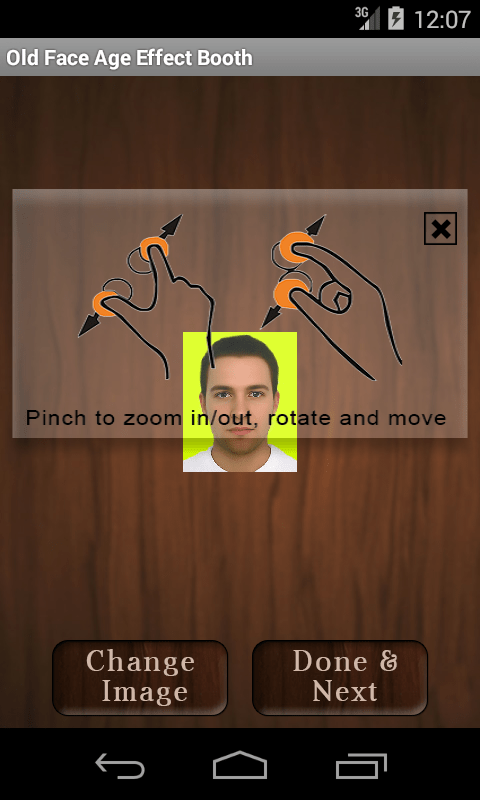
AgingBooth is another popular app for digital aging, available for Android, iOS, and iPadOS devices. It’s free to use and offers a range of features.
How to Use Agingbooth
- Download and install the app.
- Tap on the “Start” button.
- Choose whether to take a new photo or select one from your gallery.
- Grant the necessary permissions to access your device’s camera or gallery.
- Select the “Age” option and choose how old you want to look.
- Confirm the changes by tapping on the “Save” button.
Become Old (Android)
Become Old is a mobile app specifically designed for Android devices, allowing users to age their faces or that of others.
How to Use Become Old
- Download and install the app.
- Choose whether to use a present photo from your gallery, take a new one using the camera, or import one from Facebook.
- Indicate the leading elements of the face (eyes and mouth) using markers.
- Tap on the “Ahead” button to see the final outcome.
- Make any necessary modifications by adding glasses, modifying eyebrows, applying moustaches, or beard.
- Save and share the modified photo.
Other Apps For Digital Aging
If you’re interested in exploring more options, here are some other mobile apps for digital aging:
- FaceLab – Capsize face (Android)
- FaceTrix (Android)
- What Will I Look Like Old Face (iOS/iPadOS)
Conclusion
Digital aging is a fun and creative way to experiment with different looks and ages without making any permanent changes. With the top mobile apps for digital aging, you can easily age your face or that of a friend using AI-powered algorithms.
Frequently Asked Questions (FAQs)
- What is Digital Aging?
Digital aging is a process that uses artificial intelligence to analyze and modify photos, giving them an aged or vintage look. - Which Mobile Apps Are Best For Digital Aging?
FaceApp, AgingBooth, Become Old, FaceLab – Capsize face, FaceTrix, and What Will I Look Like Old Face are some of the top mobile apps for digital aging. - How do I Use These Apps?
Each app has its own unique features and instructions. However, most require you to select a photo, choose how old you want to look, and confirm the changes. - Are These Apps Free?
Some apps are free, while others offer subscription-based plans or in-app purchases for additional features. - Can I Use These Apps on Any Device?
Most of these apps are available for Android and iOS devices, but some may have specific requirements.
By following this guide, you’ll be able to easily age your face or that of a friend using the top mobile apps for digital aging. Happy experimenting!


