
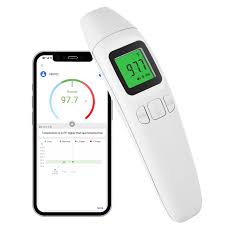
The Ultimate Guide to Apps That Measure Fever: A Review of Top Devices And Applications
Are you looking for a reliable way to measure your fever without visiting the doctor? Look no further! In this article, we’ll explore the top apps that measure fever, along with their compatible devices and features. Whether you’re searching for an Android or iOS app, we’ve got you covered.
Preliminary Information
Before diving into the world of fever-measuring apps, it’s essential to understand some preliminary information. With so many apps available in the virtual store, it can be challenging to find a reliable one. Be cautious of apps that promise to measure fever or vital parameters without proper instruments, as they may be ineffective and misleading.
The Top Apps For Measuring Fever
Here are some of the top apps that measure fever, along with their compatible devices:
1. Pic Health Station (Android/iOS/iPadOS)
The first app on our list is the Pic Health Station. This app connects to a thermometer-to-infrared device, ThermoDiary Head, which measures temperature at arm’s length. The app allows you to monitor your temperature, note symptoms and medications, and share data with others.
2. Beurer Healthmanager Pro (Android/iOS/iPadOS)
The Beurer HealthManager Pro is another excellent app for measuring fever. It connects to a thermometer without contact, BEURER Ft 95, which uses infrared technology to measure temperature. The app allows you to track vital signs, such as blood pressure and heart rate.
3. Thermo (Android/iOS/iPadOS)
Thermo is an intelligent temporal thermometer that adapts to different age groups, from newborns to adults. It measures temperature using 16 infrared sensors and synchronizes data with the app via Wi-Fi or Bluetooth. The app allows you to track temperature trends and share data with others.
4. Omron Connect (Android/iOS/iPadOS)
The OMRON Connect app connects to a traditional thermometer, Echo Temp Intelli IT MC-280B, which requires contact for measurement. The app allows you to track vital signs, including temperature, blood pressure, and heart rate. It also features a premium subscription plan with additional features.
Key Features to Consider
When choosing an app to measure fever, consider the following key features:
- Accuracy: Look for apps that use reliable instruments and technologies.
- Ease of Use: Choose apps with intuitive interfaces and simple navigation.
- Data Sharing: Select apps that allow you to share data with healthcare professionals or loved ones.
- Additional Features: Consider apps with extra features, such as tracking vital signs, medications, or sleep patterns.
Conclusion
Measuring fever has never been easier! With these top apps and devices, you can track your temperature and vital signs from the comfort of your own home. Remember to consult a healthcare professional for accurate diagnosis and treatment. By choosing the right app for your needs, you’ll be well on your way to staying healthy and informed.
Frequently Asked Questions
- What is The Best App For Measuring Fever?
The best app for measuring fever depends on your specific needs and preferences. Consider factors like accuracy, ease of use, and additional features. - Can I Use These Apps Without a Smartphone?
No, most of these apps require a smartphone to function properly. - Do I Need to Consult a Healthcare Professional After Using These Apps?
Yes, it’s essential to consult a healthcare professional for accurate diagnosis and treatment. These apps are meant to supplement medical care, not replace it. - Are These Apps Secure And Private?
Most of these apps prioritize user data security and privacy. However, always review the app’s terms of service and privacy policy before using it.
Stay Healthy With The Right Tools!
By choosing the right app for measuring fever, you’ll be taking a proactive approach to your health. Remember to consult a healthcare professional for accurate diagnosis and treatment. Happy tracking!


