
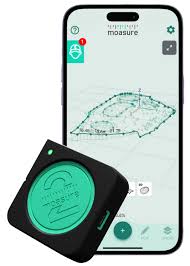
The Ultimate Guide to Measuring Photos: Top Apps And Software
Are you tired of struggling to measure photos? Do you wish there was a way to easily get the dimensions of an image without having to physically measure it? Look no further! In this article, we will explore the top apps and software that can help you measure photos with ease.
What Are The Benefits of Measuring Photos?
Measuring photos is not just limited to getting the dimensions of an image. It also allows you to:
- Compare Sizes: By measuring photos, you can easily compare the size of different objects or images.
- Plan Layouts: Measuring photos can help you plan layouts for your home, office, or any other space.
- Make Informed Decisions: With accurate measurements, you can make informed decisions when it comes to decorating, furnishing, or renovating.
Top Apps For Measuring Photos
There are several apps available that can help you measure photos. Here are some of the top ones:
Imagemeter (Android)
ImageMeter is a popular app that allows you to measure photos with ease. It has a user-friendly interface and supports multiple units of measurement. The free version is available for download, but some features require a subscription.
- To use ImageMeter, simply open the app, select the image you want to measure, and choose the unit of measurement.
- Then, tap on the “+” button to add a new measurement point, and drag your finger to draw a line along the object or area you want to measure.
- The app will automatically calculate the dimensions of the object or area.
My Measures AR (iOS/iPadOS)
My Measures AR is another popular app that can help you measure photos. It has a wide range of features, including the ability to add annotations and comments to your measurements.
- To use My Measures AR, open the app, select the image you want to measure, and choose the unit of measurement.
- Then, tap on the “+” button to add a new measurement point, and draw a line along the object or area you want to measure.
- The app will automatically calculate the dimensions of the object or area.
Eleif (Online)
Eleif is an online service that allows you to measure photos directly from your web browser. It’s free and doesn’t require any software installation.
- To use Eleif, simply visit their website, select the image you want to measure, and choose the unit of measurement.
- Then, click on the “+” button to add a new measurement point, and draw a line along the object or area you want to measure.
- The service will automatically calculate the dimensions of the object or area.
Imagej (Windows/macOS/Linux)
ImageJ is a professional software that can help you analyze images, including measuring photos. It’s free and has a wide range of features.
- To use ImageJ, simply open the app, select the image you want to measure, and choose the unit of measurement.
- Then, click on the “+” button to add a new measurement point, and draw a line along the object or area you want to measure.
- The software will automatically calculate the dimensions of the object or area.
Conclusion
Measuring photos is not just limited to getting the dimensions of an image. It also allows you to compare sizes, plan layouts, and make informed decisions. With the top apps and software available, measuring photos has never been easier. Whether you’re a professional or just someone who needs to measure photos for personal use, these tools can help you get accurate measurements with ease.
Frequently Asked Questions
- What is The Best App For Measuring Photos?
- The best app for measuring photos depends on your specific needs and preferences. ImageMeter and My Measures AR are popular options, while Eleif is a great online service.
- How do I Measure Photos Using Imagemeter?
- To use ImageMeter, simply open the app, select the image you want to measure, and choose the unit of measurement. Then, tap on the “+” button to add a new measurement point, and draw a line along the object or area you want to measure.
- Is My Measures AR Available For Ios Only?
- No, My Measures AR is also available for iPadOS.
- Can I Use Eleif Online For Free?
- Yes, Eleif is an online service that allows you to measure photos directly from your web browser without any software installation or subscription fees.
- What is The Cost of Imagej Software?
- ImageJ is a free and open-source software.
Best Practices
- Always use accurate measurements when measuring photos.
- Compare sizes and plan layouts carefully to ensure accuracy.
- Use high-quality images for better measurement results.
Safety Precautions
- Be careful not to damage the object or surface you’re measuring.
- Follow proper safety procedures when using software or apps that require installation.
By following these best practices and safety precautions, you can ensure accurate measurements and make informed decisions when it comes to measuring photos.


