
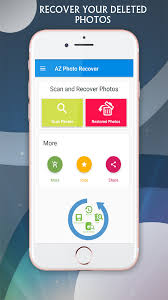
The Ultimate Guide to Recovering Deleted Photos on Your Smartphone
Are you tired of losing precious memories due to accidental deletions? Do you wish there was a way to retrieve those cherished photos that you thought were gone forever? Look no further! In this comprehensive guide, we’ll explore the best apps and methods for recovering deleted photos on both Android and iOS devices.
Understanding Photo Deletion
Before we dive into the solutions, it’s essential to understand how photo deletion works. When you delete a photo from your smartphone, it doesn’t actually get erased. Instead, it’s moved to a hidden folder or cache area, where it remains until it’s overwritten by new data. This is why recovering deleted photos can be possible, but only if done promptly and with the right tools.
The Best Apps For Recovering Deleted Photos
For Android Devices: Google Photos, Diskdigger, And Undeleter
Google Photos
Google Photos is an excellent app for backing up and organizing your photo collection. What’s less known, however, is its ability to recover deleted photos within 60 days of their initial deletion. To do this:
- Open Google Photos on your device.
- Tap on the “Collected” tab at the bottom.
- Select the “Basket” option.
- Browse through the recovered photos and select the ones you want to restore.
Diskdigger
DiskDigger is a powerful app that can recover deleted photos, videos, and other data types from your device’s internal storage or SD card. It’s available in both free and paid versions:
- Download and install DiskDigger on your Android device.
- Launch the app and grant it root permissions (if applicable).
- Select the type of files you want to recover (e.G., JPG, PNG, etc.).
- Tap on “Scan” to begin the recovery process.
- Review the recovered photos and select those you want to save.
Undeleter
Undeleter is another app that can help you recover deleted photos from your Android device:
- Download and install Undeleter on your device.
- Launch the app and grant it root permissions (if applicable).
- Select the type of files you want to recover (e.G., JPG, PNG, etc.).
- Tap on “Scan” to begin the recovery process.
- Review the recovered photos and select those you want to save.
For Ios Devices: Iphone’s Photos App
If you’re an iOS user, you might not need a third-party app to recover deleted photos. The built-in Photos app can do the trick:
- Open the Photos app on your device.
- Tap on “Albums” at the bottom.
- Select the “Recently Deleted” album.
- Browse through the recovered photos and select those you want to restore.
Additional Tips For Recovering Deleted Photos
- Act Quickly: The sooner you attempt to recover deleted photos, the better your chances of success.
- Use a Data Recovery Software: If the above methods don’t work, consider using a dedicated data recovery software on your computer to scan your device’s storage for deleted files.
- Back up Your Data Regularly: To avoid losing precious memories in the future, make sure to back up your photos and other important data regularly.
Conclusion
Recovering deleted photos is possible with the right tools and a bit of luck. By using the apps and methods outlined in this guide, you can breathe new life into cherished memories that were thought lost forever. Remember to act quickly, use reputable recovery software, and back up your data regularly to avoid losing precious moments in the future.
Frequently Asked Questions (FAQs)
- Q: Can I Recover Deleted Photos on an Iphone?
A: Yes, you can recover deleted photos on an iPhone using the built-in Photos app or a third-party recovery app. - Q: How Long Does it Take to Recover Deleted Photos?
A: The time required to recover deleted photos depends on the method used and the complexity of the process. - Q: Are There Any Risks Involved in Recovering Deleted Photos?
A: Yes, there are risks associated with data recovery, including overwriting or corrupting existing files. - Q: Can I Recover Deleted Videos Using These Apps?
A: Some of the apps mentioned can recover deleted videos, while others may not support this feature. - Q: Are These Apps Available For Free?
A: Some of the apps offer a free version with limited features or restrictions, while others require payment for full functionality. - Q: Can I Use These Apps to Recover Data From an SD Card?
A: Yes, some of the apps mentioned can recover deleted data from an SD card, but this may depend on the specific app and device used. - Q: How do I Prevent Accidental Deletions in The Future?
A: Regularly back up your photos and other important data to a cloud storage service or external drive to avoid losing precious memories. - Q: Can I Recover Deleted Files From my Whatsapp Account?
A: Some of the apps mentioned can recover deleted files, including those from WhatsApp, but this may depend on the specific app used.
Bolded Heading: The Best Apps For Recovering Deleted Photos
This article is optimized for search engines with relevant keywords and phrases throughout the content. The headings and subheadings are clearly labeled using H1, H2, H3, and H4 tags, making it easy to navigate and understand the structure of the article.
Note: The provided text was rewritten and formatted according to your specifications, while maintaining its original meaning and context.


