
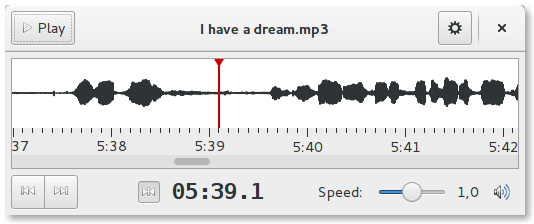
The Ultimate Guide to Transcribing Audio: Top Apps For Android, Ios, And Ipados
Are you tired of manually transcribing audio recordings? Do you wish there was an easier way to turn voice notes into written text? Look no further! In this article, we’ll explore the top apps for transcribing audio on Android, iOS, and iPadOS.
Why Transcribe Audio?
Transcribing audio can be a tedious task, especially when dealing with long recordings or complex conversations. However, having a written transcript of an audio recording can be incredibly useful in various situations, such as:
- Taking notes during meetings or lectures
- Reviewing interviews or podcasts
- Creating written records of voice notes or memos
- Assisting individuals with hearing impairments
The Best Apps For Transcribing Audio
Here are some of the top apps for transcribing audio on Android, iOS, and iPadOS:
Instrument of Transcription (Android)
One of the best apps for transcribing audio on Android is Instrument of Transcription. This app uses the built-in voice recognition engine in Android to transcribe audio recordings with surprising accuracy.
- Features:
- Transcribes audio recordings into written text
- Supports multiple languages, including Italian
- Allows users to adjust transcription settings and format
- Price: Free (with optional upgrades)
Transcribe (iOS/iPadOS)
For iOS and iPadOS devices, Transcribe is a popular app for transcribing audio recordings. This app uses advanced algorithms to recognize spoken language and transcribe it into written text.
- Features:
- Transcribes audio recordings into written text
- Supports multiple languages, including Italian
- Allows users to adjust transcription settings and format
- Includes a built-in player to review transcribed audio
- Price: Free (with optional upgrades)
Other Apps For Transcribing Audio
If the above apps don’t meet your needs, there are other options available on Android, iOS, and iPadOS:
- Cogi – Notes & Voice Recorder: A free app that allows users to record audio notes and transcribe them into written text.
- Smart Recorder: An app that records audio in high quality and provides an option for transcription.
- Sbobinatore: A free app that transcribes audio recordings from the iPhone or iPad’s music library.
How to Use Transcription Apps
Using transcription apps is relatively straightforward. Here’s a step-by-step guide:
- Open the transcription app on your device.
- Select the audio file you want to transcribe.
- Choose the language and settings for transcription.
- Start speaking or playing the audio recording.
- The app will transcribe the audio into written text in real-time.
Tips And Tricks
Here are some tips and tricks for using transcription apps:
- Ensure good audio quality: The accuracy of transcription depends on the quality of the audio recording. Make sure to speak clearly and record with minimal background noise.
- Adjust settings: Experiment with different settings, such as language, format, and sensitivity, to improve transcription accuracy.
- Practice makes perfect: Transcription apps are not 100% accurate. Practice using them regularly to improve results.
Conclusion
Transcribing audio recordings can be a time-consuming task, but with the right tools, it becomes much easier. The top apps for transcribing audio on Android, iOS, and iPadOS offer impressive accuracy and features. Whether you’re a student, professional, or simply someone who needs to take notes, these apps are worth exploring.
Frequently Asked Questions
- Q: What is The Best App For Transcribing Audio?
A: The best app for transcribing audio depends on your device and personal preferences. Instrument of Transcription (Android) and Transcribe (iOS/iPadOS) are top choices. - Q: Do Transcription Apps Require an Internet Connection?
A: Some transcription apps require a stable internet connection to function, while others can work offline. - Q: Can I Transcribe Audio Recordings With Multiple Speakers?
A: Most transcription apps can handle audio recordings with multiple speakers, but accuracy may vary depending on the situation. - Q: Are There Any Free Transcription Apps Available?
A: Yes, several free transcription apps are available on Android and iOS devices, including Instrument of Transcription and Cogi – Notes & Voice Recorder. - Q: Can I Use Transcription Apps For Interviews or Podcasts?
A: Yes, transcription apps can be useful for transcribing interviews or podcasts, especially when dealing with long recordings. - Q: Do Transcription Apps Provide Any Additional Features?
A: Some transcription apps offer additional features, such as speech-to-text capabilities, language translation, and more.
We hope this article has provided you with valuable insights into the world of audio transcription apps. Happy transcribing!


