
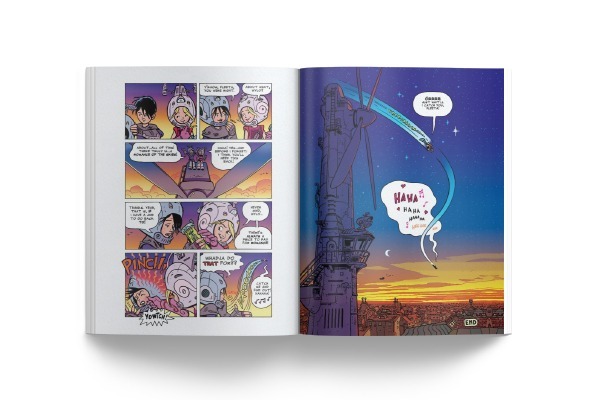
Transforming Your Photos Into Comic Strips: A Guide to Free Apps
Are you fascinated by comic strips, but don’t have the talent to draw them yourself? Worry no more! With the advancement of technology, it’s now possible to transform your photos into comic strips using free apps on your smartphone or tablet. In this guide, we’ll explore some of the best apps that can help you achieve this artistic feat.
Best Apps to Transform Photos Into Comic Strips
Here are some of the top-rated apps that offer a range of features and styles:
Momentcam (Android/iOS/iPadOS)
One of the first apps to transform photos into comic strips, MomentCam is a user-friendly app that doesn’t require registration or subscription. It offers a free version with ads, but you can upgrade to a VIP subscription for $5.99/Month to download comics in HD and avoid ads.
To get started, download MomentCam on your Android device (or iOS/iPadOS) and create a new avatar using a photo of yourself. Select the photo, choose a comic strip style, and customize it as desired. You can also use the app’s built-in editor to add features like hair color, accessories, or other details.
Sketches Pencil (Android/iOS/iPadOS)
Another popular app for transforming photos into comic strips is Sketches Pencil. This app offers a range of styles, from simple pencil sketches to more intricate designs. You can download it for free, but be prepared to see ads unless you upgrade to the paid version.
To use Sketches Pencil, tap on the camera icon and take a photo or select one from your gallery. Then, choose a style from the menu options, such as Cartoonist, Pencil, Sketch, Paint, or Schizzo. You can also modify parameters like contrast, filters, and more using the editor.
Comic (Android)
If you’re looking for an app that’s easy to use and free from ads, Comic is a great option. This app allows you to transform photos into comic strips without registration or subscription. Simply download it on your Android device, choose a style, and customize the comic strip as desired.
To get started, tap on the camera icon to take a photo or select one from your gallery. Then, choose a style from the menu options, such as Cartoon or Comic. You can also modify parameters like contrast, brightness, and more using the editor.
Other Apps For Transforming Photos Into Comic Strips
There are several other apps available that offer similar features to those mentioned above. Some of these include:
- TooneArt (Android/iOS/iPadOS): A paid app with a free trial, offering various styles and customization options.
- Souls Manga Chamber (Android): A free app with ads, allowing you to create characters from photos using various adhesives.
- Clip2Comic (iOS/iPadOS): A free app for editing photos into cartoon-style comics.
Converting Photos Into Comic Strips on PC
If you prefer to work on your computer, check out our guide on programs for converting photos into comic strips. This will give you access to a range of solutions tailored to your needs.
Frequently Asked Questions (FAQs)
Here are some answers to commonly asked questions about transforming photos into comic strips:
Q: What’s The Best App For Transforming Photos Into Comic Strips?
A: The best app depends on personal preference and the style you’re aiming for. Some popular options include MomentCam, Sketches Pencil, and Comic.
Q: Do I Need to Register or Subscribe to Use These Apps?
A: Some apps require registration or subscription for full access to features and styles. Be sure to check each app’s requirements before getting started.
Q: Can I Customize The Comic Strips as Desired?
A: Yes, most of these apps offer customization options like modifying parameters, adding features, or changing styles.
Q: Are There Any Free Alternatives to Paid Apps?
A: Absolutely! Many of these apps offer free versions or trials, and some are entirely free from ads.
Q: Can I Convert Photos Into Comic Strips on my Pc?
A: Yes, you can use programs specifically designed for converting photos into comic strips. Check out our guide for more information.
Q: Are These Apps Suitable For Beginners?
A: Most of these apps are user-friendly and easy to navigate, even for those new to graphic design or comic art.
Q: Can I Share my Converted Comic Strips on Social Media?
A: Yes, all the apps mentioned here allow you to share your creations on various social networks.


