
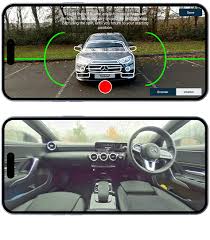
Visualizing Panoramic Photos: A Guide to Mobile Apps And PC Software
As we embark on voyages or outdoor adventures, it’s common to capture breathtaking panoramic photos with our mobile devices or specialized cameras. However, when we try to visualize these stunning images on our smartphones or computers, they often appear flat, static, and lacking in amplitude. This is where the right tools come into play – specifically designed apps and software that allow us to explore and relive the emotions captured in those panoramic photos.
Understanding The Problem
When we take panoramic photos, we expect them to be showcased in all their glory on our screens. However, due to various factors such as image processing times or limitations in display technology, these images often fail to meet our expectations. This is where mobile apps and PC software come into play – specifically designed to visualize and enhance panoramic photos.
Top Mobile Apps For Visualizing Panoramic Photos
Google Photo (Android/iOS/iPadOS)
The Google Photo app allows users to capture and share stunning panoramic photos, which can then be visualized in all their glory on the screen. This feature is especially useful for those who frequently travel or engage in outdoor activities.
How it Works:
- Open the Google Photos app.
- Select a photo from your gallery.
- Tap the “Edit” button and choose “Panorama.”
- The image will be analyzed, and you can then view it in its entirety by tapping on it.
Dmd Panorama (Android/iOS/iPadOS)
This app allows users to capture panoramic photos using their device’s camera and visualize them on the screen. It also provides additional tools for editing and enhancing these images.
How it Works:
- Download and install DMD Panorama.
- Launch the app and select “Gallery” from the menu.
- Choose a panoramic photo, and you’ll see an arrow icon at the top right corner of the image.
- Tap on this icon to view the photo in its entirety.
Other Notable Mobile Apps
- Panorama 360 Chamber (Android/iOS/iPadOS): This app allows users to capture and visualize panoramic photos using their device’s camera.
- 360 Panorama Viewer (Android): A free, ad-supported app that enables users to view panoramic photos in all their glory.
- Theta+ (Android/iOS/iPadOS): An app developed by Ricoh that allows users to capture and visualize panoramic photos using a specialized camera.
Visualizing Panoramic Photos on PC
While mobile apps are convenient, sometimes it’s more comfortable to view panoramic photos on a larger screen. Here are some software solutions for visualizing these images on your PC:
Fspviewer (Windows/macOS/Linux)
This free software allows users to visualize spherical and panoramic images on their computers.
How it Works:
- Download FSPViewer from the official website.
- Run the installer, and follow the prompts to install the software.
- Launch FSPViewer, and select “Open” from the menu.
- Choose a panoramic photo from your computer, and you’ll be able to view it in its entirety.
Other Notable PC Software
- Turnme Panorama (Windows): A simple app that allows users to capture and visualize panoramic photos using their device’s camera.
- Renderstuff: An online tool for visualizing panoramic images by uploading them directly from your browser.
- Momento360: A service that provides a free 750 MB storage limit for uploading panoramic photos, with additional features available through subscription.
Conclusion
Visualizing panoramic photos is a straightforward process when you have the right tools. Whether you’re using mobile apps or PC software, these solutions allow you to relive and explore the emotions captured in those stunning images.
Here are eight FAQs related to visualizing panoramic photos:
-
What is the best app for visualizing panoramic photos on my smartphone?
Answer: The Google Photo app (Android/iOS/iPadOS) offers an excellent feature for visualizing panoramic photos directly from your device.
-
How do I visualize a panoramic photo on my PC?
Answer: You can use FSPViewer, a free software that allows you to view spherical and panoramic images on your computer.
-
Which mobile app provides the most advanced tools for editing and enhancing panoramic photos?
Answer: The DMD Panorama app (Android/iOS/iPadOS) offers additional tools for editing and enhancing these images.
-
What is the cost of using the THETA+ app?
Answer: The THETA+ app developed by Ricoh allows users to capture and visualize panoramic photos using a specialized camera.
-
How much storage space does Momento360 provide for uploading panoramic photos?
Answer: Momento360 offers a free 750 MB storage limit, with additional features available through subscription.
-
Which software is compatible with all major operating systems (Windows, macOS, and Linux)?
Answer: FSPViewer supports all three operating systems, making it a versatile choice for visualizing panoramic photos on your PC.
-
What is the main advantage of using mobile apps over PC software for visualizing panoramic photos?
Answer: Mobile apps offer portability and convenience, allowing users to view panoramic photos directly from their devices.
-
Can I use online tools for visualizing panoramic images without installing any software or apps?
Answer: Yes, there are several online tools available, such as RenderStuff, that allow you to upload and visualize panoramic photos directly from your browser.


