
Discover The Best Apps to Watch Free Movies on Your Smartphone or Tablet
Are you tired of being bored during your train rides or daily commutes? Do you want to discover new movies without having to carry a portable computer with you? Look no further! In this article, we will explore the best apps to watch free movies on your smartphone or tablet.
Why Choose an App Over Other Options?
While watching TV might be a comfortable option for some, it’s not always possible to access the desired movie. Moreover, TVs are often limited in terms of content and viewing options. An app, on the other hand, offers a wide range of movies and TV shows that can be accessed anywhere, anytime.
What Are The Best Apps to Watch Free Movies?
Here are some of the top apps to watch free movies:
Raiplay (Android/iOS/iPadOS)
- The official service of the Rai
- Offers direct streaming of all Rai channels and a vast library of movies, TV shows, and documentaries
- Can be accessed on Android devices through the Google Play Store or alternative stores
- Requires a free account to access some features
Mediaset Infinity (Android/iOS/iPadOS)
- Another popular video-on-demand service
- Offers part of its content for free, while premium content requires a subscription
- Can be downloaded on Android devices through the Google Play Store or alternative stores
- Requires a free account to access some features
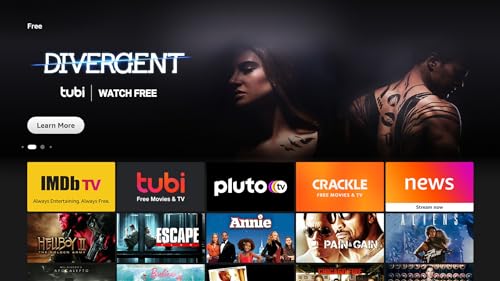
Plutotv (Android/iOS/iPadOS)
- A streaming service that offers a wide range of movies and TV shows for free
- Can be accessed on Android devices through the Google Play Store or alternative stores
- Offers live channels, on-demand content, and a user-friendly interface
Kilos (Android/iOS/iPadOS)
- A video-on-demand service that allows users to rent or purchase movies and TV shows
- Offers some free content with advertising interruptions
- Can be downloaded on Android devices through the Google Play Store or alternative stores
- Requires a free account to access some features
Rakuten TV (Android/iOS/iPadOS)
- A streaming service that allows users to rent or purchase movies and TV shows
- Offers some free content with advertising interruptions
- Can be downloaded on Android devices through the Google Play Store or alternative stores
- Requires a free account to access some features
Other Apps to Watch Free Movies
If these services don’t meet your needs, there are other apps worth exploring:
Youtube (Android/iOS/iPadOS)
- A popular video-sharing platform that offers a wide range of movies and TV shows
- Some channels offer free content with ads
Prime Video (Android/iOS/iPadOS)
- Amazon’s streaming service that offers a vast library of movies and TV shows
- Requires a subscription to access premium content, but offers a free trial period
Apple Tv+ (iOS/iPadOS)
- Apple’s streaming service that offers original movies and TV shows
- Offers a free trial period before requiring a subscription
Tips For Using These Apps
To get the most out of these apps:
- Make sure to download them from authorized stores like Google Play or Apple App Store.
- Create an account to access premium features, if required.
- Familiarize yourself with each app’s interface and content offerings.
Conclusion
Watching free movies on your smartphone or tablet is now easier than ever. With these top-rated apps, you can discover new titles, rewatch classics, and enjoy a wide range of movies and TV shows anywhere, anytime. So why wait? Download the best app for you today!
Frequently Asked Questions (FAQs)
Here are some additional questions answered:
-
Q: Which App Offers The Largest Collection of Free Movies?
A: While each app has its unique library, PlutoTV and YouTube might offer more extensive collections. -
Q: Can I Watch These Movies Offline?
A: Some apps allow you to download content for offline viewing, while others require a stable internet connection. -
Q: Are There Any Ads in These Apps?
A: Yes, some apps display ads during or before movie playback. However, many offer ad-free experiences with premium subscriptions. -
Q: Can I Access These Apps on my Smart Tv?
A: Some apps have dedicated Smart TV versions, while others can be accessed through streaming devices like Chromecast or Apple TV. -
Q: Are There Any Subscription Fees For These Apps?
A: While some apps offer free content, others require subscriptions to access premium features or exclusive titles.


