
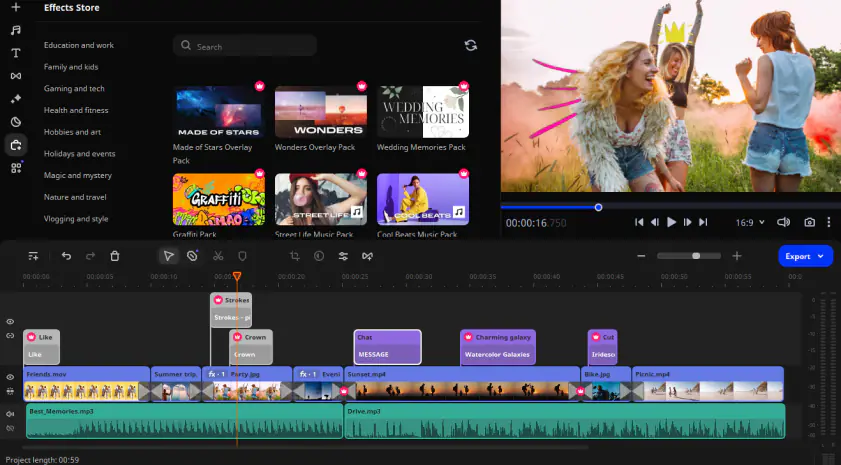
Cutting Video Like a Pro: Top Apps to Edit Your Footage
Are you tired of editing videos like a pro? Do you want to learn how to cut your video footage like a seasoned editor? Look no further! In this article, we will explore the top apps to edit your video footage on both Android and iOS devices.
Why Cut Video in The First Place?
Cutting video is an essential step in editing your footage. It allows you to remove unwanted parts, add transitions, and make your video look more polished. Whether you’re a vlogger, a YouTuber, or just someone who loves making videos, cutting video is a crucial step in creating high-quality content.
The Best Apps For Cutting Video
- Adobe Premiere Rush: This app is the perfect choice for beginners and pros alike. It’s user-friendly interface makes it easy to cut, edit, and export your video footage.
- Kinemaster: This app offers a wide range of features, including chroma keying, color correction, and more. It’s available on both Android and iOS devices.
- Imovie: If you’re an iOS user, iMovie is the perfect choice for cutting video. It’s free, easy to use, and offers advanced features like color grading and audio ducking.
Other Great Apps For Cutting Video
- Actiondirector: This app offers a range of editing features, including transitions, effects, and more. It’s available on both Android and iOS devices.
- Vidtrim: This app is designed specifically for Android users. It offers a user-friendly interface and a range of editing features.
- Clips: This app is developed by Apple and is designed specifically for iOS users. It’s easy to use and offers advanced features like color grading and audio ducking.
How to Use Adobe Premiere Rush
Adobe Premiere Rush is one of the most popular apps for cutting video. Here’s how to use it:
- Download And Install: Download and install Adobe Premiere Rush on your device.
- Launch The App: Launch the app and select the video you want to edit.
- Cut Your Video: Use the timeline to cut your video footage. You can also add transitions, effects, and more.
- Export Your Video: Once you’re happy with your edited video, export it in the desired format.
How to Use Kinemaster
KineMaster is another popular app for cutting video. Here’s how to use it:
- Download And Install: Download and install KineMaster on your device.
- Launch The App: Launch the app and select the video you want to edit.
- Cut Your Video: Use the timeline to cut your video footage. You can also add transitions, effects, and more.
- Export Your Video: Once you’re happy with your edited video, export it in the desired format.
How to Use Imovie
IMovie is a free app developed by Apple. Here’s how to use it:
- Download And Install: Download and install iMovie on your device.
- Launch The App: Launch the app and select the video you want to edit.
- Cut Your Video: Use the timeline to cut your video footage. You can also add transitions, effects, and more.
- Export Your Video: Once you’re happy with your edited video, export it in the desired format.
Conclusion
Cutting video is an essential step in editing your footage. With these top apps, you’ll be able to cut your video like a pro! Whether you’re a beginner or a seasoned editor, these apps offer advanced features and user-friendly interfaces that make cutting video a breeze.
Frequently Asked Questions
- Q: What’s The Best App For Cutting Video?
A: The best app for cutting video is Adobe Premiere Rush. - Q: How do I Cut my Video Footage?
A: To cut your video footage, use the timeline in any of the apps mentioned above. - Q: Can I Add Transitions And Effects to my Video?
A: Yes, all of the apps mentioned above allow you to add transitions and effects to your video. - Q: How do I Export my Edited Video?
A: To export your edited video, follow the instructions provided in each app’s user manual. - Q: Can I Use These Apps on my Computer?
A: Some of the apps mentioned above have desktop versions that can be used on Windows or macOS computers. - Q: Are These Apps Free?
A: Yes, some of the apps mentioned above are free to download and use. However, some may offer in-app purchases or subscriptions for advanced features. - Q: Can I Edit Video Footage From Multiple Sources?
A: Yes, all of the apps mentioned above allow you to edit video footage from multiple sources, including your device’s camera roll, external hard drives, and more.
Final Tips
- Always read the user manual before using any new app.
- Experiment with different editing features to find what works best for you.
- Don’t be afraid to try out different apps to see which one suits your needs.
- Practice makes perfect! The more you edit video footage, the better you’ll become.
I hope this article has helped you learn how to cut video like a pro. Happy editing!


