
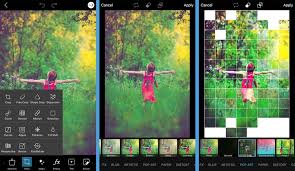
Best Free Photo Editing Apps
Are you tired of low-quality photos? Do you want to enhance your smartphone snaps without breaking the bank? Look no further! In this article, we’ll explore the best free photo editing apps that can help you improve the quality of your photos.
Why Edit Your Photos?
Before we dive into the apps, let’s talk about why editing your photos is important. Even with advanced camera technology, smartphone cameras can sometimes produce low-quality images. Editing your photos can help enhance their clarity, color, and overall aesthetic appeal.
Top Free Photo Editing Apps
1. Snapseed
Snapseed is one of the most popular free photo editing apps available for both Android and iOS devices. Developed by Google, this app offers a range of tools to adjust exposure, contrast, and color balance. You can also apply filters and effects to enhance your photos.
How to Use Snapseed
To use Snapseed, download the app from the Play Store or App Store. Open the app and select the photo you want to edit. Choose an editing tool, such as “Healing” or “Details,” and adjust the settings as needed. Apply filters and effects by tapping on the “Effects” button.
- Adobe Photoshop Express
Adobe Photoshop Express is another powerful free photo editing app available for Android and iOS devices. This app offers a range of features, including color adjustment, exposure correction, and filter application.
How to Use Adobe Photoshop Express
To use Adobe Photoshop Express, download the app from the Play Store or App Store. Open the app and select the photo you want to edit. Choose an editing tool, such as “Adjust” or “Details,” and adjust the settings as needed. Apply filters and effects by tapping on the “Effects” button.
- Gimp
GIMP is a free and open-source photo editing software available for Windows, macOS, and Linux operating systems. This app offers advanced features, including layers, filters, and color adjustment.
How to Use Gimp
To use GIMP, download the software from the official website. Open the software and select the photo you want to edit. Choose an editing tool, such as “Adjust” or “Filters,” and adjust the settings as needed.
- Vsco
VSCO is a popular free photo editing app available for Android and iOS devices. This app offers a range of filters and effects to enhance your photos.
How to Use Vsco
To use VSCO, download the app from the Play Store or App Store. Open the app and select the photo you want to edit. Choose a filter or effect by tapping on the “Filters” button.
- Pixlr
Pixlr is another free photo editing app available for Android and iOS devices. This app offers advanced features, including layers, filters, and color adjustment.
How to Use Pixlr
To use Pixlr, download the app from the Play Store or App Store. Open the app and select the photo you want to edit. Choose an editing tool, such as “Adjust” or “Filters,” and adjust the settings as needed.
- Fotor
Fotor is a free photo editing app available for Android devices. This app offers advanced features, including filters, effects, and color adjustment.
How to Use Fotor
To use Fotor, download the app from the Play Store. Open the app and select the photo you want to edit. Choose an editing tool, such as “Adjust” or “Filters,” and adjust the settings as needed.
Conclusion
Editing your photos can make a huge difference in their quality and aesthetic appeal. With these best free photo editing apps, you can enhance your smartphone snaps without breaking the bank. Whether you’re looking to adjust exposure, contrast, and color balance or apply filters and effects, there’s an app for you.
Frequently Asked Questions
1. What is The Best Free Photo Editing App?
The best free photo editing app depends on your specific needs. Some popular options include Snapseed, Adobe Photoshop Express, and GIMP.
2. Can I Edit my Photos on my Smartphone?
Yes, you can edit your photos directly on your smartphone using a range of free photo editing apps available for both Android and iOS devices.
3. What Are The Benefits of Editing my Photos?
Editing your photos can enhance their clarity, color, and overall aesthetic appeal. It can also help correct exposure errors and improve the overall quality of your images.
4. Can I Use a Free Photo Editing App on my Computer?
Yes, you can use a range of free photo editing apps available for Windows, macOS, and Linux operating systems.
5. What is The Difference Between a Free And Paid Photo Editing App?
Free photo editing apps often have limited features compared to paid versions. Paid photo editing apps may offer advanced features, including layers, filters, and color adjustment.
6. Can I Edit my Photos in Batch Mode Using a Free Photo Editing App?
Yes, some free photo editing apps allow you to edit your photos in batch mode.
7. What is The Best Way to Learn How to Use a Free Photo Editing App?
The best way to learn how to use a free photo editing app is by watching tutorials and reading user guides. You can also practice using the app on sample images before applying it to your actual photos.
Yes, most free photo editing apps allow you to share your edited photos directly on social media platforms such as Instagram and Facebook.


