
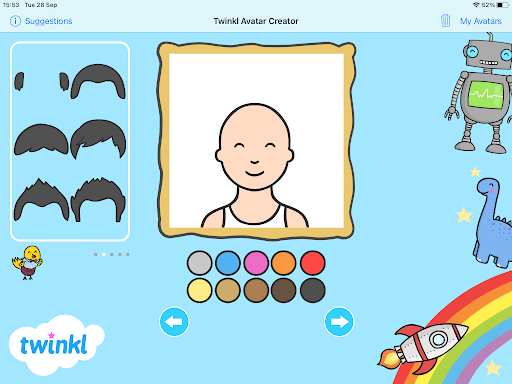
Creating a Perfect Avatar: A Step-by-step Guide
Are you tired of using your actual photo as a profile picture, but don’t know how to create a perfect avatar? Look no further! In this article, we’ll guide you through the process of creating a stunning avatar using various online platforms and apps.
Why Create an Avatar?
Having a great avatar can make all the difference in online interactions. It’s a way to express yourself, showcase your personality, and even brand yourself. Whether you’re on social media, online forums, or gaming platforms, a well-designed avatar can help you stand out from the crowd.
Programs For Creating an Avatar
- Adobe Express (Online)
The first service we’ll explore is Adobe Express, a free online platform that allows you to create stunning avatars using various templates and design tools. With Adobe Express, you can access a limited number of patterns for free or upgrade to the Premium version for $9.99/Month or $99.99/Year.
How to Use Adobe Express:
- Visit the Adobe Express website.
- Click on “Create your avatar” and follow the prompts.
- Select a template or start from scratch.
- Modify the design using various tools and effects.
- Download your avatar in your preferred format.
Canva (Online)
Another popular platform for creating avatars is Canva, which offers a wide range of templates and design tools. With Canva, you can access free patterns or upgrade to the Pro version for $11.99/Month or $107.99/Year.
How to Use Canva:
- Visit the Canva website.
- Click on “Create a blueprint” and select “Avatar”.
- Choose a template or start from scratch.
- Modify the design using various tools and effects.
- Download your avatar in your preferred format.
Other Programs For Creating an Avatar
In addition to Adobe Express and Canva, there are several other online platforms that can help you create a perfect avatar. Some of these include:
- Avataaars Generator: A website that allows you to create cartoon-style avatars.
- Avatar Maker: A platform that enables you to create and customize avatars using various elements.
- Face Your Manga: A website that lets you create original manga-style avatars.
- DoppelMe: A free online service that allows you to create cartoon-style avatars.
- Sp-Study: A website that enables you to create avatars based on South Park characters.
Applications For Creating an Avatar
If you prefer using mobile apps, there are several options available for both Android and iOS devices. Some popular apps include:
- Adobe Express (Android/iOS/iPadOS)
- Canva (Android/iOS/iPadOS)
- Bitmoji (Android/iOS)
- Avatoon (Android/iOS/iPadOS)
- ZEPETO (Android/iOS/iPadOS)
Conclusion
Creating a perfect avatar is easier than ever, thanks to the numerous online platforms and apps available. Whether you’re looking for a simple or complex design, there’s a service out there that can help you achieve your goals. So why not give it a try and see how you can express yourself through your avatar?
Frequently Asked Questions (FAQs)
- Q: What is an Avatar?
A: An avatar is a digital representation of oneself, often used as a profile picture or symbol. - Q: Why Create an Avatar?
A: Creating an avatar allows you to express yourself, showcase your personality, and even brand yourself online. - Q: Which Platforms Can I Use to Create an Avatar?
A: There are several online platforms available, including Adobe Express, Canva, Avataaars Generator, and more. - Q: What is The Difference Between Free And Paid Versions of These Platforms?
A: Free versions usually offer limited templates or design tools, while paid versions provide access to a wider range of features and customization options. - Q: Can I Use my Mobile Device to Create an Avatar?
A: Yes, there are several mobile apps available for both Android and iOS devices that allow you to create avatars on-the-go.
More Resources
For more information on creating avatars, check out our tutorial on the best websites for creating avatars.


