
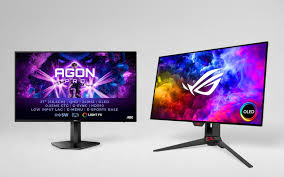
The Ultimate Guide to Choosing a 4K Monitor
Are you in the market for a new monitor that can deliver stunning 4K visuals? Look no further! In this article, we’ll guide you through the process of choosing the perfect 4K monitor for your needs.
Why Choose a 4K Monitor?
Before we dive into the nitty-gritty details, let’s talk about why you should choose a 4K monitor in the first place. With four times the resolution of a full HD monitor, 4K monitors offer:
- Exceptional Image Quality: 4K monitors display crisp and clear images with vibrant colors.
- Increased Productivity: 4K monitors are perfect for professionals who need to multitask, as they can display multiple windows and applications at once.
- Enhanced Gaming Experience: 4K monitors provide a more immersive gaming experience with smooth and responsive visuals.
Key Factors to Consider When Choosing a 4K Monitor
Now that we’ve covered the benefits of choosing a 4K monitor, let’s discuss the key factors to consider when selecting the perfect one for your needs.
1. Dimensions
The first factor to consider is the size of the monitor. Measured in inches, the diagonal screen size determines how much real estate you’ll have for viewing content.
- For a comfortable viewing experience, ensure the distance between your eyes and the screen is at least 30-40% of the screen’s height.
- Consider a smaller monitor (24-25 inches) if you plan to use it primarily for gaming or browsing, as this will allow for a more immersive experience.
2. Panel Type
The type of panel used in a monitor can significantly impact image quality and color accuracy. There are three main types:
- TN (Twisted Nematic): Budget-friendly and suitable for casual use, TN panels offer good contrast but limited viewing angles.
- Ips (In-Plane Switching): Offers wide viewing angles and good color accuracy, IPS panels are ideal for professionals who need accurate color representation.
- VA (Vertical Alignment): Provides good contrast and a high refresh rate, VA panels are suitable for gamers who want smooth motion.
3. Refresh Rate
The refresh rate determines how often the monitor updates its image. A higher refresh rate means smoother motion:
- For gaming and fast-paced content, look for monitors with a 144Hz or higher refresh rate.
- For general use, a lower refresh rate (60-120Hz) should suffice.
4. Connectivity Options
Ensure the monitor has sufficient connectivity options to connect your devices:
- Look for at least two HDMI ports and a DisplayPort for multiple device connections.
- USB ports can be useful for connecting external peripherals.
5. Response Time
Response time affects how quickly the monitor responds to input commands:
- Look for monitors with low response times (less than 5ms) for smooth motion and quick reactions.
- For general use, a slightly higher response time might not be as critical.
6. Hdr Support
HDR (High Dynamic Range) support enhances color accuracy and contrast:
- Look for monitors that support HDR10 or higher for improved visuals.
- For gaming and video editing, consider monitors with HDR support for enhanced color accuracy.
Best 4K Monitors on The Market Today
Now that we’ve covered the key factors to consider when choosing a 4K monitor, let’s take a look at some of the top options available:
1. Samsung Odyssey G5
The Samsung Odyssey G5 is an excellent choice for gamers and professionals who want accurate color representation. This 32-inch monitor features:
- A QLED panel for improved color accuracy
- HDR10 support for enhanced visuals
- A fast response time (4ms) for smooth motion
2. LG 27UL500P
The LG 27UL500P is a great option for those who want a budget-friendly 4K monitor. This 27-inch monitor features:
- An IPS panel for good color accuracy
- HDR10 support for improved visuals
- A fast response time (5ms) for smooth motion
3. Asus Tuf Gaming Vg289q
The ASUS TUF Gaming VG289Q is an excellent choice for gamers who want a high-performance monitor. This 28-inch monitor features:
- An IPS panel for good color accuracy
- HDR10 support for improved visuals
- A fast response time (4ms) for smooth motion
Conclusion
Choosing the perfect 4K monitor can be overwhelming, but by considering these key factors and exploring our top recommendations, you’ll be able to find a monitor that meets your specific needs. Happy shopping!
Frequently Asked Questions
Here are some frequently asked questions about 4K monitors:
- What is the difference between TN, IPS, and VA panels?
- Which type of panel is best for gaming and video editing?
- How important is response time when choosing a monitor?
- Do I need to consider HDR support when buying a monitor?
1. What is The Difference Between Tn, Ips, And VA Panels?
TN (Twisted Nematic), IPS (In-Plane Switching), and VA (Vertical Alignment) are three types of panels used in monitors.
- TN panels offer good contrast but limited viewing angles.
- IPS panels provide wide viewing angles and accurate color representation.
- VA panels offer good contrast and a high refresh rate.
2. Which Type of Panel is Best For Gaming And Video Editing?
For gaming and video editing, consider using an IPS or VA panel.
- IPS panels offer accurate color representation, which is essential for professionals who need precise color accuracy.
- VA panels provide a high refresh rate, making them ideal for fast-paced content like games.
3. How Important is Response Time When Choosing a Monitor?
Response time affects how quickly the monitor responds to input commands.
- For smooth motion and quick reactions, look for monitors with low response times (less than 5ms).
- For general use, a slightly higher response time might not be as critical.
4. Do I Need to Consider Hdr Support When Buying a Monitor?
HDR (High Dynamic Range) support enhances color accuracy and contrast:
- Look for monitors that support HDR10 or higher for improved visuals.
- For gaming and video editing, consider monitors with HDR support for enhanced color accuracy.
If you have any further questions, please feel free to ask!


