
Choosing The Best Cheap Pc: A Comprehensive Guide
Are you in the market for a cheap PC that won’t compromise on performance? Look no further! In this article, we’ll guide you through the process of selecting the best affordable PC that meets your needs.
Understanding The Market
The computer market has become increasingly competitive, with prices dropping significantly over the years. This means that you can now find high-quality PCs at budget-friendly prices. However, with so many options available, it’s essential to know what to look for when choosing a cheap PC.
Defining Your Budget
Before starting your search, define your budget. What are you willing to spend on a PC? Remember, the price range will vary depending on your intended use – from basic tasks like browsing and emailing to more demanding activities such as gaming or video editing.
PC Types And Uses
There are several types of PCs available, each designed for specific uses:
- Light Use: Perfect for basic tasks like browsing, emailing, and word processing.
- Work PC: Suitable for general office work, web browsing, and light gaming.
- Gaming PC: Designed for serious gamers who require high-performance components.
- Graphic or Workstation PC: Ideal for graphic designers, video editors, and other professionals who need high-end hardware.
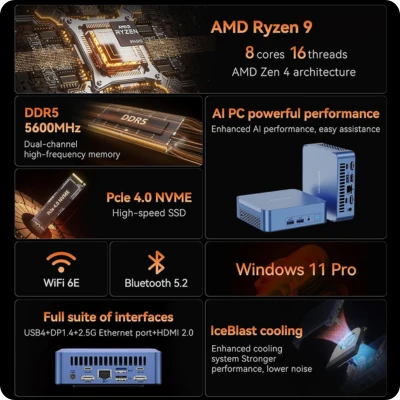
- Mini PC: Compact PCs that can be used as a desktop or portable device.
Key Components to Consider
When selecting a cheap PC, focus on the following essential components:
- Cpu (Processor): Look for a processor with at least 2 cores and 4 threads.
- Ram (Memory): Ensure you have enough RAM for smooth performance – 8GB is a minimum for most users.
- Storage: Opt for an SSD (Solid-State Drive) over a traditional hard drive for faster loading times.
- Graphics Card: If you’re a gamer or need graphics-intensive software, choose a dedicated graphics card.
- Display: Consider the type of display you need – LED, LCD, or OLED.
Operating System
Choose an operating system that suits your needs:
- Windows: The most popular OS for gaming and general use.
- Macos: Ideal for creative professionals who prefer a user-friendly interface.
- Chrome OS: A lightweight option for basic tasks and web-based applications.
Additional Features to Consider
Don’t overlook these essential features when selecting your cheap PC:
- Connectivity Options: Ensure you have enough USB ports, Ethernet connectivity, and Wi-Fi capabilities.
- Power Supply: Choose a reliable power supply that matches your system’s requirements.
- Cooling System: Opt for a well-designed cooling system to prevent overheating.
Conclusion
Choosing the best cheap PC requires careful consideration of your needs and budget. By understanding the market, defining your budget, and focusing on essential components, you’ll be able to find a reliable and affordable PC that meets your requirements.
Frequently Asked Questions (FAQs)
Q: What is the minimum amount I should spend on a PC?
A: The minimum budget for a decent PC varies depending on your intended use. For basic tasks, $300-$500 is sufficient, while gaming or graphic-intensive activities require at least $800.
Q: Should I choose a portable or fixed PC?
A: It depends on your needs and preferences. Portable PCs are ideal for those who need mobility, while fixed PCs offer better performance and easier maintenance.
Q: What is the difference between an SSD and a traditional hard drive?
A: SSDs provide faster loading times and improved overall performance compared to traditional hard drives.
Best Cheap PC Options
Here are some top-rated affordable PC options:
- HP Elite 8300 Usdt: A reliable desktop PC with an Intel Core i5 processor.
- Dell Inspiron 7010 Sff: A compact desktop PC with a 10th Gen Intel Core i7 processor.
- Acer Aspire 3 A315-24p-r8dk: A portable laptop with an AMD Ryzen 5 processor.
Final Tips
When selecting your cheap PC, remember to:
- Research and compare different options
- Check for reviews and ratings from reputable sources
- Consider your budget and intended use
- Don’t compromise on essential components
By following these guidelines, you’ll be able to find the perfect affordable PC that meets your needs and provides a smooth user experience.


