
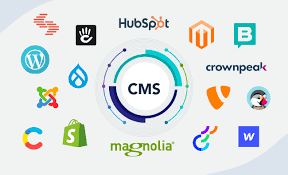
Creating a Website: A Guide to Choosing The Best Cms
Are you ready to create your own website but don’t know where to start? With so many options available, choosing the best Content Management System (CMS) can be overwhelming. In this article, we’ll explore the top CMS options for creating a website and e-commerce platform.
Understanding Your Needs
Before selecting a CMS, it’s essential to define your needs and priorities. What type of website do you want to create? A blog, e-commerce site, or portfolio? Identifying your requirements will help you choose the best CMS for your project.
Top Cms Options For Websites
- Wix: Wix is an excellent choice for beginners who want to create a website without coding knowledge. With over 900 templates and drag-and-drop functionality, it’s easy to get started.
- WordPress: WordPress is one of the most popular and widely used CMS platforms. It offers flexibility, scalability, and a vast array of plugins and themes.
Other Cms Options For Websites
- Joomla: Joomla is a free, open-source CMS that allows users to create complex websites with ease.
- Drupal: Drupal is another popular, open-source CMS that provides a solid platform for creating and managing websites.
Top Cms Options For E-commerce
- Shopify: Shopify is an excellent choice for e-commerce platforms, offering flexibility, scalability, and a wide range of templates and themes.
- Adobe Commerce (formerly Magento): Adobe Commerce is a powerful e-commerce CMS that offers advanced features and customization options.
- Prestashop: Prestashop is a free, open-source e-commerce CMS that allows users to create and manage online stores.
Choosing The Best Cms For Your E-commerce Site
When selecting an e-commerce CMS, consider factors such as:
- Scalability
- Security
- Customization options
- Integration with payment gateways and shipping providers
Getting Started With Wix
To get started with Wix, follow these steps:
- Visit the Wix website and click on “Get Started”.
- Fill out the registration form with your email address and password.
- Answer a brief questionnaire to help Wix understand your project requirements.
- Choose from over 900 templates or create a custom design using the drag-and-drop editor.
Getting Started With Shopify
To get started with Shopify, follow these steps:
- Visit the Shopify website and click on “Get Started”.
- Fill out the registration form with your email address and password.
- Answer a brief questionnaire to help Shopify understand your project requirements.
- Choose from a range of templates or create a custom design using the Shopify editor.
Conclusion
Choosing the best CMS for your website or e-commerce platform can be a daunting task, but by understanding your needs and priorities, you’ll be well on your way to selecting the perfect solution. Whether it’s Wix, WordPress, Shopify, or another option, remember to consider factors such as scalability, security, customization options, and integration with payment gateways and shipping providers.
Frequently Asked Questions
- What is The Best Cms For Beginners?
- Wix and WordPress are excellent choices for beginners who want to create a website without coding knowledge.
- Which E-commerce Cms Offers The Most Flexibility?
- Shopify offers flexibility, scalability, and a wide range of templates and themes.
- Can I Use WordPress For E-commerce?
- Yes, WordPress can be used for e-commerce with the help of plugins such as WooCommerce.
- What is The Best Open-source Cms?
- Joomla and Drupal are excellent choices for those looking for free, open-source CMS options.
- Which Cms Offers The Most Customization Options?
- Adobe Commerce (formerly Magento) offers advanced features and customization options for e-commerce sites.
- Can I Create a Website Without Coding Knowledge?
- Yes, Wix, WordPress, and other CMS platforms offer drag-and-drop functionality or visual editors that make it easy to create a website without coding knowledge.
- What is The Best Way to Choose a Cms?
- Consider your needs and priorities, research different options, and read reviews from other users to make an informed decision.
Additional Resources
For more information on choosing a CMS, creating a website with Wix or Shopify, or using WordPress for e-commerce, check out our additional resources:
- “Creating a Website with Wix: A Step-by-Step Guide”
- “Shopify vs. WooCommerce: Which E-commerce CMS is Best?”
- “WordPress for E-commerce: Tips and Tricks”


