
The Ultimate Guide to Buying a Computer: A Comprehensive Overview
Are you thinking of buying a computer but don’t have a clear idea about the process? Do you know what type of computer is best suited for your needs? In this article, we’ll take you through the various types of computers available in the market and provide you with a comprehensive guide to help you make an informed decision.
Understanding Your Needs
Before buying a computer, it’s essential to understand how you plan to use it. Will it be used for entertainment purposes like playing games or watching movies? Or will it be used for work-related tasks such as video editing or graphic design?
Here are some factors to consider:
- Intel Core i7: A powerful processor that can handle demanding tasks like video editing and 3D modeling.
- Ram: The more RAM, the better your computer can multitask. For most users, 8GB of RAM is sufficient.
- Ssd: A Solid-State Drive (SSD) provides faster loading times and improved performance.
Types of Computers
There are several types of computers available in the market, each with its own unique features and price points.
Desktop Computers
Desktop computers are ideal for users who need a powerful machine for work-related tasks or gaming. They offer better performance and upgradeability compared to laptops.
- HP PC Desktop: A powerful desktop computer that comes with an Intel Core i7 processor, 16GB of RAM, and a 512GB SSD.
- Dell PC 7010 Sff: A compact desktop computer that features an Intel Core i7 processor, 16GB of RAM, and a 1TB SSD.
Laptop Computers
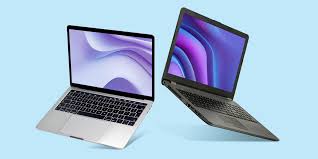
Laptops are perfect for users who need a portable machine for work or entertainment purposes. They offer better mobility and convenience compared to desktop computers.
- Mini PC Lenovo: A compact laptop computer that features an Intel Core i5 processor, 8GB of RAM, and a 256GB SSD.
- Dell PC 7010 Sff: A compact laptop computer that features an Intel Core i5 processor, 8GB of RAM, and a 240GB SSD.
All-in-one Computers
All-in-one computers are ideal for users who need a compact machine for basic tasks like browsing the internet or watching movies. They offer better convenience and simplicity compared to desktop computers.
- Apple Imac: A compact all-in-one computer that features an Intel Core i7 processor, 8GB of RAM, and a 1TB SSD.
- HP All-in-one Computer: A compact all-in-one computer that features an Intel Core i5 processor, 16GB of RAM, and a 480GB SSD.
Gaming Computers
Gaming computers are ideal for users who need a powerful machine for gaming purposes. They offer better performance and upgradeability compared to regular desktop computers.
- HP Gaming Computer: A powerful gaming computer that features an Intel Core i7 processor, 16GB of RAM, and a 1TB SSD.
- Dell Gaming Computer: A powerful gaming computer that features an Intel Core i5 processor, 16GB of RAM, and a 480GB SSD.
Conclusion
Buying a computer can be a daunting task, especially with the numerous options available in the market. By understanding your needs and considering factors like processor, RAM, and storage, you can make an informed decision about which type of computer is best suited for you.
Remember to also consider the operating system, monitor, and other peripherals when buying a computer. With this guide, you’ll be well on your way to finding the perfect computer that meets your needs and budget.
Faqs
- What is The Difference Between a Desktop Computer And a Laptop Computer?
Desktop computers are more powerful and offer better performance compared to laptops. - What is The Best Processor For Gaming Purposes?
Intel Core i7 or AMD Ryzen 9 processors are ideal for gaming purposes. - How Much Ram do I Need For Basic Tasks Like Browsing The Internet?
8GB of RAM is sufficient for basic tasks like browsing the internet. - What is The Difference Between an Ssd And a Hard Disk Drive (HDD)?
SSDs provide faster loading times and improved performance compared to HDDs. - Can I Upgrade my Computer’s Processor or Ram?
Yes, most computers allow you to upgrade their processor or RAM. - What Operating System Should I Use For Gaming Purposes?
Windows 10 or Linux are ideal for gaming purposes. - How do I Choose The Best Monitor For my Computer?
Consider factors like resolution, refresh rate, and panel type when choosing a monitor.
Recommended Reading


