
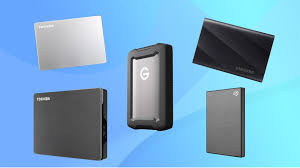
The Ultimate Guide to Buying an Ssd External: A Shopping Guide (September 2024)
Are you in the market for a new external hard drive, but not sure which type to choose? With the rapid evolution of technology, Solid-State Drives (SSDs) have become the go-to choice for many users. In this article, we will delve into the world of SSD externals, exploring their benefits, features, and how to choose the best one for your needs.
What is an Ssd External?
An SSD external is a portable storage device that uses flash memory to store data. Unlike traditional hard disk drives (HDDs), SSDs do not have moving parts, making them more reliable and faster. They are ideal for users who need to transfer large files quickly, without worrying about mechanical failure.
Benefits of Ssd Externals
- Speed: SSD externals offer significantly faster speeds than traditional HDDs, with some models reaching speeds of up to 1050 MB/s.
- Durability: Since they have no moving parts, SSD externals are more resistant to physical damage and can withstand accidental drops.
- Compact Design: SSD externals are often smaller and lighter than HDDs, making them perfect for travel or work-on-the-go scenarios.
How to Choose The Best Ssd External
When selecting an SSD external, consider the following factors:
- Capacity: Determine how much storage space you need based on your data requirements.
- Speed: Look for models with high read and write speeds (at least 550 MB/s) for efficient data transfer.
- Interface: Choose a model with a suitable interface type, such as USB-C or USB-3.1 Gen 2.
- Compatibility: Ensure the SSD external is compatible with your operating system (Windows, macOS, or Linux).
- Weight And Dimensions: Select a model that fits comfortably in your bag or pocket.
Top Ssd External Picks
Here are some of the top SSD externals on the market:
- Sandisk Extreme 2TB: A high-capacity SSD with speeds up to 1050 MB/s.
- Samsung T7 1TB: A compact and lightweight SSD with speeds up to 1000 MB/s.
- Crucial X6 2TB: A reliable and fast SSD with speeds up to 800 MB/s.
- Netac Portable 250GB: An affordable and portable SSD with speeds up to 500 MB/s.
What to Consider When Buying an Ssd External
When purchasing an SSD external, remember:
- Capacity: Choose a model that meets your storage needs.
- Speed: Select a model with high read and write speeds for efficient data transfer.
- Interface: Ensure the SSD external has a suitable interface type for your device.
- Compatibility: Verify compatibility with your operating system.
- Weight And Dimensions: Consider a model that fits comfortably in your bag or pocket.
Security Features to Look For
When selecting an SSD external, look for models with security features such as:
- Encryption: Ensure the SSD has built-in encryption capabilities (e.G., AES 256-bit).
- Password Protection: Choose a model that allows you to set a password for added security.
- Physical Resistance: Opt for a model with physical resistance features, such as water and dust protection.
Conclusion
Choosing the right SSD external can be overwhelming, but by considering factors like capacity, speed, interface, compatibility, weight, and dimensions, you’ll find the perfect device for your needs. Remember to look for security features like encryption, password protection, and physical resistance to ensure your data stays safe. Happy shopping!
Frequently Asked Questions (FAQs)
- Q: What is an Ssd External?
A: An SSD external is a portable storage device that uses flash memory to store data. - Q: How Fast Are Ssd Externals?
A: SSD externals can reach speeds of up to 1050 MB/s, significantly faster than traditional HDDs. - Q: Are Ssd Externals Durable?
A: Yes, SSD externals have no moving parts, making them more resistant to physical damage and drops. - Q: How Much Capacity Should I Choose?
A: Choose a model with the right capacity based on your data requirements (e.G., 1 TB for general use or 2 TB for heavy users). - Q: What Security Features Should I Look For?
A: Look for models with encryption, password protection, and physical resistance features to ensure your data stays safe. - Q: Are Ssd Externals Compatible With my Operating System?
A: Yes, most SSD externals are compatible with Windows, macOS, or Linux operating systems. - Q: Can I Use an Ssd External as a Backup Device?
A: Yes, many SSD externals come with automatic backup capabilities to ensure your data is safe.
Conclusion
Buying the right SSD external can be a daunting task, but by considering factors like capacity, speed, interface, compatibility, weight, and dimensions, you’ll find the perfect device for your needs. Don’t forget to look for security features like encryption, password protection, and physical resistance to ensure your data stays safe. Happy shopping!


