
The Ultimate Guide to Iptv: Unlocking Endless Entertainment Options
Are you tired of the same old TV channels? Do you want to unlock a world of entertainment at your fingertips? Look no further than IPTV, the innovative technology that’s revolutionizing the way we watch television.
In this comprehensive guide, we’ll delve into the world of IPTV, exploring its benefits, features, and top-rated apps for various devices. Whether you’re a smart TV enthusiast, a smartphone user, or a tablet aficionado, we’ve got you covered.
What is Iptv?
IPTV (Internet Protocol Television) is a system that enables TV channels to be delivered via the internet using IP technology. This means you can access a wide range of channels, including local and international options, directly on your device without the need for traditional cable or satellite subscriptions.
Benefits of Iptv
- Endless Entertainment Options: With IPTV, you’ll have access to thousands of TV channels from around the world, catering to diverse interests and languages.
- No Subscription Fees: Many IPTV apps offer free subscriptions or affordable monthly plans, making it a cost-effective alternative to traditional TV services.
- On-demand Content: Enjoy watching your favorite shows and movies on demand, without the need for scheduled programming.
- Multi-device Support: IPTV apps are available for various devices, including smartphones, tablets, smart TVs, and streaming boxes.
Top-rated Iptv Apps For Smart TV
- SS Iptv: This app is compatible with a wide range of smart TV brands, including LG, Samsung, Philips, and Sony.
- Smartone Iptv: A free app for 7 days, then requiring a one-time payment of €10 or an annual subscription of €2.
Top-rated Iptv Apps For Smartphone And Tablet
- Gse Smart Iptv: A popular app with a user-friendly interface, supporting various formats, including M3U and JSON.
- Goiptv M3u: An ad-free app available for Android, iOS, and iPadOS devices.
Top-rated Iptv Apps For Fire TV Stick
- IP Television: A comprehensive app offering multiple channels and a user-friendly interface.
Top-rated Iptv Apps For TV Box Android
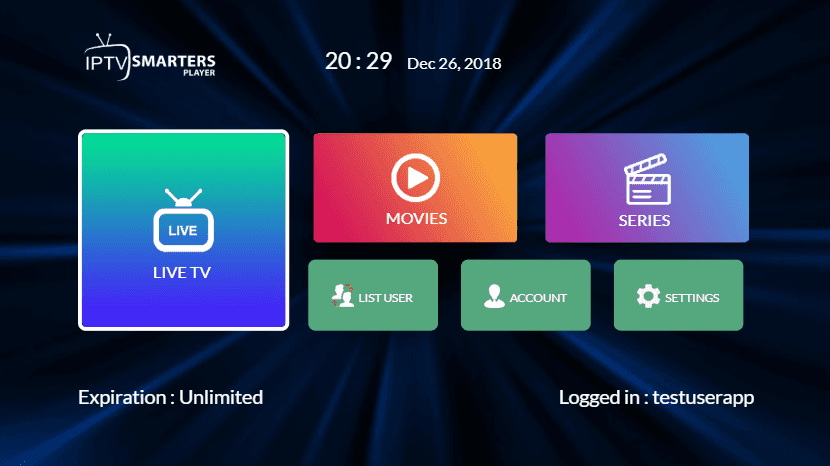
- Iptv Smarters Pro: Compatible with various TV box brands, including Nvidia Shield TV.
How to Install And Use Iptv Apps
Installing and using IPTV apps is relatively straightforward. Here’s a step-by-step guide:
- Download the app from your device’s store or website.
- Follow the installation instructions provided by the app developer.
- Launch the app on your device.
- Create an account or sign in if you already have one.
- Browse through the available channels and select the ones you want to watch.
Conclusion
IPTV has revolutionized the way we consume television, offering endless entertainment options at our fingertips. With this comprehensive guide, you’ve learned about the benefits of IPTV, top-rated apps for various devices, and how to install and use them.
Whether you’re a seasoned tech enthusiast or just starting to explore the world of IPTV, we hope this guide has provided valuable insights and helped you unlock new possibilities for entertainment.
Frequently Asked Questions (FAQs)
- What is The Difference Between Iptv And Traditional Tv?
IPTV delivers TV channels via the internet using IP technology, while traditional TV relies on cable or satellite connections. - Do I Need a Subscription to Use Iptv Apps?
Some IPTV apps offer free subscriptions or affordable monthly plans, while others may require a one-time payment or annual subscription. - Can I Watch Iptv Content on Multiple Devices?
Yes, many IPTV apps are compatible with various devices, including smartphones, tablets, smart TVs, and streaming boxes. - Are Iptv Apps Available For All Devices?
While many IPTV apps are available for popular devices, some may not be compatible with specific brands or models. - Can I Record TV Shows And Movies Using Iptv Apps?
Some IPTV apps offer recording capabilities, but this feature is not universally available among all apps.
We hope you’ve enjoyed reading this comprehensive guide to IPTV! If you have any further questions or need more information, please don’t hesitate to ask.


