
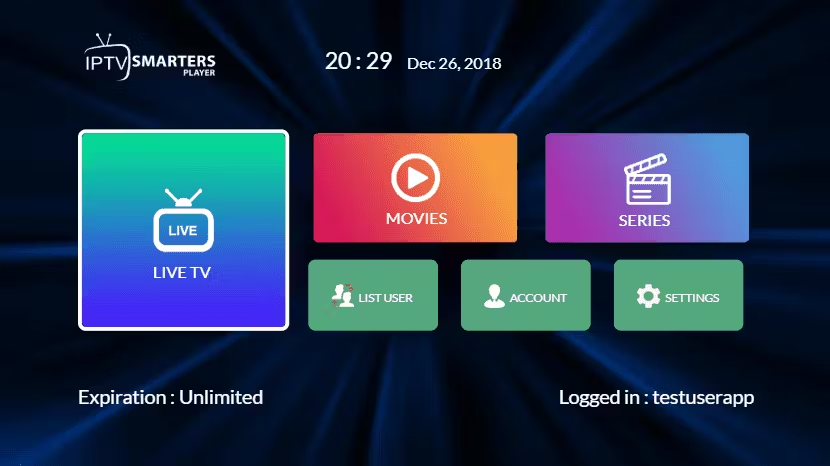
The Ultimate Guide to Iptv: Choosing The Best Player For Your Device
Are you looking for a way to enjoy your favorite TV channels without the hassle of cable or satellite subscriptions? Look no further than IPTV (Internet Protocol Television)! With the right player, you can access a wide range of channels and enjoy a smooth viewing experience. In this article, we’ll explore the world of IPTV and provide you with the best players for various devices.
What is Iptv?
IPTV is a technology that allows users to watch TV channels over the internet using protocols like TCP/IP. It’s similar to streaming services but offers more flexibility and customization options. With IPTV, you can access channels from around the world, pause and rewind live TV, and even record your favorite shows.
Choosing The Best Iptv Player For Your Device
With so many IPTV players available, it can be overwhelming to choose the right one. Here are some of the best players for different devices:
PC Players
- Kodi: Kodi is a popular media center that allows you to manage your local files and access IPTV channels. It’s available on Windows, macOS, and Linux.
- Perfect Player: Perfect Player is another excellent option for PC users. It supports M3U playlists and has a user-friendly interface.
- Myiptv Player: MyIPTV Player is a free app available on the Microsoft Store that allows you to import M3U playlists from remote sources.
Smartphone And Tablet Players
- Gse Smart Iptv: GSE Smart IPTV is an excellent player for Android and iOS devices. It supports M3U and JSON playlists and has a user-friendly interface.
- Ottplayer: OttPlayer is another popular player for Android and iOS devices. It allows you to import M3U playlists from remote sources and has a built-in EPG (Electronic Program Guide).
- Iptv Extreme: IPTV Extreme is a feature-rich player for Android devices that supports M3U playlists and has a user-friendly interface.
- Web Video Cast: Web Video Cast is an excellent streaming app for Android and iOS devices. It allows you to stream content from the internet directly to your TV using Chromecast or DNLA.
Smart TV Players
- Nanomid Player: Nanomid Player is a highly-regarded player for Smart TVs, including LG and Samsung models. It’s available on Fire TV Stick, TV Box Android, and Apple TV.
How to Install And Use The Best Iptv Player For Your Device
Installing and using the best IPTV player for your device is relatively straightforward. Here are some step-by-step guides for different devices:
PC Installation Guide
- Download the Kodi app from its official website.
- Open the app and follow the installation instructions.
- Once installed, navigate to the “System” menu and select “Settings.”
- Click on “Add-ons” and then click on “Install from repository.”
- Select the “PVR IPTV Simple Client” add-on and click on “Install.”
Smartphone And Tablet Installation Guide
- Download the GSE Smart IPTV app from the Google Play Store or Apple App Store.
- Open the app and navigate to the menu icon (three horizontal lines).
- Click on “Settings” and then select “Playlist remote.”
- Click on the “+” icon and enter the URL of your M3U playlist.
Smart TV Installation Guide
- Download the Nanomid Player app from the LG Content Store or Samsung Smart Hub.
- Open the app and navigate to the menu icon (three horizontal lines).
- Click on “Settings” and then select “Playlist remote.”
- Click on the “+” icon and enter the URL of your M3U playlist.
Conclusion
IPTV is a fantastic way to enjoy your favorite TV channels without the hassle of cable or satellite subscriptions. With so many players available, it’s essential to choose the best one for your device. By following the step-by-step guides provided in this article, you can install and use the best IPTV player for your device.
Frequently Asked Questions (FAQs)
-
What is Iptv?
IPTV is a technology that allows users to watch TV channels over the internet using protocols like TCP/IP.
2. Which Devices Support Iptv Players?IPTV players are available on PCs, smartphones, tablets, Smart TVs, and consoles.
3. How do I Install an Iptv Player on my Device?The installation process varies depending on the device and player. Refer to the step-by-step guides provided in this article for more information.
4. What is M3u Playlist?An M3U playlist is a file format that contains a list of TV channels, which can be imported into IPTV players.
5. Can I Stream Content From The Internet Directly to my TV Using Chromecast or Dnla?Yes, some IPTV players support streaming content from the internet directly to your TV using Chromecast or DNLA.
By choosing the best IPTV player for your device and following the step-by-step guides provided in this article, you can enjoy a seamless viewing experience. Happy watching!


