
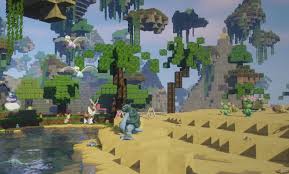
Better Mods For Minecraft: A Comprehensive Guide
Are you tired of playing the same old game mode in Minecraft? Do you want to experience new adventures, explore fresh worlds, and interact with exciting characters? Look no further! In this article, we’ll delve into the world of better mods for Minecraft, providing you with a comprehensive guide on how to install and use them.
What Are Mods?
Mods (short for modifications) are custom-made content that can be added to the game to enhance gameplay, add new features, or create entirely new experiences. They can range from simple tweaks to complex overhauls, offering endless possibilities for creativity and exploration.
Why Use Mods in Minecraft?
Using mods in Minecraft can breathe new life into your gaming experience. With mods, you can:
- Explore new worlds and biomes
- Encounter unique creatures and mobs
- Engage with interactive NPCs (non-player characters)
- Experience alternative game modes and mechanics
- Enjoy improved graphics and performance
The Best Mods For Minecraft
So, which mods should you consider installing? Here are some of the most popular and engaging mods that can elevate your Minecraft experience:
1. Dragon Mounts 2
This mod allows you to domesticate dragons and ride them through the game world. With its intuitive interface and rich features, Dragon Mounts 2 is a must-try for any Minecraft fan.
2. Scp: Lockdown
Step into the world of horror with SCP: Lockdown, a mod that brings a new level of excitement to your Minecraft experience. Explore eerie environments, encounter terrifying mobs, and solve puzzles to unlock hidden secrets.
3. Fossils And Archeology Revival
Unleash your inner archaeologist with this mod, which introduces prehistoric creatures, fossils, and ancient artifacts to the game world. Explore vast landscapes, uncover hidden treasures, and piece together the mysteries of the past.
4. Not Enough Items
Feel like you’re missing out on essential items in Minecraft? Not Enough Items is here to help! This mod adds a plethora of new content to your inventory, making it easier than ever to craft and explore.
5. Millénaire
Experience the charm of medieval Europe with this mod, which brings villages, NPCs, and historical events to life. Interact with locals, trade goods, and participate in epic battles to shape the fate of these charming communities.
How to Install Mods in Minecraft
Installing mods is a straightforward process that requires some basic technical know-how. Follow these steps to get started:
- Configure Your Forge Profile: Make sure you have the latest version of Forge installed on your computer.
- Download The Mod: Head over to CurseForge, download the desired mod, and extract its contents into a folder.
- Create a Mods Folder: In your Minecraft directory, create a new folder called “mods.”
- Copy The Mod Files: Paste the extracted mod files into the “mods” folder.
- Launch Minecraft With Forge: Start the game using the Forge launcher.
Tips And Tricks
- Always check the compatibility of your mod with your Minecraft version before installing.
- Experiment with different mods to find the perfect combination for your gaming experience.
- Join online communities to share tips, resources, and mod recommendations with fellow players.
- Keep an eye on the official Minecraft forums for updates on new mods and features.
Conclusion
In conclusion, using mods in Minecraft can breathe new life into your gaming experience. By exploring this vast library of custom content, you can discover fresh worlds, encounter exciting characters, and interact with innovative gameplay mechanics. Remember to always follow proper installation procedures and check compatibility before adding any mods to your game. Happy modding!
Frequently Asked Questions (FAQs)
- What Are The Best Mods For Minecraft?
- Some popular mods include Dragon Mounts 2, SCP: Lockdown, Fossils and Archeology Revival, Not Enough Items, and Millénaire.
- How do I Install Mods in Minecraft?
- Follow these steps: Configure your Forge profile, download the mod, create a “mods” folder, copy the mod files into it, and launch Minecraft with Forge.
- Can I Use Mods on Mobile Devices?
- Unfortunately, mods are not compatible with mobile versions of Minecraft due to platform-specific restrictions.
- Are Mods Safe to Install?
- As with any third-party content, be cautious when downloading mods from untrusted sources. Always check compatibility and reviews before installing.
- Can I Create my Own Mods For Minecraft?
- Yes! With Java knowledge and familiarity with Minecraft’s modding API, you can craft your own custom content to share with the community.
Important Links
- CurseForge (mod repository)
- Forge (modding platform)
- Minecraft official forums
By following this comprehensive guide, you’ll be well on your way to exploring a vast array of mods that can enhance and transform your Minecraft experience. Happy gaming!


