
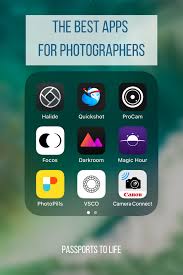
The Ultimate Guide to Smartphone Photography: Top Apps For Android And Ios
Are you a photography enthusiast looking to take your smartphone shots to the next level? Look no further! In this comprehensive guide, we’ll explore the best apps for smartphone photography on both Android and iOS devices.
Whether you’re a seasoned photographer or just starting out, these top-notch apps will help you unlock the full potential of your device’s camera. From editing and retouching to capturing stunning photos, we’ve got you covered.
The Best Camera Apps For Android
- Gcam/android Camera
- The stock camera app on most Android devices is a powerhouse in its own right.
- With manual controls, RAW image capture, and HDR mode, it’s hard to beat the native camera experience.
- Halide (iOS/iPadOS)
- This professional-grade camera app offers advanced features like manual focus, exposure compensation, and RAW image capture.
- Perfect for those who want precise control over their shots.
Other Noteworthy Camera Apps For Android
- Manual Pro Cam (Android)
- A feature-rich camera app with manual controls, HDR mode, and RAW image capture.
- Ideal for those who want a more traditional camera experience on their smartphone.
- Open Camera (Android)
- A highly customizable camera app with features like manual focus, exposure compensation, and timer mode.
- Great for those who want to experiment with different camera settings.
The Best Camera Apps For Ios
- Procam 8 (iOS/iPadOS)
- This high-end camera app offers advanced features like manual focus, exposure compensation, and RAW image capture.
- Perfect for professional photographers or those who demand the best from their smartphone camera.
- 1998 Cam (Android/iOS/iPadOS)
- A unique camera app that simulates the look and feel of vintage cameras.
- Great for those who want to add a retro touch to their photos.
The Best Photo Editing Apps
- Snapseed (Android/iOS/iPadOS)
- This powerful photo editing app offers advanced features like HDR, exposure compensation, and color grading.
- Perfect for those who want precise control over their edited shots.
- Adobe Lightroom (Android/iOS/iPadOS)
- A professional-grade photo editing app with features like RAW image capture, HDR mode, and color grading.
- Great for those who want to take their photography skills to the next level.
Other Noteworthy Photo Editing Apps
- Picsart (Android/iOS/iPadOS)
- A versatile photo editing app that offers a range of features like filters, effects, and graphic design tools.
- Perfect for those who want to experiment with different styles and effects on their photos.
- Photo Retouch (Android)
- A specialized photo editing app that focuses on removing imperfections and unwanted elements from your shots.
- Great for those who want a quick and easy way to touch up their photos.
Conclusion
In conclusion, the best camera apps for Android and iOS devices are a matter of personal preference. Whether you’re looking for advanced manual controls or unique editing features, there’s an app out there for everyone.
From GCam on Android to Halide on iOS, these top-notch camera apps will help you unlock the full potential of your smartphone camera. And with photo editing apps like Snapseed and Adobe Lightroom, you’ll be able to take your photography skills to the next level.
Frequently Asked Questions
- Q: What’s The Best Camera App For Android?
- A: The best camera app for Android is GCam, which offers advanced manual controls and RAW image capture.
- Q: Can I Use Multiple Camera Apps on my Smartphone?
- A: Yes, you can install and use multiple camera apps on your smartphone, depending on the device’s operating system and storage capacity.
- Q: Are There Any Free Camera Apps For Android And Ios?
- A: Yes, there are several free camera apps available for both Android and iOS devices, including Open Camera and 1998 Cam.
- Q: Can I Edit Photos on my Smartphone Using a Third-party App?
- A: Yes, you can use photo editing apps like Snapseed and Adobe Lightroom to edit your photos on your smartphone.
- Q: Are There Any Camera Apps That Offer Raw Image Capture?
- A: Yes, several camera apps on both Android and iOS devices offer RAW image capture, including GCam, Halide, and Adobe Lightroom.
- Q: Can I Use a Single Camera App to Shoot in Different Modes (e.G., Hdr, Night Mode)?
- A: Yes, many modern smartphone cameras can automatically switch between different modes, or you can use a third-party app to manually select the mode.
- Q: Are There Any Camera Apps That Offer Advanced Manual Controls?
- A: Yes, several camera apps on both Android and iOS devices offer advanced manual controls, including Halide, ProCam 8, and Manual Pro Cam.
Bonus Tip: Always experiment with different camera settings and modes to find what works best for you. Happy snapping!


