
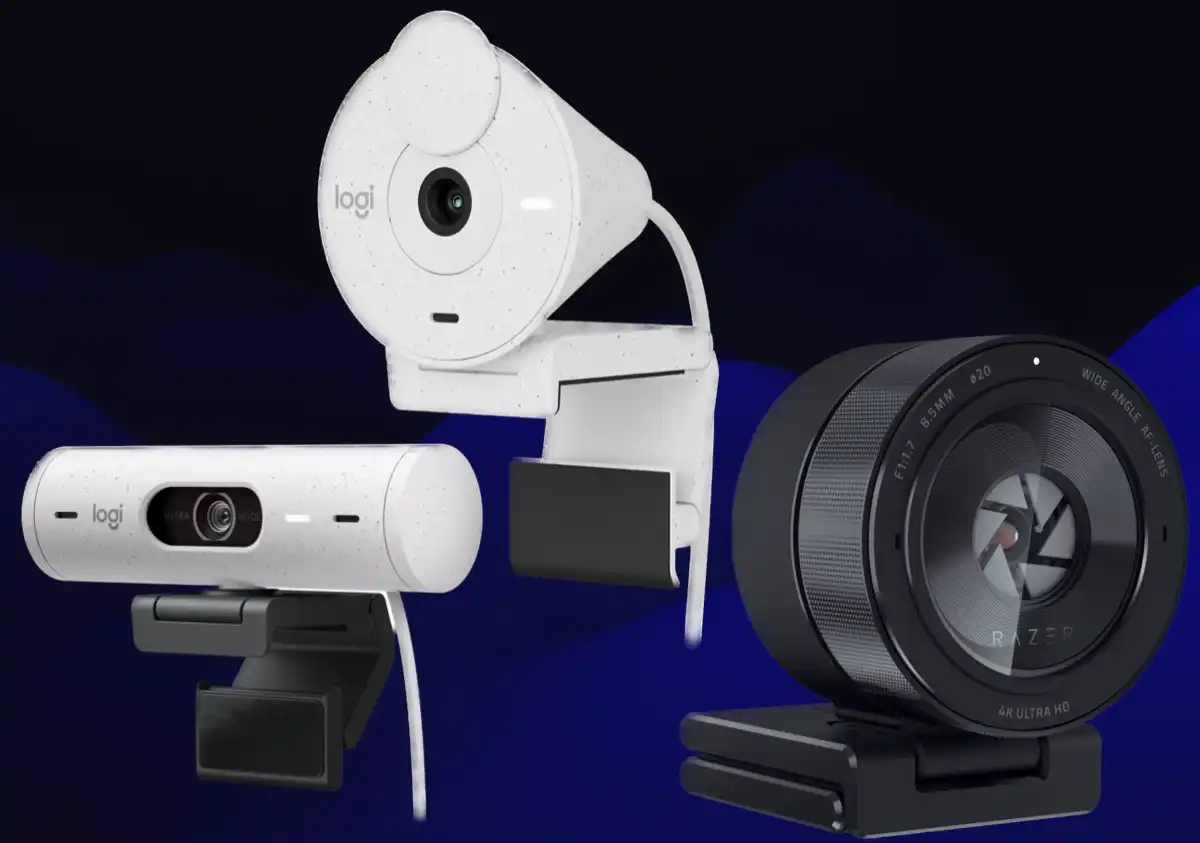
The Ultimate Guide to Choosing The Best Webcam For Your Needs
Are you looking to upgrade your webcam game? Do you want to ensure that your video conferencing experiences are smooth, clear, and enjoyable? Look no further! In this comprehensive guide, we’ll take you through the key considerations and top-rated webcams on the market.
What to Look For in a Webcam
Before diving into our top picks, let’s explore the essential features to look for in a webcam:
- Resolution: A resolution of at least 720p is recommended for video conferencing.
- Optical Quality: A good lens can make all the difference in image quality.
- Framerate: A higher framerate (FPS) ensures smoother video playback.
- Autofocus: Automatic focus adjustment makes a huge difference in capturing clear images.
- Microphone Quality: Good audio quality is just as important as good video quality.
- Lighting Conditions: If you plan to use your webcam in low-light environments, look for models with built-in light or night vision capabilities.
Top-rated Webcams on The Market
Now that we’ve covered the essential features, let’s dive into our top picks:
- Logitech C920 HD Pro Webcam
- Resolution: 1080P
- Optical quality: Carl Zeiss optics
- Framerate: Up to 30 FPS
- Autofocus: Yes
- Microphone quality: Omnidirectional microphones
- Lighting conditions: Good in low-light environments with built-in light
- Logitech C920s HD Pro Webcam
- Resolution: 1080P
- Optical quality: Carl Zeiss optics
- Framerate: Up to 30 FPS
- Autofocus: Yes
- Microphone quality: Omnidirectional microphones
- Lighting conditions: Good in low-light environments with built-in light
- Nexigo N60 Webcam
- Resolution: 1080P
- Optical quality: CMOS sensor with digital zoom
- Framerate: Up to 30 FPS
- Autofocus: Yes
- Microphone quality: Integrated microphone with noise cancellation
- Lighting conditions: Good in low-light environments with built-in light
- Vizolink W4ds 4K Webcam
- Resolution: 4K
- Optical quality: CMOS sensor with digital zoom
- Framerate: Up to 60 FPS
- Autofocus: Yes
- Microphone quality: Integrated microphone with noise cancellation
- Lighting conditions: Good in low-light environments with built-in light
- Dewanxin Webcam
- Resolution: 1080P
- Optical quality: CMOS sensor
- Framerate: Up to 30 FPS
- Autofocus: Yes
- Microphone quality: Integrated microphone with noise cancellation
- Lighting conditions: Good in low-light environments with built-in light
The Best Webcam For You
With so many great options on the market, choosing the best webcam for your needs can be a bit overwhelming. Consider the following factors to make an informed decision:
- Resolution: If you need high-definition video quality, go for a 1080p or 4K webcam.
- Optical Quality: If you plan to use your webcam in bright environments, prioritize optical quality and good lens design.
- Framerate: If you’re looking for smooth video playback, choose a webcam with a high framerate (FPS).
- Autofocus: Automatic focus adjustment can make a huge difference in capturing clear images.
- Microphone Quality: Good audio quality is just as important as good video quality.
Conclusion
Choosing the right webcam for your needs can be a daunting task, but by considering the essential features and top-rated webcams on the market, you’ll be well-equipped to make an informed decision. Whether you’re looking for high-definition video quality, good optical quality, or smooth framerate playback, we’ve got you covered.
Frequently Asked Questions (FAQs)
- What is The Best Webcam For Video Conferencing?
- The Logitech C920 HD Pro Webcam and the Logitech C920S HD Pro Webcam are excellent choices for video conferencing.
- What is The Difference Between 720p And 1080p Resolution?
- A resolution of at least 720p is recommended for video conferencing, but a 1080p webcam will provide even higher quality video.
- How do I Choose The Right Microphone For my Webcam?
- Look for webcams with omnidirectional microphones or integrated noise cancellation technology.
- What is The Best Webcam For Low-light Environments?
- The Logitech C920 HD Pro Webcam and the NexiGo N60 Webcam are good options for low-light environments.
- Can I Use my Webcam on Multiple Devices?
- Yes, most webcams come with compatibility with multiple operating systems and devices.
Final Thoughts
Upgrading your webcam can make a huge difference in video conferencing experiences. By considering the essential features and top-rated webcams on the market, you’ll be able to find the perfect webcam for your needs. Happy shopping!


