
Choosing The Right Wifi Adapter: A Guide to Shopping (September 2024)
Are you looking to upgrade your computer’s WiFi capabilities or need a reliable WiFi adapter? Look no further! In this article, we will guide you through the process of choosing the perfect WiFi adapter for your needs.
What is a Wifi Adapter?
A WiFi adapter is a device that connects your computer to a wireless network. It allows you to access the internet and share files with other devices without the need for cables.
Types of Wifi Adapters
There are several types of WiFi adapters available, each with its own set of features and benefits. Here are some of the most common types:
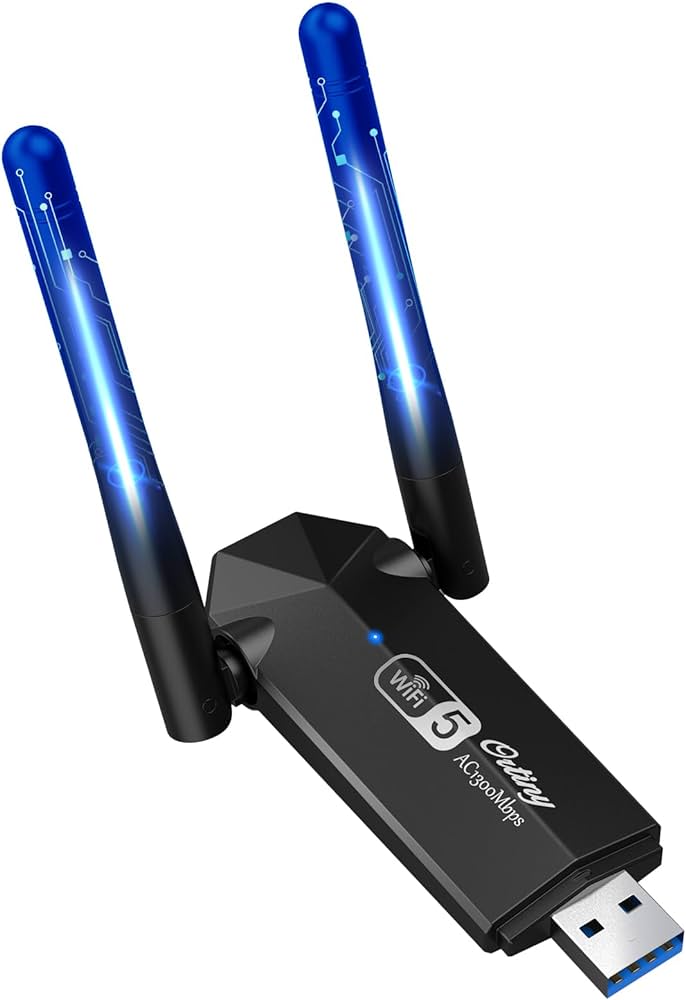
- Usb Wifi Adapters: These adapters connect to your computer via a USB port and provide wireless connectivity.
- Pcie Wifi Adapters: These adapters connect directly to your computer’s motherboard via a PCIe slot.
- Wireless Dongles: These devices allow you to connect multiple devices to the same wireless network.
Key Features to Consider
When choosing a WiFi adapter, there are several key features to consider:
- Speed: Look for an adapter with high speeds, such as 802.11Ac or 802.11Ax.
- Range: Consider an adapter with a longer range to ensure coverage throughout your home or office.
- Compatibility: Ensure the adapter is compatible with your computer’s operating system and wireless standard.
- Security: Look for an adapter with advanced security features, such as WPA3 encryption.
Top Wifi Adapters on The Market
Here are some of the top WiFi adapters on the market:
- Tp-link Archer T3u Plus
- Tp-link Tl-wn823n
- Elecmoga 1300Mbps Wifi Adapter
- Pcercn 600Mbps Wifi Adapter
- Ryuuoto 1300Mbps Dual Band Wifi Adapter
Comparison Table:
| WiFi Adapter | Speed | Range | Compatibility | Security |
|---|---|---|---|---|
| TP-Link Archer T3U Plus | 802.11Ac, 1300Mbps | Long range | Windows, Mac, Linux | WPA3 encryption |
| TP-Link TL-WN823N | 802.11N, 300Mbps | Medium range | Windows, Mac, Linux | WPA2 encryption |
| ElecMoga 1300Mbps WiFi Adapter | 802.11Ac, 1300Mbps | Long range | Windows, Mac, Linux | WPA3 encryption |
| PCERCN 600Mbps WiFi Adapter | 802.11N, 600Mbps | Medium range | Windows, Mac, Linux | WPA2 encryption |
| RyuuOto 1300Mbps Dual Band WiFi Adapter | 802.11Ac, 1300Mbps | Long range | Windows, Mac, Linux | WPA3 encryption |
Conclusion
Choosing the right WiFi adapter can be a daunting task, but by considering the key features and comparing different models, you can find the perfect one for your needs. Remember to look for high speeds, long ranges, compatibility with your computer’s operating system, and advanced security features.
Frequently Asked Questions (FAQs)
- What is The Difference Between 802.11Ac And 802.11Ax?
The main difference between these two standards is that 802.11Ax offers higher speeds and better performance in crowded environments. - Can I Use a Wifi Adapter With my Mobile Device?
Yes, you can use a WiFi adapter with your mobile device to connect it to the internet wirelessly. - How do I Ensure The Security of my Wireless Network?
You can ensure the security of your wireless network by using WPA3 encryption and changing your password regularly. - Can I Use a Wifi Adapter With Multiple Devices at Once?
Yes, many WiFi adapters allow you to connect multiple devices to the same wireless network simultaneously. - How do I Troubleshoot Issues With my Wifi Adapter?
You can troubleshoot issues with your WiFi adapter by checking for firmware updates, resetting the device, and restarting your computer.
I hope this guide has been helpful in choosing the right WiFi adapter for your needs. Happy shopping!


