
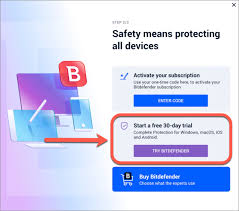
Bitdefender Free Edition: A Comprehensive Guide to Protecting Your PC
Are you looking for a reliable antivirus software to protect your computer from various threats? Look no further than Bitdefender’s free edition! As one of the most effective antivirus programs on the market, Bitdefender Free Edition offers robust protection against malware, viruses, and other online threats.
What is Bitdefender Free Edition?
Bitdefender Free Edition is a lightweight version of the popular Bitdefender antivirus software. This free edition provides essential protection for your PC without requiring any payment or registration. It’s perfect for home users who want to safeguard their computers from malware and other online threats without breaking the bank.
Key Features of Bitdefender Free Edition
- Comprehensive Protection: Bitdefender Free Edition scans your computer in real-time, detecting and eliminating malware, viruses, and other online threats.
- Lightweight And Efficient: This free edition is designed to be lightweight and efficient, ensuring it doesn’t slow down your PC or consume too much system resources.
- Simple Installation Process: Installing Bitdefender Free Edition is a breeze. Simply download the software from the official website, follow the prompts, and you’re good to go!
- User-friendly Interface: The user interface is intuitive and easy to navigate, making it simple for anyone to use.
How to Install Bitdefender Free Edition on Your PC
Installing Bitdefender Free Edition on your PC is a straightforward process. Here’s a step-by-step guide:
- Visit the official Bitdefender website and download the free edition.
- Run the downloaded file (.Exe) and follow the prompts to initiate the installation process.
- Accept the terms of service, choose your language, and select the installation location.
- Wait for the installation to complete, then click on “Finish” to launch the software.
Using Bitdefender Free Edition on Your PC
Once installed, using Bitdefender Free Edition is a snap! Here’s how:
- Launch the software by clicking on its icon in your system tray or taskbar.
- Select the type of scan you want to perform (e.G., Full system scan, quick scan).
- Click “Start” to initiate the scanning process.
- Wait for the scan to complete; this may take a few minutes depending on your computer’s specifications.
Using Bitdefender Free Edition on Your Mac
If you’re using a Mac, don’t worry – Bitdefender has got you covered! You can use Bitdefender Virus Scan, a free app compatible with all recent versions of macOS. This app scans your system for malware and viruses without slowing down your Mac.
Using Bitdefender Free Edition on Your Smartphone or Tablet
If you have an Android smartphone or tablet, you can use the Bitdefender Mobile Security app to protect your device from malware and other online threats. This app is available free of charge and offers robust protection against malicious apps, viruses, and other online dangers.
Bitdefender Total Security 2024: A Comprehensive Solution For All Your Devices
Looking for an all-in-one solution to protect all your devices? Consider Bitdefender Total Security 2024! This comprehensive antivirus software offers real-time protection for up to 5 devices (PCs, Macs, smartphones, and tablets) for a year. It includes features like ransomware protection, adware removal, and a VPN, all for an affordable price.
Conclusion
In conclusion, Bitdefender Free Edition is an excellent choice for protecting your PC from various online threats without breaking the bank. With its comprehensive protection, lightweight design, and user-friendly interface, this free edition is perfect for home users who want to safeguard their computers without worrying about malware and other online dangers.
Frequently Asked Questions (FAQs)
- What Are The System Requirements For Bitdefender Free Edition?
- The minimum system requirements include a 32-bit or 64-bit Windows operating system, 256 MB RAM, and 500 MB free disk space.
- Can I Use Bitdefender Free Edition on my Mac?
- Yes, you can use Bitdefender Virus Scan on your Mac for free.
- Does Bitdefender Free Edition Have a Vpn Feature?
- No, the free edition does not include a VPN feature. However, you can consider upgrading to Bitdefender Total Security 2024, which includes a VPN.
- Can I Use Bitdefender Free Edition on my Android Smartphone or Tablet?
- Yes, you can use the Bitdefender Mobile Security app on your Android device for free.
- Is Bitdefender Free Edition Available in Multiple Languages?
- Yes, the software is available in multiple languages, including English, Spanish, French, and many others.
- Does Bitdefender Free Edition Have a User Manual or Guide?
- Yes, you can find a comprehensive user manual and guide on the official Bitdefender website.
- Can I Upgrade to a Paid Version of Bitdefender?
- Yes, if you want more features and advanced protection, you can consider upgrading to a paid version of Bitdefender.
Get Your Copy of Bitdefender Free Edition Today!
Protect your PC from malware and other online threats with the reliable Bitdefender Free Edition. Download it now and enjoy comprehensive protection without breaking the bank!


