
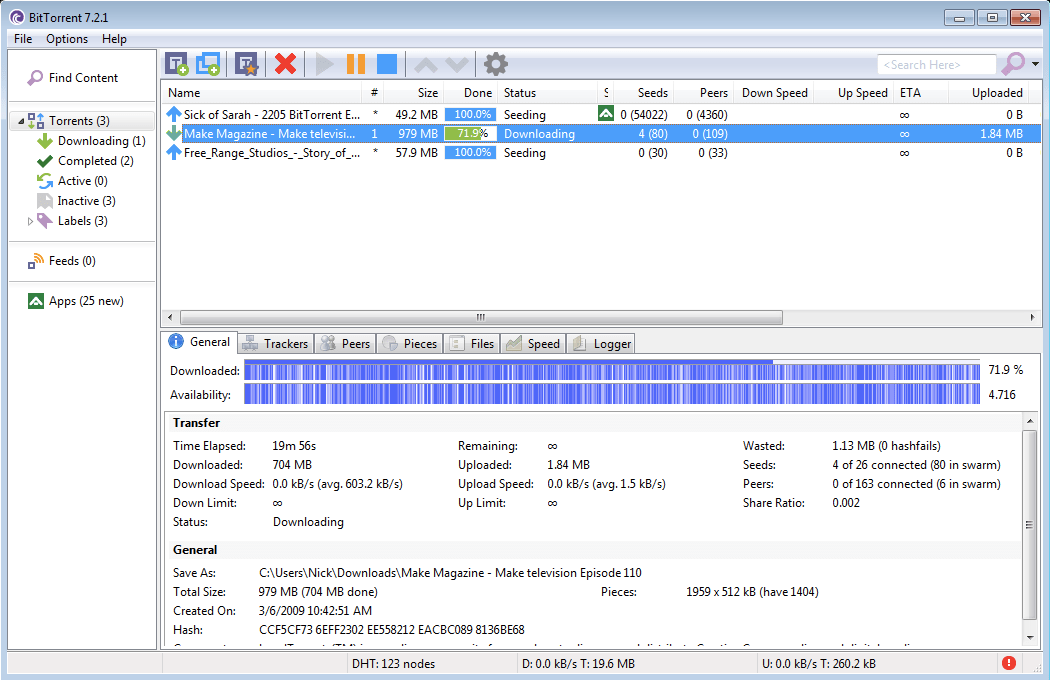
Bittorrent: The Ultimate Guide to Downloading Files
Are you tired of waiting for files to download? Do you want to access a vast library of content, including videos, music, and applications, without any hassle? Look no further than BitTorrent! In this article, we will explore the world of BitTorrent and provide you with the best programs available to download files.
What is Bittorrent?
BitTorrent is a peer-to-peer (P2P) protocol that allows users to share and download files quickly. It’s free, fast, and easy to use. With BitTorrent, you can access a vast library of content, including videos, music, and applications, without any hassle.
The Importance of Safety
Before we dive into the best programs available, it’s essential to talk about safety. When downloading files from the internet, there is always a risk of malware or viruses. To ensure your safety, we recommend installing a VPN (Virtual Private Network) along with any BitTorrent program you choose.
Best Programs For Bittorrent
Here are some of the best programs available for BitTorrent:
Qbittorrent (Windows/macOS/Linux)
QBittorrent is a free and open-source program that’s compatible with all leading operating systems, including Windows, macOS, and Linux. It has a user-friendly interface and doesn’t display any invasive ads or promotional software.
How to Install Qbittorrent
To install qBittorrent on your computer, follow these steps:
- Download the program from its official website.
- Open the file of installation and click “Yes” in the User Account Control window.
- Click “OK” to confirm the language (you can change it later if needed).
- Affix the checkmark next to “Accept the license agreement.”
- Click “Next” for three times, then “Finish.”
How to Use Qbittorrent
To use qBittorrent, follow these steps:
- Open the program and click on “Research.”
- Type the name of the content you want to download in the bar.
- Press “Forward” on your keyboard.
- Select the source with the highest rating.
- Double-click on the file to open it.
Transmission (Windows/macOS/Linux)
Transmission is another popular program for BitTorrent, especially among macOS users. It’s free, fast, and easy to use.
How to Install Transmission
To install Transmission, follow these steps:
- Download the program from its official website.
- Open the file of installation and click “Next.”
- Affix the checkmark next to “I accept the license agreement.”
- Click “Finish” to initiate the installation process.
How to Use Transmission
To use Transmission, follow these steps:
- Open the program and select “Rows” > “Open” (or “Open rows *torrent on macOS”).
- Browse for the file you want to download.
- Select the destination folder and click “OK.”
- Click “OK” again to initiate the download process.
Biglybt (Windows/macOS/Linux)
BiglyBT is a free program that’s compatible with all leading operating systems, including Windows, macOS, and Linux. It has a user-friendly interface and doesn’t display any invasive ads or promotional software.
How to Install Biglybt
To install BiglyBT, follow these steps:
- Download the program from its official website.
- Open the file of installation and click “Yes” in the User Account Control window (on Windows).
- Click “Next” for three times, then “Finish.”
How to Use Biglybt
To use BiglyBT, follow these steps:
- Open the program and select “Rows” > “Open” > “Rows *torrent.”
- Browse for the file you want to download.
- Select the destination folder and click “OK.”
- Click “Apply” to initiate the download process.
ΒTorrent (Online)
If you’re not comfortable with installing any program on your computer, there’s an alternative – βTorrent, a web-based service that allows you to download files directly from your browser. It’s free, fast, and easy to use.
How to Use βTorrent
To use βTorrent, follow these steps:
- Open the website in your browser.
- Click on “Open *torrent rows” or copy the magnet link of the file you want to download.
- Paste the magnet link into the text box and click “Download.”
Apps For Bittorrent
If you’re looking for a convenient way to access BitTorrent content from your mobile device, there are several apps available:
- Libretorrent – A free app that’s compatible with Android devices.
- Flud – An elegant app designed specifically for Android users.
- BitTorrent – The official app of the popular BitTorrent protocol.
Conclusion
BitTorrent is a powerful tool that allows you to access a vast library of content, including videos, music, and applications. With these programs and apps available, you can download files quickly and easily. Remember to always prioritize your safety by installing a VPN and being cautious when downloading files from the internet.
Frequently Asked Questions (FAQs)
- What is Bittorrent?
BitTorrent is a peer-to-peer protocol that allows users to share and download files quickly. - Is Bittorrent Safe?
While BitTorrent itself is safe, there’s always a risk of malware or viruses when downloading files from the internet. To ensure your safety, we recommend installing a VPN along with any BitTorrent program you choose. - Which Programs Are Best For Bittorrent?
QBittorrent, Transmission, and BiglyBT are popular programs available for BitTorrent. - Can I Use Bittorrent on my Mobile Device?
Yes, there are several apps available that allow you to access BitTorrent content from your mobile device. - What is βTorrent?
ΒTorrent is a web-based service that allows you to download files directly from your browser. - Is it Free to Use Bittorrent?
Yes, using BitTorrent itself is free, but some programs may have limitations or offer paid upgrades. - Can I Share my Own Content on Bittorrent?
Yes, with any BitTorrent program, you can share your own content by creating a file and sharing its magnet link. - Is it Possible to Download Copyrighted Material Using Bittorrent?
No, downloading copyrighted material without permission is against the law and not recommended.
Sources:
- QBittorrent official website
- Transmission official website
- BiglyBT official website
- ΒTorrent official website


