
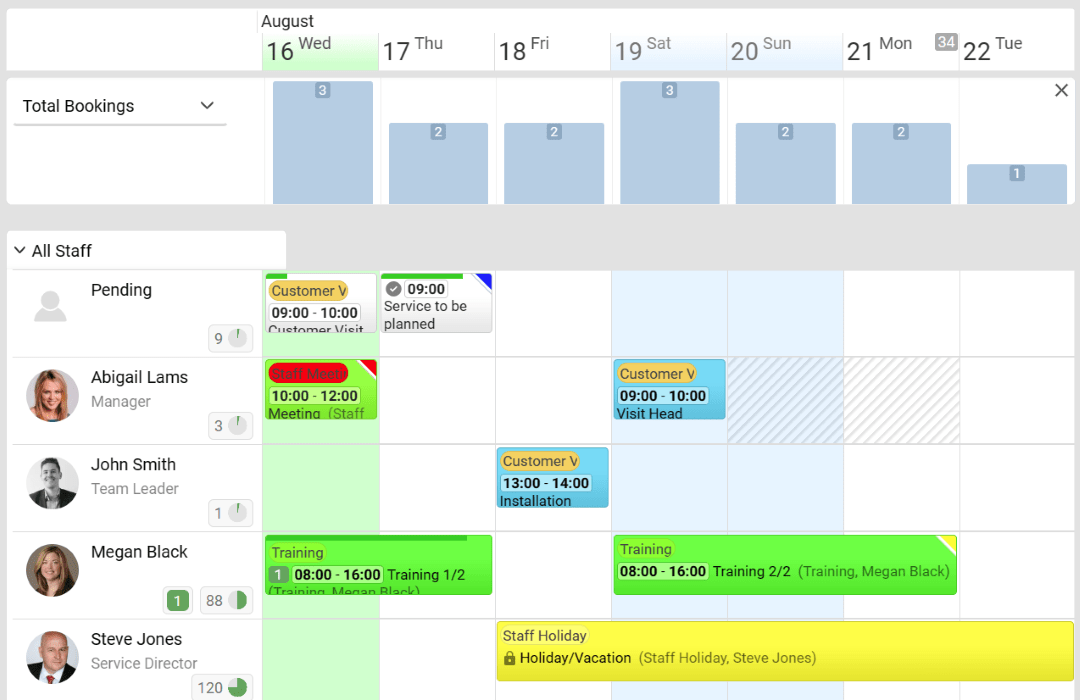
Effective Time Management: Unlocking Productivity With Calendar Programs
Are you someone who juggles multiple responsibilities, appointments, and meetings on a daily basis? Do you struggle to keep track of your schedule and find yourself overwhelmed by the sheer volume of tasks at hand? You’re not alone! With the demands of modern life, it’s essential to have tools that help you stay organized and focused.
In this article, we’ll explore various calendar programs designed to simplify your scheduling process. From Microsoft Outlook to Google Calendar, these powerful tools will help you streamline your workday, reduce stress, and increase productivity.
Understanding Your Needs
Before diving into the world of calendar programs, it’s essential to understand what you’re looking for in a tool:
- Simplicity: A user-friendly interface that makes scheduling easy
- Flexibility: The ability to access your calendar from anywhere, on any device
- Integration: Seamless integration with other tools and services
- Customization: The option to tailor your calendar to suit your unique needs
Microsoft Outlook: A Comprehensive Calendar Solution
Microsoft Outlook is a powerful calendar program that offers a comprehensive set of features. With its user-friendly interface, you can:
- Manage Appointments And Meetings: Schedule events with ease and receive reminders
- Track Tasks And Deadlines: Stay on top of your to-do list and meet critical deadlines
- Access Emails And Contacts: Enjoy seamless integration with Microsoft’s email client
Thunderbird: A Free And Open-source Alternative
For those seeking a free and open-source solution, Thunderbird is an excellent option. This versatile calendar program offers:
- Lightning: A built-in calendar feature that allows you to schedule events and set reminders
- Integration With Email Clients: Seamlessly sync your email client with your calendar
- Customization Options: Tailor your experience with add-ons and extensions
Google Calendar: A Cloud-based Solution
Google Calendar is a cloud-based solution that offers:
- Easy Access From Anywhere: Access your calendar on any device, at any time
- Seamless Integration With Google Services: Enjoy effortless integration with Gmail, Google Drive, and more
- Real-time Updates: Stay up-to-date with changes to your schedule
Programs For Publishing Calendars
If you’re a content creator or entrepreneur looking to streamline your publishing process, consider the following programs:
- Google Calendar: Utilize this cloud-based solution to manage deadlines and publication schedules
- Trello: Organize your workflow using boards, lists, and cards
- Asana: Streamline your tasks and deadlines with a user-friendly interface
Programs For Sports Calendars
For sports enthusiasts, the following programs can help you stay updated on upcoming events:
- Gazette of The Sport: Stay informed about the latest sports news and schedules
- Messenger of The Sport: Enjoy real-time updates on your favorite teams and players
- Sky Sport: Access comprehensive coverage of sports events and schedules
Programs For Creating Calendars With Photos
If you’re looking to create a personalized calendar with photos, consider the following options:
- Shutterfly: Design custom calendars using your favorite photos
- Snapfish: Create beautiful calendars that showcase your memories
- Google Calendar: Utilize this cloud-based solution to schedule events and add photos
Apps For Calendars
For those who prefer a more mobile experience, consider the following apps:
- Microsoft Outlook Mobile: Access your calendar on-the-go with this user-friendly app
- Google Calendar Mobile: Enjoy seamless integration with Google services and real-time updates
- Apple Calendar: Stay organized with a beautifully designed calendar app
Conclusion
Effective time management is crucial in today’s fast-paced world. By leveraging the power of calendar programs, you can streamline your scheduling process, reduce stress, and increase productivity.
Whether you’re a busy professional or an entrepreneur looking to simplify your publishing process, there’s a calendar program out there for you. Explore these options, and discover how they can help you achieve greater efficiency and success in your endeavors.
Frequently Asked Questions
- What is the best calendar program for my needs?
- Consider factors like simplicity, flexibility, integration, and customization when choosing a calendar program
- How do I access my calendar on-the-go?
- Utilize mobile apps like Microsoft Outlook Mobile or Google Calendar Mobile to stay organized from anywhere
- Can I create custom calendars with photos?
- Yes, consider programs like Shutterfly, Snapfish, or Google Calendar to design personalized calendars
Conclusion
In conclusion, effective time management is a vital aspect of achieving success in today’s fast-paced world. By leveraging the power of calendar programs, you can streamline your scheduling process, reduce stress, and increase productivity.
Whether you’re a busy professional or an entrepreneur looking to simplify your publishing process, there’s a calendar program out there for you. Explore these options, and discover how they can help you achieve greater efficiency and success in your endeavors.


