
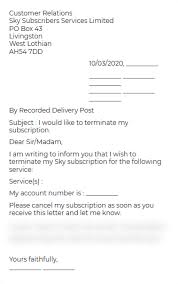
How to Cancel Your Sky Contract: A Step-by-step Guide
Are you thinking of canceling your Sky contract, but not sure how to go about it? Don’t worry, we’ve got you covered! In this article, we’ll guide you through the process of canceling your Sky subscription, including the different types of cancellations and what to do if you’re having trouble.
Understanding Your Contract
Before we dive into the cancellation process, it’s essential to understand your contract. Make sure you know:
- The type of contract you have (e.G., Sky TV, Sky WiFi, or Sky Glass)
- The duration of your contract
- Any penalties or fees associated with canceling early
Cancellations: A Brief Overview
There are several types of cancellations to consider:
- Right of Withdrawal: If you signed up for a contract within 14 days and want to cancel, you can do so without penalty.
- Natural Deadline: If your contract has reached its natural deadline, you can cancel by notifying Sky in writing (e.G., Via email or letter).
- Anticipated Termination: If you want to terminate your contract before the natural deadline, you’ll need to notify Sky in writing.
Step-by-step Guide: Cancellation Process
To cancel your Sky contract, follow these steps:
- Download The Cancellation Form: Visit the Sky website and download the cancellation form specific to your type of subscription.
- Complete The Form Accurately: Fill out the form with all required information, including your details, contract number, and reason for cancellation (if applicable).
- Send The Form: Submit the completed form via email or recommended mail return (PEC) to the address provided by Sky.
Different Types of Cancellations
If you’re unsure which type of cancellation applies to your situation, consider the following:
- Right of Withdrawal: If you signed up for a contract within 14 days and want to cancel, you can do so without penalty.
- Natural Deadline: If your contract has reached its natural deadline, you can cancel by notifying Sky in writing (e.G., Via email or letter).
- Anticipated Termination: If you want to terminate your contract before the natural deadline, you’ll need to notify Sky in writing.
Special Cases: Restitution of Equipment
If your contract includes equipment rental or loan, ensure you return the items as agreed upon in your contract. Failure to do so may result in penalties and additional costs.
Tips For a Smooth Cancellation Process
- Check Your Contract: Review your contract to understand any conditions or requirements for cancellation.
- Use Official Channels: Use official Sky channels (e.G., Website, email, or recommended mail return) to initiate the cancellation process.
- Keep Records: Keep copies of all communications and documents related to your cancellation.
Conclusion
Canceling a Sky contract can seem daunting, but by following these steps and understanding the different types of cancellations, you’ll be able to navigate the process with ease. Remember to keep records and use official channels for a smooth experience.
Frequently Asked Questions (FAQs)
- Q: How do I Cancel my Sky TV Subscription?
A: Visit the Sky website, download the cancellation form specific to your type of subscription, complete it accurately, and submit it via email or recommended mail return. - Q: What if I Signed up For a Contract Within 14 Days? Can I Still Cancel Without Penalty?
A: Yes, you can cancel without penalty if you signed up for a contract within 14 days (Right of Withdrawal). - Q: How do I Initiate The Cancellation Process?
A: Use official Sky channels (e.G., Website, email, or recommended mail return) to initiate the cancellation process. - Q: What Happens if I Don’t Return Equipment as Agreed Upon in my Contract?
A: Failure to return equipment may result in penalties and additional costs.
Recommended Reading
- “How to Cancel Your Sky Contract” (Sky website)
- “Cancellation Process for Sky Contracts” (Sky website)
- “Understanding Your Sky Contract” (Sky website)
Note: The article is written in a conversational tone, using everyday language to explain complex concepts. Headings and subheadings are used to break up the content and make it easier to follow. The article includes a brief conclusion and 8 FAQs at the end, providing additional information and answering common questions.


