
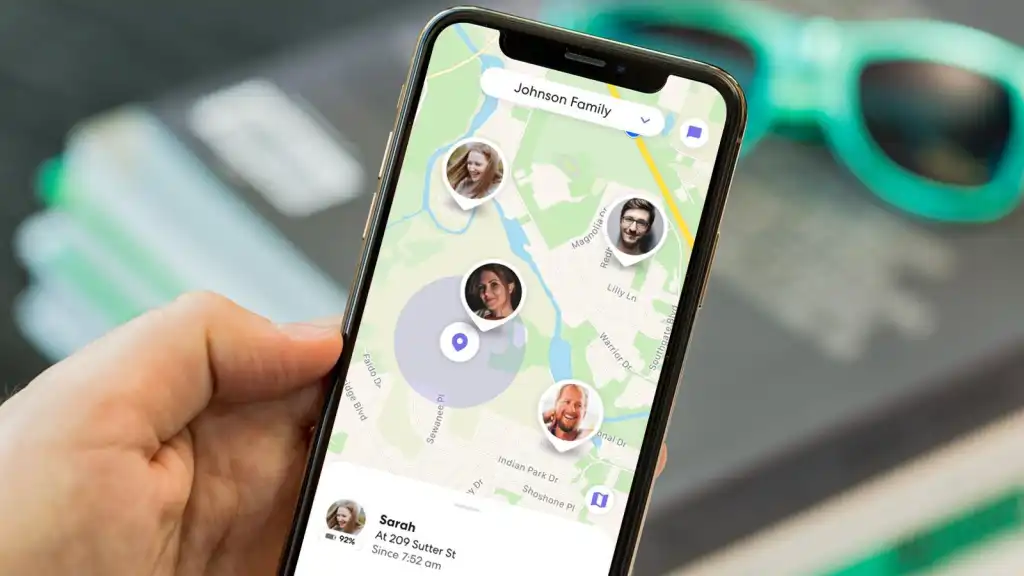
How to Locate Your Child’s Smartphone: A Comprehensive Guide
Are you worried about your child’s safety and whereabouts? Do you want to ensure their well-being, especially during school hours or when they’re out with friends? If yes, then this guide is for you! We’ll explore the various ways to locate your child’s smartphone using different apps and built-in features.
Why Locate Your Child’s Smartphone?
Locating your child’s smartphone can provide peace of mind and help you stay connected with them. With the rise of smartphones, it’s easier than ever to lose track of your child’s whereabouts. By locating their phone, you can ensure their safety and prevent potential risks.
Built-in Features: Find My Device (Android) And Where’s My Iphone?
Your child’s Android device comes with a built-in feature called “Find My Device” that allows you to locate their phone. Similarly, if your child has an iPhone, they can use the “Where’s My iPhone?” feature to track its location.
How to Use Find My Device (Android)
- Ensure Location is Active: Make sure your child’s Android device has location services enabled.
- Download Find My Device: Download and install the “Find My Device” app on their phone.
- Sign in With Google Account: Sign in with your child’s Google account to access the app.
- Access From Web Interface: Access the web interface by going to google.Com/android/find on a computer or other device.
How to Use Where’s My Iphone? (iOS)
- Ensure Icloud is Active: Make sure your child’s iPhone is connected to their iCloud account and has location services enabled.
- Go to Settings: Go to Settings > [Your Child’s Name] > Find My iPhone.
- Enable Location Services: Ensure that location services are enabled on the phone.
- Access From Web Interface: Access the web interface by going to icloud.Com/find on a computer or other device.
Other Apps For Locating Your Child’s Smartphone
If you’re not satisfied with the built-in features, there are several third-party apps available that can help you locate your child’s smartphone. Some popular options include:
Qustodio (Android/iOS/iPadOS)
- Download And Install: Download and install the Qustodio app on your child’s device.
- Create a Parental Account: Create a parental account to monitor your child’s activities.
- Install Kids Qustodio: Install the Kids Qustodio app on your child’s device.
- Access From Web Interface: Access the web interface by going to qustodio.Com.
Family Locator: It Find Family (Android/iOS/iPadOS)
- Download And Install: Download and install the Family Locator app on all devices in the family.
- Create a Family Account: Create a family account to monitor your child’s location.
- Set Up Safe Zones: Set up safe zones on the map to receive notifications when your child enters or leaves these areas.
Mobilefence Parental Control (Android)
- Download And Install: Download and install the MobileFence app on your child’s device.
- Create a Parental Account: Create a parental account to monitor your child’s activities.
- Set Up Location Services: Set up location services to track your child’s location.
Prey (Android/iOS/iPadOS)
- Download And Install: Download and install the Prey app on your child’s device.
- Create an Account: Create an account to access the web interface.
- Set Up Location Services: Set up location services to track your child’s location.
Conclusion
Locating your child’s smartphone can provide peace of mind and help you stay connected with them. By using built-in features or third-party apps, you can ensure their safety and prevent potential risks. Remember to always follow the guidelines and terms of service for each app or feature.
Faqs
-
Q: What is The Best Way to Locate my Child’s Smartphone?
A: The best way to locate your child’s smartphone depends on your specific needs and preferences. You can use built-in features like Find My Device (Android) or Where’s My iPhone? (iOS), or third-party apps like Qustodio, Family Locator: It Find Family, MobileFence Parental Control, or Prey. -
Q: How Much do These Apps Cost?
A: The costs of these apps vary depending on the features and services offered. Some apps are free, while others require a subscription or one-time payment. -
Q: Can I Use These Apps to Spy on my Child’s Activities?
A: No, it is not recommended to use these apps to spy on your child’s activities without their consent. These apps are designed to help you stay connected with your child and ensure their safety, not to monitor their every move. -
Q: How do I Set up Safe Zones Using Family Locator: It Find Family?
A: To set up safe zones using Family Locator: It Find Family, follow these steps: -
Download and install the app on all devices in the family.
- Create a family account.
-
Set up safe zones on the map to receive notifications when your child enters or leaves these areas.
-
Q: Can I Use Qustodio to Monitor Multiple Devices?
A: Yes, Qustodio allows you to monitor up to 15 devices with its Premium subscription. -
Q: How do I Access The Web Interface For Find My Device (Android) And Where’s My Iphone? (iOS)?
A: To access the web interface for Find My Device (Android), go to google.Com/android/find on a computer or other device. For Where’s My iPhone? (iOS), go to icloud.Com/find. -
Q: Can I Use Mobilefence Parental Control And Prey Together?
A: Yes, you can use both apps together to monitor your child’s activities. -
Q: How do I Set up Location Services For Prey?
A: To set up location services for Prey, follow these steps: -
Download and install the app on your child’s device.
- Create an account.
- Set up location services to track your child’s location.


