
Unlocking The Power of Conceptual Maps: A Guide to Programs And Apps
Are you tired of juggling multiple ideas, tasks, and projects in your mind? Do you struggle to organize your thoughts and create a clear picture of your goals and objectives? Look no further than conceptual maps! These powerful tools can help you visualize complex information, identify relationships between ideas, and achieve your goals more effectively.
In this article, we’ll explore the world of conceptual maps and introduce you to some of the best programs and apps available. Whether you’re a student, entrepreneur, or simply someone who wants to improve their productivity and creativity, you’ll find something here that suits your needs.
What is a Conceptual Map?
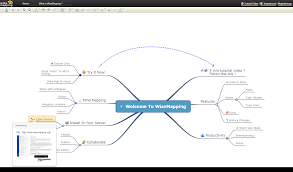
A conceptual map is a visual representation of ideas, concepts, and relationships between them. It’s like a mind map on steroids! Conceptual maps use a combination of words, images, and symbols to create a comprehensive diagram that shows how different elements are connected.
Why Use Conceptual Maps?
Conceptual maps offer numerous benefits, including:
- Improved understanding and retention of complex information
- Enhanced creativity and idea generation
- Better organization and prioritization of tasks and projects
- Increased productivity and efficiency
- More effective communication and collaboration with others
Programs For Conceptual Maps: A Review
There are many programs available that can help you create conceptual maps. Here are some of the best ones:
Xmind (Windows, Macos, Linux)
Xmind is a free program that’s available on multiple platforms, including Windows, macOS, and Linux. It offers a user-friendly interface, plenty of features, and excellent customization options.
- Pros: Free, intuitive interface, robust features
- Cons: Can be overwhelming for beginners
Mindomo (Windows, Macos, Linux)
Mindomo is another free program that’s compatible with multiple platforms. It offers a clean and simple interface, along with many useful features and tools.
- Pros: Free, easy to use, plenty of features
- Cons: Limited customization options
Other Programs For Conceptual Maps
There are many other programs available that can help you create conceptual maps. Some popular ones include:
- Mindnode (macOS): A free program that’s designed specifically for macOS users.
- Ithoughtsx (Windows, Macos): A comprehensive program that offers plenty of features and tools.
- Gitmind: A free online program that allows you to create conceptual maps with ease.
Apps For Conceptual Maps: A Review
If you’re looking for a more portable solution, consider using one of these apps:
Xmind (Android, Ios, Ipados)
Xmind’s mobile app is a powerful tool that offers many of the same features as its desktop counterpart.
- Pros: Robust features, excellent customization options
- Cons: Can be overwhelming for beginners
Mindomo (Android, Ios, Ipados)
Mindomo’s mobile app is another great option for creating conceptual maps on-the-go.
- Pros: Easy to use, plenty of features
- Cons: Limited customization options
Conclusion
Conceptual maps are a powerful tool that can help you visualize complex information, identify relationships between ideas, and achieve your goals more effectively. With so many programs and apps available, you’re sure to find one that suits your needs.
Whether you’re a student, entrepreneur, or simply someone who wants to improve their productivity and creativity, conceptual maps are worth considering. So why wait? Start exploring the world of conceptual maps today!
Frequently Asked Questions (FAQs)
- What is a Conceptual Map?
A conceptual map is a visual representation of ideas, concepts, and relationships between them. - Why Use Conceptual Maps?
Conceptual maps offer numerous benefits, including improved understanding and retention of complex information, enhanced creativity and idea generation, better organization and prioritization of tasks and projects, increased productivity and efficiency, and more effective communication and collaboration with others. - Which Programs And Apps Are Available For Creating Conceptual Maps?
There are many programs and apps available, including Xmind, Mindomo, MindNode, iThoughtsX, GitMind, and more. - What is The Difference Between a Conceptual Map And a Mind Map?
A conceptual map is a more comprehensive and detailed diagram that shows how different elements are connected, while a mind map is a simpler visual representation of ideas and concepts. - Can I Use Conceptual Maps For Personal or Professional Purposes?
Yes! Conceptual maps can be used for both personal and professional purposes, such as brainstorming ideas, planning projects, creating to-do lists, and more. - Are There Any Tutorials or Guides Available For Learning How to Create Conceptual Maps?
Yes! There are many online resources, including video tutorials, blog posts, and guides, that can help you learn how to create conceptual maps.
I hope this article has been helpful in introducing you to the world of conceptual maps! If you have any further questions or need more information, don’t hesitate to ask.


