
The Ultimate Guide to Defragmentation: Understanding The Process And Choosing The Right Program
As a computer user, you’re likely no stranger to the concept of defragmentation. However, if you’re not tech-savvy, it’s easy to get lost in the jargon and technical terms surrounding this essential maintenance task.
In this article, we’ll delve into the world of defragmentation, explaining what it is, when it should be done, and which programs are best suited for the job. Whether you’re a seasoned user or a newcomer to the digital landscape, this guide will provide you with the knowledge you need to keep your computer running smoothly.
What is Defragmentation?
Defragmentation is the process of rearranging files on your hard drive to optimize performance and reduce wear and tear. As data is written to and deleted from your hard drive, it becomes fragmented – broken into smaller pieces scattered across the disk surface. This fragmentation can lead to slower computer speeds and increased risk of file corruption.
When Should You Defragment Your Hard Drive?
Regular defragmentation is essential for maintaining a healthy and efficient hard drive. Here are some scenarios where you should consider running a defragmentation program:
- When Your Hard Drive Becomes Fragmented: If your hard drive has become heavily fragmented, you’ll notice significant slowdowns in performance.
- After Installing New Software or Apps: Installing large programs can cause fragmentation, so it’s essential to run a defragmentation tool after each installation.
- When Running Low on Disk Space: If your hard drive is running low on free space, running a defragmentation program can help free up space by removing redundant data.
Choosing The Right Defragmentation Program
While Windows includes its own built-in defragmentation utility, there are many third-party programs that offer more advanced features and better performance. Here are some of the best defragmentation programs available:
- Auslogics Disk Defrag: A popular and feature-rich defragmentation program with a user-friendly interface.
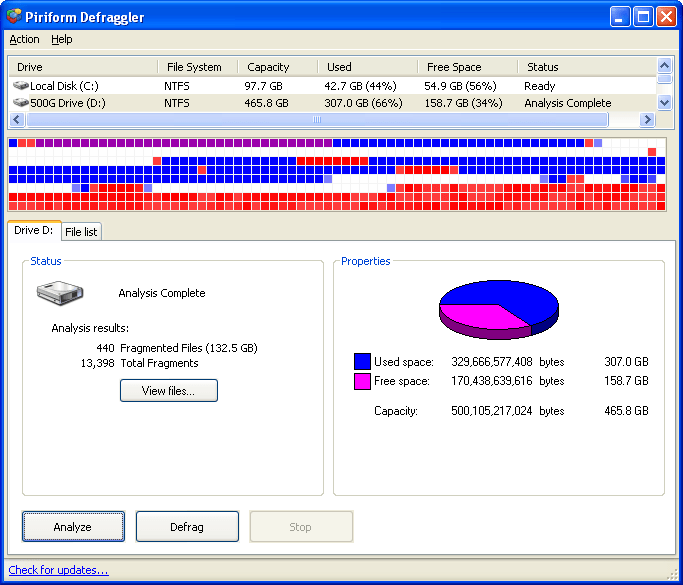
- Defraggler: A free defragmentation tool that’s easy to use and offers real-time analysis and optimization.
- Ultradefrag: A lightweight, portable defragmentation program perfect for those who prefer a simple, intuitive interface.
Programs For Defragmenting Macs
While the above programs are designed specifically for Windows users, Mac owners don’t need to worry about defragmentation. MacOS has built-in features that automatically optimize storage and reduce fragmentation. However, if you’re looking to further optimize your Mac’s performance, consider checking out our tutorial on speeding up your Mac.
Conclusion
Defragmentation is an essential maintenance task for any computer user. By understanding the process and choosing the right program for the job, you can ensure your hard drive remains healthy, efficient, and optimized for peak performance. Whether you’re a Windows or macOS user, the programs mentioned above will help you achieve a faster, more responsive computer experience.
Frequently Asked Questions (FAQs)
-
What is Defragmentation?
Defragmentation is the process of rearranging files on your hard drive to optimize performance and reduce wear and tear.
2. Why Should I Defragment my Hard Drive?Regular defragmentation is essential for maintaining a healthy and efficient hard drive, reducing the risk of file corruption and slowdowns in performance.
3. Which Program Should I Use For Defragmentation?The best defragmentation programs include Auslogics Disk Defrag, Defraggler, and UltraDefrag, each offering unique features and benefits.
4. Do Macs Need to be Defragmented?No, macOS has built-in features that automatically optimize storage and reduce fragmentation, making defragmentation unnecessary for Mac users.


