
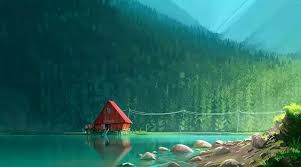
Having the same old wallpaper on your computer screen can get boring fast, right? A fresh background can completely change the vibe of your desktop, whether you’re using Windows, macOS, or Linux. Luckily, if you’re on the hunt for new desktop wallpapers, you’ve landed in the right spot. This guide will walk you through everything you need to know to find the perfect desktop wallpaper from various free sources online.
What Are Desktop Wallpapers?
Desktop wallpapers are the images or graphics that serve as the background for your computer screen. Whether it’s a nature scene, abstract art, or a photo of a famous landmark, wallpapers let you personalize your workspace. You can switch them up whenever you feel like it, keeping things fresh and exciting.
Why Are Desktop Wallpapers Important?
- Aesthetic Appeal: Wallpapers add a personal touch and make your workspace more visually appealing.
- Mood Enhancement: The right wallpaper can set a calming or motivational tone for your day.
- Organizational Support: Some wallpapers have a minimalistic design that helps you focus by reducing distractions.
Where to Find the Best Desktop Wallpapers
Looking for places to find high-quality, free wallpapers? Below are some of the best sites where you can discover and download amazing backgrounds for your desktop.
1. DeviantART
DeviantART is one of the top sources for creative and artistic wallpapers. With contributions from artists worldwide, you’ll find a wide array of wallpaper styles, ranging from abstract designs to high-quality nature shots.
How to Use DeviantART:
- Visit DeviantART’s Wallpaper Section.
- Use filters like “Newest” or “Popular” to browse the latest or most liked wallpapers.
- Download your selected wallpaper with just a click.
2. Wallhaven
Wallhaven is an excellent site for those looking for high-quality wallpapers. It is the successor of the popular Wallbase site, known for its wide variety of wallpaper styles.
- Head to Wallhaven’s Homepage.
- Browse using categories like “Latest,” “Random,” or search for specific terms.
- Apply filters like resolution or ratio to find the perfect wallpaper for your screen.
3. InterfaceLift
If you’re into wallpapers that capture the beauty of nature or cityscapes, InterfaceLift is for you. This site offers wallpapers in very high resolutions, making them perfect for large monitors or even multi-display setups.
Using InterfaceLift:
- Go to InterfaceLift’s Main Page.
- Browse through different categories or use their search feature to find specific themes.
- Select the resolution that matches your screen and download the image.
Minimalistic Wallpaper Options
Not everyone wants elaborate, busy designs for their wallpaper. If you prefer clean, simple backgrounds, there are several options for you as well.
4. Simple Desktops
Simple Desktops is the go-to place for minimalistic, clean wallpapers. It’s perfect for those who prefer sleek designs that don’t overwhelm the eyes.
How to Download from Simple Desktops:
- Navigate to Simple Desktops.
- Browse through the collection and click on an image to view it full-size.
- Right-click and save the wallpaper to your desktop.
High-Quality Photography Backgrounds
Photography enthusiasts will love using high-resolution images as desktop backgrounds. Here are a few places to find professional-level photos for free.
5. Unsplash
Unsplash offers stunning, high-resolution photographs that can double as excellent desktop wallpapers. The site has categories like “Desktop,” “4K,” and “Mac” for easy browsing.
Unsplash Features:
- Visit Unsplash Wallpapers.
- Browse the wide variety of photos or use the search bar for something specific.
- Click “Download Free” to save your chosen wallpaper.
Additional Sites for Desktop Wallpapers
If you haven’t found what you’re looking for yet, don’t worry! Here are more wallpaper resources you can explore.
6. Desktoppr
Desktoppr is a site with an almost endless collection of wallpapers, organized by resolution, popularity, and date added. It’s a solid choice for anyone looking for high-quality wallpapers in various sizes.
7. Social Wallpapering
Another historic site, Social Wallpapering, offers a massive database of wallpapers. It’s regularly updated, ensuring you’ll find something new every time you visit.
8. Desktop Nexus
Desktop Nexus categorizes wallpapers beautifully, allowing you to quickly find exactly what you’re looking for, whether it’s nature, abstract art, or animals.
9. HDW (High Definition Wallpapers)
HDW is perfect for those who prefer random wallpaper selections. It categorizes wallpapers by popularity, upload date, and more.
10. Desktopography
Desktopography is a curated collection of digital art, featuring stunning works from some of the best artists in the world. It’s especially perfect if you’re into digital artwork wallpapers.
How to Change Desktop Wallpapers
Once you’ve found the perfect wallpaper, how do you set it up? Here’s a quick guide for the most popular operating systems:
Changing Wallpapers on Windows
- Windows 10/11: Right-click on the desktop and select “Personalize.” Under the “Background” section, click “Browse” and find the image file you downloaded.
- Windows 7/8: Right-click on the desktop, choose “Personalize,” and follow the same steps to apply your wallpaper.
Changing Wallpapers on macOS
- Right-click on your desktop and choose “Change Desktop Background.”
- Select the folder where your image is stored and set it as your wallpaper.
Changing Wallpapers on Linux (Ubuntu)
- Right-click on the desktop and choose “Change Background.”
- Navigate to the “Pictures” folder, select your desired image, and hit “Set.”
Conclusion
Desktop wallpapers may seem like a minor detail, but they can significantly enhance your workspace’s aesthetic and functionality. With so many free and easy-to-use resources available, finding the perfect wallpaper has never been simpler. Whether you want artistic, high-resolution photography, or simple minimalistic designs, the sites we’ve covered will help you find what you’re looking for.
Frequently Asked Questions (FAQs)
1. Can I use downloaded wallpapers for commercial projects?
In most cases, wallpapers from free websites are only for personal use. Always check the licensing agreements.
2. How do I ensure my wallpaper fits my screen resolution?
Use wallpaper sites that allow you to filter images by resolution to match your screen size.
3. Are there any mobile apps to download wallpapers?
Yes, several mobile apps like Zedge and Walli offer high-quality wallpapers for smartphones and tablets.
4. Can I create my own wallpapers?
Absolutely! Using tools like Photoshop or even free online tools like Canva, you can design custom wallpapers.
5. Is there a limit to how many wallpapers I can download?
Most free wallpaper sites don’t have any download limits, so feel free to stock up on as many as you like.
6. How often should I change my desktop wallpaper?
It’s entirely up to personal preference. Some people like to change it daily, while others stick with one for months.
7. What’s the best resolution for a 4K screen?
For a 4K display, you’ll want wallpapers with a resolution of 3840×2160 pixels.
8. Can wallpapers slow down my computer?
No, wallpapers generally don’t affect computer performance unless you’re using a high-resolution, animated wallpaper that could consume more system resources.


