
The Ultimate Guide to Downloading Avast Antivirus Free
Are you looking for a reliable antivirus solution to protect your devices from various threats? Look no further than Avast Antivirus, one of the most popular and effective security software available in the market. In this comprehensive guide, we will walk you through the process of downloading Avast Antivirus free on your PC, Mac, smartphone, or tablet.
What is Avast Antivirus?
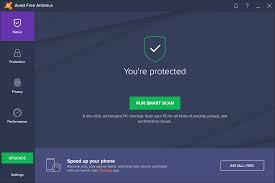
Avast Antivirus is a leading antivirus solution that offers robust protection against malware, viruses, and other online threats. With its user-friendly interface and powerful engine, Avast Antivirus provides real-time protection to safeguard your devices from cyber attacks. The software is available for Windows, Mac, Android, and iOS devices, making it an ideal choice for users with multiple devices.
Why Choose Avast Antivirus?
There are several reasons why you should choose Avast Antivirus as your go-to antivirus solution:
- Robust Protection: Avast Antivirus offers comprehensive protection against malware, viruses, and other online threats.
- User-friendly Interface: The software features a user-friendly interface that makes it easy to navigate and use.
- Multi-device Support: Avast Antivirus is available for Windows, Mac, Android, and iOS devices, making it an ideal choice for users with multiple devices.
- Free Version Available: Avast Antivirus offers a free version that provides essential protection against malware and other online threats.
How to Download Avast Antivirus Free on PC
To download Avast Antivirus free on your PC, follow these steps:
- Go to the official Avast website (www.Avast.Com) and click on the “Free Antivirus” tab.
- Click on the “Download Free Antivirus” button to start the download process.
- Wait for the file to download completely.
- Once the download is complete, double-click on the downloaded file to begin the installation process.
- Follow the on-screen instructions to install Avast Antivirus.
How to Download Avast Antivirus Free on Mac
To download Avast Antivirus free on your Mac, follow these steps:
- Go to the official Avast website (www.Avast.Com) and click on the “Free Antivirus” tab.
- Click on the “Download Free Antivirus” button to start the download process.
- Wait for the file to download completely.
- Once the download is complete, double-click on the downloaded file to begin the installation process.
- Follow the on-screen instructions to install Avast Antivirus.
How to Download Avast Antivirus Free on Android And Ios Devices
To download Avast Antivirus free on your Android or iOS device, follow these steps:
- Go to the Google Play Store (for Android devices) or the App Store (for iOS devices).
- Search for “Avast Mobile Security” in the search bar.
- Click on the app icon to start the download process.
- Wait for the file to download completely.
- Once the download is complete, tap on the app icon to begin the installation process.
- Follow the on-screen instructions to install Avast Mobile Security.
System Requirements
Before installing Avast Antivirus, ensure that your device meets the minimum system requirements:
- Operating System: Windows 7 or later (for PC), macOS High Sierra or later (for Mac), Android 4.0 Or later (for Android devices), and iOS 10 or later (for iOS devices).
- Processor: Intel Core i3 or higher (for PC), Apple A7 chip or higher (for Mac), Qualcomm Snapdragon 210 or higher (for Android devices), and Apple A7 chip or higher (for iOS devices).
- Ram: 2 GB or more (for PC and Mac), 1 GB or more (for Android devices).
Conclusion
Downloading Avast Antivirus free is a simple process that can be completed in just a few steps. By following the instructions outlined in this guide, you can protect your devices from various threats and enjoy peace of mind knowing that your data is secure.
Frequently Asked Questions
Q: What is Avast Antivirus?
A: Avast Antivirus is a leading antivirus solution that offers robust protection against malware, viruses, and other online threats.
Q: Why choose Avast Antivirus?
A: There are several reasons why you should choose Avast Antivirus as your go-to antivirus solution, including its user-friendly interface, multi-device support, and free version availability.
Q: How to download Avast Antivirus free on PC?
A: To download Avast Antivirus free on your PC, go to the official Avast website, click on the “Free Antivirus” tab, and follow the on-screen instructions to install the software.
Q: How to download Avast Antivirus free on Mac?
A: To download Avast Antivirus free on your Mac, go to the official Avast website, click on the “Free Antivirus” tab, and follow the on-screen instructions to install the software.
Q: How to download Avast Antivirus free on Android and iOS devices?
A: To download Avast Antivirus free on your Android or iOS device, go to the Google Play Store (for Android devices) or the App Store (for iOS devices), search for “Avast Mobile Security,” and follow the on-screen instructions to install the app.
Q: What are the system requirements for installing Avast Antivirus?
A: The minimum system requirements for installing Avast Antivirus include an operating system of Windows 7 or later (for PC), macOS High Sierra or later (for Mac), Android 4.0 Or later (for Android devices), and iOS 10 or later (for iOS devices).


