
The Ultimate Guide to Designing Like a Pro: Top Software And Apps For Creative Expression
Are you an aspiring artist, designer, or cartoonist looking to unleash your creativity? Look no further! In this comprehensive guide, we’ll explore the best software and apps for designing like a pro.
Designing 3D Objects: The Power of Blender
When it comes to designing three-dimensional objects, Blender is the ultimate tool. This free and open-source software is compatible with Windows, macOS, and Linux, making it accessible to designers from all walks of life. With its vast array of features and functions, Blender allows you to create complex 3D models, textures, and animations with ease.
To get started with Blender, follow these simple steps:
- Download the software from the official website.
- Install the software on your computer.
- Launch Blender and familiarize yourself with its interface.
- Use the available tools to create and modify your 3D models.
Designing Houses: The Power of Sweet Home 3D
Are you an architect or interior designer looking to create virtual house designs? Look no further than Sweet Home 3D, a free software compatible with Windows, macOS, and Linux. This user-friendly program allows you to furnish and decorate your designs in both 2D and 3D formats.
To get started with Sweet Home 3D:
- Download the software from its official website.
- Install the software on your computer.
- Launch Sweet Home 3D and start creating your virtual house design.
- Use the available tools to add furniture, decorations, and other elements to your design.
Designing Comic Strips: The Power of Kitra
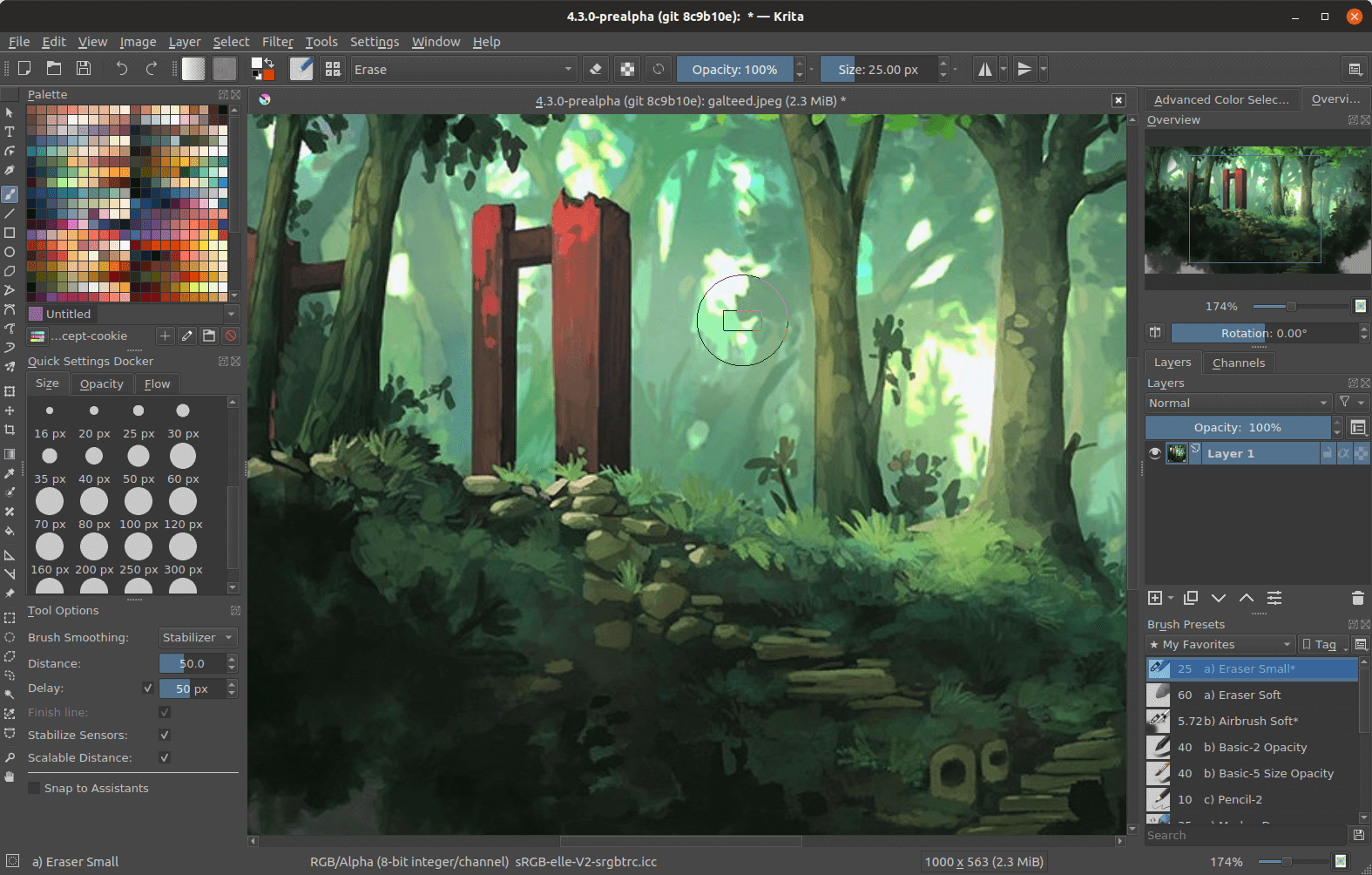
Are you a cartoonist or comic strip artist looking for a user-friendly software? Look no further than Kitra, a free and open-source program compatible with Windows, macOS, and Linux. This intuitive software allows you to create comic strips and manga-style comics with ease.
To get started with Kitra:
- Download the software from its official website.
- Install the software on your computer.
- Launch Kitra and start creating your comic strip.
- Use the available tools to add text, images, and other elements to your design.
Designing Logotypes: The Power of Inkscape
Are you a graphic designer looking for a powerful software to create logotypes? Look no further than Inkscape, a free and open-source program compatible with Windows, macOS, and Linux. This user-friendly software allows you to create complex vector graphics, including logotypes.
To get started with Inkscape:
- Download the software from its official website.
- Install the software on your computer.
- Launch Inkscape and start creating your logotype.
- Use the available tools to modify and refine your design.
Other Programs For Designing
In addition to Blender, Sweet Home 3D, Kitra, and Inkscape, there are many other programs and apps available for designing. Some popular options include:
- Gimp: A free and open-source software compatible with Windows, macOS, and Linux.
- Mypaint: A free software compatible with Windows, macOS, and Linux.
- Adobe Illustrator: A professional-grade software compatible with Windows and macOS.
Apps For Designing on Mobile Devices
For designers on-the-go, there are many mobile apps available that can help you create designs from anywhere. Some popular options include:
- 3D Paint: A free app for creating 3D models.
- Magicplan: An app for designing floor plans and other spatial layouts.
- Medibang Paint: An app for creating comic strips and manga-style comics.
Conclusion
In conclusion, there are many powerful software and apps available for designers to unleash their creativity. Whether you’re interested in designing 3D objects, houses, comic strips, or logotypes, there’s a tool out there that can help you achieve your goals. Remember to always familiarize yourself with the interface and tools of any new software or app before diving in.
Frequently Asked Questions
- What is The Best Software For Designing 3D Objects?
Answer: Blender is an excellent choice for designing 3D objects. - Can I Design Houses Using a Free Software?
Answer: Yes, you can use Sweet Home 3D, a free software compatible with Windows, macOS, and Linux. - Which App is Best For Creating Comic Strips?
Answer: Kitra is an excellent choice for creating comic strips and manga-style comics. - What Software Should I Use to Create Logotypes?
Answer: Inkscape is a powerful software for creating complex vector graphics, including logotypes. - Are There Any Free Apps Available For Designing?
Answer: Yes, many free apps are available for designing, such as Gimp, Mypaint, and Medibang Paint.
Conclusion
We hope this guide has been helpful in introducing you to the world of design software and apps. Whether you’re a seasoned designer or just starting out, there’s always something new to learn and discover. Happy designing!


