
The Ultimate Guide to Editing Files on Your Computer
Are you tired of struggling with editing files on your computer? Look no further! In this comprehensive guide, we’ll walk you through the best programs to edit video, photo, audio, and PDF files.
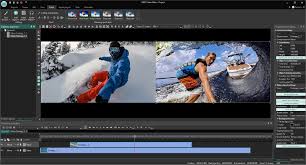
Programs to Edit Video
- Microsoft Clipchamp (Windows): A free program developed by Microsoft that allows you to edit videos with ease.
- Pros: Free, easy to use, advanced features
- Cons: Limited features in the free version, watermarks on exported videos
- Imovie (macOS): A user-friendly video editing software developed by Apple.
- Pros: Free, easy to use, great for beginners
- Cons: Limited features compared to other programs, only available on macOS
- Wondershare Filmora (Windows/macOS): A powerful video editing program with advanced features.
- Pros: Advanced features, user-friendly interface, affordable pricing
- Cons: Limited features in the free version, watermarks on exported videos
Programs to Edit Photo
- Paint (Windows): The classic paint program that’s now more advanced and modern.
- Pros: Free, easy to use, great for basic editing tasks
- Cons: Limited features compared to other programs, not suitable for advanced editing tasks
- Gimp (Windows/macOS/Linux): A free and open-source photo editing software with advanced features.
- Pros: Advanced features, user-friendly interface, great for beginners
- Cons: Steeper learning curve compared to Paint
- Adobe Photoshop (Windows/macOS): The industry-standard photo editing software.
- Pros: Advanced features, user-friendly interface, great for professionals and hobbyists
- Cons: Expensive pricing, steep learning curve
Programs to Edit Audio
- Audacity (Windows/macOS/Linux): A free and open-source audio editing software with advanced features.
- Pros: Free, easy to use, great for beginners
- Cons: Limited features compared to other programs, not suitable for professional audio editing tasks
- Garageband (macOS): A user-friendly audio editing software developed by Apple.
- Pros: Easy to use, great for beginners, free
- Cons: Limited features compared to other programs, only available on macOS
- Adobe Audition (Windows/macOS): The industry-standard audio editing software.
- Pros: Advanced features, user-friendly interface, great for professionals and hobbyists
- Cons: Expensive pricing, steep learning curve
Programs to Edit Pdf
- Libreoffice (Windows/macOS/Linux): A free and open-source office suite that allows you to edit PDF files.
- Pros: Free, easy to use, great for basic editing tasks
- Cons: Limited features compared to other programs, not suitable for advanced editing tasks
- Trailer (macOS): A user-friendly PDF editor developed by Apple.
- Pros: Easy to use, great for beginners, free
- Cons: Limited features compared to other programs, only available on macOS
- Pdfill Free Pdf Tools (Windows): A free program that allows you to edit and convert PDF files.
- Pros: Free, easy to use, great for basic editing tasks
- Cons: Limited features compared to other programs, not suitable for advanced editing tasks
Apps For Editing
- Video Editing Apps: Apps like InShot, VivaVideo, and PowerDirector allow you to edit videos on your mobile device.
- Photo Editing Apps: Apps like Adobe Lightroom, Snapseed, and TouchRetouch allow you to edit photos on your mobile device.
- Audio Editing Apps: Apps like Shazam, Music Maker JAM, and WavePad allow you to edit audio files on your mobile device.
- Pdf Editing Apps: Apps like PDF Expert, GoodReader, and Adobe Acrobat Reader allow you to edit PDF files on your mobile device.
Conclusion
Editing files on your computer doesn’t have to be a hassle anymore! With these comprehensive guides, you’ll learn how to use the best programs for editing video, photo, audio, and PDF files. Whether you’re a beginner or an advanced user, we’ve got you covered. So why wait? Start editing today!
Frequently Asked Questions
- What is The Best Program For Editing Videos?
- The best program for editing videos depends on your specific needs. If you’re looking for a free and easy-to-use option, Microsoft Clipchamp or iMovie may be the way to go. If you need advanced features, Wondershare Filmora or Adobe Premiere Pro may be more suitable.
- What is The Best Program For Editing Photos?
- The best program for editing photos depends on your specific needs. If you’re looking for a free and easy-to-use option, Paint or GIMP may be the way to go. If you need advanced features, Adobe Photoshop or Lightroom may be more suitable.
- What is The Best Program For Editing Audio?
- The best program for editing audio depends on your specific needs. If you’re looking for a free and easy-to-use option, Audacity or GarageBand may be the way to go. If you need advanced features, Adobe Audition or Logic Pro X may be more suitable.
- What is The Best Program For Editing Pdf Files?
- The best program for editing PDF files depends on your specific needs. If you’re looking for a free and easy-to-use option, LibreOffice or Trailer may be the way to go. If you need advanced features, Adobe Acrobat Reader or PDFill FREE PDF Tools may be more suitable.
- What Are Some Good Apps For Editing?
- Some good apps for editing include InShot, VivaVideo, and PowerDirector for video editing; Adobe Lightroom, Snapseed, and TouchRetouch for photo editing; Shazam, Music Maker JAM, and WavePad for audio editing; and PDF Expert, GoodReader, and Adobe Acrobat Reader for PDF editing.
- What is The Best Program For Beginners?
- The best program for beginners depends on your specific needs. If you’re looking for a free and easy-to-use option, Microsoft Clipchamp, iMovie, Paint, or GIMP may be suitable. If you need advanced features, Adobe Premiere Pro, Photoshop, Audition, or Acrobat Reader may require more practice.
- What is The Best Program For Professionals?
- The best program for professionals depends on your specific needs. If you’re looking for advanced features and user-friendly interface, Adobe Premiere Pro, Photoshop, Audition, or Acrobat Reader may be suitable.
- Can I Edit Files on my Mobile Device?
- Yes, you can edit files on your mobile device using apps like InShot, VivaVideo, PowerDirector, Adobe Lightroom, Snapseed, TouchRetouch, Shazam, Music Maker JAM, WavePad, PDF Expert, GoodReader, and Adobe Acrobat Reader.


