
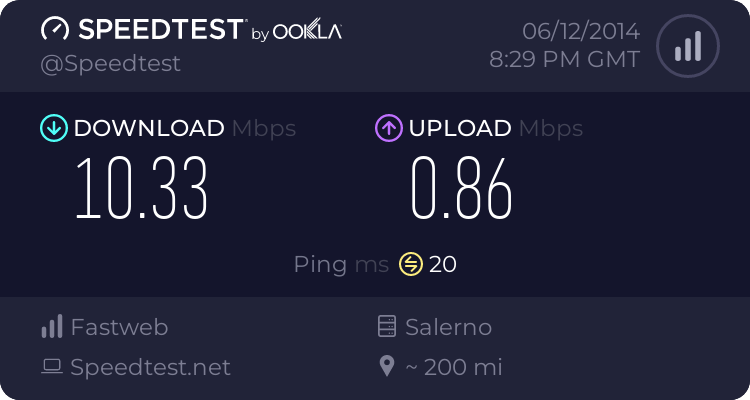
Speed Test Fastweb: How to Measure Your Internet Connection Speed
As a user of Fastweb’s internet services, you may have wondered how fast your connection is compared to what was promised in the contract. Measuring your internet speed can be a bit tricky, but with this guide, you’ll learn how to do it easily and accurately.
Understanding Your Internet Contract
Before we dive into the speed test, it’s essential to understand what your internet contract says about speeds. Fastweb promises certain speeds for their services, and if you’re not getting those speeds, you may be entitled to compensation or even a switch to a different plan.
Why Measure Your Internet Speed?
Measuring your internet speed can help you:
- Determine if you’re getting the speeds promised by your contract
- Identify potential issues with your connection (e.G., Poor Wi-Fi signal, hardware problems)
- Optimize your internet usage and performance
Methods For Measuring Internet Speed
There are several ways to measure your internet speed using Fastweb’s tools or external services. We’ll cover three methods:
Method 1: Using Fastweb’s Myfastweb Portal
To use this method:
- Log in to your Fastweb account and access the MyFastweb portal.
- Click on the “Access” button, then click on the “Speedtest” option.
- Select the type of test you want (cable or wireless) and choose a server near you.
- Wait for the test results, which will show your download and upload speeds.
Method 2: Using Fastweb’s App
Fastweb has a mobile app that allows you to measure your internet speed using your smartphone or tablet. To do this:
- Download the Fastweb app from the Play Store (for Android) or the App Store (for iOS).
- Log in with your account credentials.
- Tap on the “Speedtest” option and select a server near you.
- Wait for the test results, which will show your download and upload speeds.
Method 3: Using External Services
You can also use external services like Ookla or Fast.Com to measure your internet speed. To do this:
- Go to the website of the service you’ve chosen (Ookla or Fast.Com).
- Click on the “Start” button and wait for the test results.
- The service will display your download and upload speeds.
Interpreting Your Test Results
When you run a speed test, you’ll get two types of results:
- Download Speed: This measures how fast data is transferred from the server to your device.
- Upload Speed: This measures how fast data is transferred from your device to the server.
A good internet connection should have both download and upload speeds that meet or exceed the promised speeds in your contract. If you’re not getting those speeds, it may be a sign of an issue with your connection.
Troubleshooting Common Issues
If your speed test results are slow or inconsistent, there could be several reasons for this:
- Hardware Issues: Check if your router or modem is functioning properly.
- Wi-fi Signal Strength: Ensure that your Wi-Fi signal is strong and stable.
- Interference: Try moving devices that may be causing interference away from your router.
Conclusion
Measuring your internet speed with Fastweb’s tools or external services can help you identify potential issues with your connection. By understanding your contract speeds, using the right tools, and troubleshooting common issues, you’ll be able to optimize your internet usage and performance.
Frequently Asked Questions (FAQs)
- What is a Good Internet Speed?
A good internet speed depends on your needs, but generally speaking, a download speed of 100 Mbps or higher and an upload speed of 10 Mbps or higher are considered acceptable for most users. - How Often Should I Run a Speed Test?
You can run a speed test whenever you experience slow speeds or inconsistent connectivity. - Can I Use my Smartphone to Measure Internet Speed?
Yes, you can use the Fastweb app on your smartphone or tablet to measure your internet speed. - What if my Speed Test Results Are Slow?
If your speed test results are slow, it may be a sign of an issue with your connection. Try troubleshooting common issues like hardware problems or interference. - Can I Use External Services to Measure Internet Speed?
Yes, you can use external services like Ookla or Fast.Com to measure your internet speed. - How do I Contact Fastweb For Assistance?
You can contact Fastweb’s customer support for assistance with any issues related to your connection.
Recommended Services
- Fast.Com: A simple and easy-to-use service that provides fast and accurate speed test results.
- Ookla: A popular service that offers a range of features, including speed tests, ping tests, and more.
- In.Me.Sys.: An official system by AGCOM that allows you to certify your internet connection speed and report issues with your provider.
Remember to always read the fine print on your contract and understand what speeds are promised before running any speed tests.


