
The Evolution of Internet: Understanding Flash And Its Replacement
As we navigate the digital landscape, it’s essential to understand the evolution of internet technologies. One such technology that has played a significant role in shaping the online world is Adobe Flash. In this article, we’ll delve into the history of Flash, its limitations, and the alternatives that have emerged to replace it.
What is Flash?
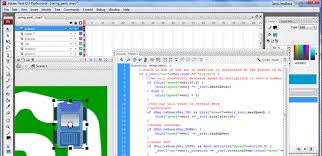
Flash, also known as Macromedia Flash, was a multimedia software platform developed by Macromedia (later acquired by Adobe). It was first released in 1993 and quickly gained popularity for creating interactive web content, such as animations, games, and videos. Flash became an industry standard for delivering rich media experiences on the web.
The Limitations of Flash
While Flash was instrumental in revolutionizing the online world, it had its limitations. One major concern was security. Flash files (.SWF) were vulnerable to hacking and exploitation by cyber attackers. In fact, Flash was one of the most exploited software platforms in history, with numerous zero-day exploits discovered over the years.
Adobe’s Decision to Retire Flash
In 2015, Adobe announced its intention to retire Flash by the end of 2020. This decision was prompted by the increasing security concerns and the emergence of newer technologies like HTML5, which offered better performance, security, and compatibility with modern browsers.
The Impact on Web Development
The retirement of Flash had a significant impact on web development. Many websites that relied heavily on Flash began to migrate to HTML5, CSS3, and JavaScript-based solutions. This transition required developers to relearn and adapt to new technologies, which presented both opportunities and challenges.
Alternatives to Flash: What’s Available?
Fortunately, there are many alternatives to Flash that can be used to create interactive web content:
- Html5: The latest version of the Hypertext Markup Language (HTML) offers improved support for multimedia content, including videos, animations, and games.
- Css3: Cascading Style Sheets (CSS) is a styling language that allows developers to add visual effects, animations, and transitions to web pages.
- Javascript: A popular programming language used for creating interactive client-side scripts on the web.
- Google Web Designer: A free, web-based tool for designing and publishing HTML5 content.
Programs For Flash: What Are The Options?
While Adobe has officially retired Flash, there are still some programs available that can be used to play back Flash content:
- Adobe Flash Player Projector: A standalone player that allows users to view Flash files (.SWF) on Windows or macOS.
- Vlc Media Player: A versatile media player that supports a wide range of file formats, including Flash videos (.FLV).
- Google Chrome: The popular web browser has built-in support for playing back Flash content.
Programs For Animation: What Are The Options?
For creating animations in Flash format (.SWF or .FLV), there are several programs available:
- Adobe Animate: A professional-grade animation tool that allows users to create interactive and engaging content.
- Toon Boom Harmony: A commercial-grade animation software used by professionals in the industry.
- Krita: A free, open-source painting and illustration software that can be used for creating animations.
Conclusion
The evolution of internet technologies has been marked by significant advancements in recent years. The retirement of Flash was a necessary step towards improving security and compatibility with modern browsers. While there are still some programs available that can be used to play back Flash content, it’s essential to adopt newer technologies like HTML5, CSS3, and JavaScript for creating interactive web experiences.
Frequently Asked Questions (FAQs)
- What Happened to Adobe Flash?
Adobe officially retired Flash by the end of 2020 due to security concerns and the emergence of newer technologies. - Can I Still Use Flash?
While Adobe has retired Flash, there are still some programs available that can be used to play back Flash content. - What’s a Good Alternative to Flash?
HTML5, CSS3, and JavaScript-based solutions offer improved performance, security, and compatibility with modern browsers. - Can I Create Animations in Flash Format?
Yes, there are several programs available that allow users to create animations in Flash format (.SWF or .FLV). - Are There Any Free Alternatives to Adobe Animate?
Yes, Krita is a free, open-source painting and illustration software that can be used for creating animations. - Can I Play Back Flash Content on Google Chrome?
Yes, Google Chrome has built-in support for playing back Flash content. - What’s The Difference Between Html5 And Flash?
HTML5 offers improved performance, security, and compatibility with modern browsers compared to Flash.
We hope this article has provided you with a comprehensive understanding of Flash and its alternatives. If you have any further questions or concerns, feel free to ask!


