
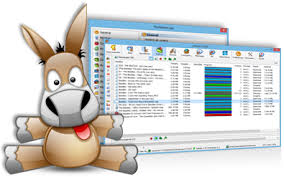
Are you looking for a reliable and efficient way to download files from the internet? Look no further than eMule free in Italian! In this comprehensive guide, we’ll take you through the steps to download, install, and configure eMule on your Windows PC.
What is Emule?
EMule is a free peer-to-peer (P2P) file sharing client that allows users to share files with each other. It’s an alternative to BitTorrent and other P2P clients, and it’s known for its speed and efficiency.
Why Use Emule?
There are many reasons why you might want to use eMule:
- Speed: EMule is known for its fast download speeds, making it ideal for users who need to download large files quickly.
- Reliability: EMule has a reputation for being reliable and stable, even in the face of heavy usage.
- Flexibility: EMule can be used on multiple platforms, including Windows, macOS, and Linux.
Downloading Emule
To get started with eMule, you’ll need to download the software from the official website. Here’s how:
- Open your web browser and navigate to the eMule website.
- Click on the “Download” button in the top right corner of the page.
- Choose the version of eMule that’s compatible with your operating system (Windows, macOS, or Linux).
- Click on the “Download” button to start the download process.
Installing Emule
Once you’ve downloaded the software, it’s time to install it:
- Open the downloaded file and follow the installation prompts.
- Choose a location to install eMule (e.G., Your desktop or documents folder).
- Click “Next” to continue with the installation process.
Configuring Emule
After installing eMule, you’ll need to configure it for use:
- Launch eMule and click on the “Settings” icon in the top right corner of the window.
- Select the “Network” tab and choose a nickname for your eMule account (this will be used to identify you on the network).
- Set up the TCP and UDP ports that will be used by eMule to communicate with other users.
Opening Ports in Your Router
To use eMule effectively, you’ll need to open certain ports in your router:
- Log in to your router using a web browser.
- Navigate to the “Port Forwarding” or “Virtual Server” section of your router’s settings.
- Create a new rule that allows incoming traffic on the TCP and UDP ports used by eMule.
Updating Your Ed2k Servers
To keep your eMule experience smooth, you’ll need to update your eD2K servers regularly:
- Launch eMule and click on the “Server” tab.
- Click on the “Update Server” button.
- Choose a server mirror (e.G., Http://Edk.Peerates.Net/servers.Met).
Connecting to Kad
To use the Kad network, you’ll need to connect to it:
- Launch eMule and click on the “Kad” tab.
- Click on the “Connect” button.
Searching For Files
Now that you’ve configured eMule, you can start searching for files:
- Launch eMule and click on the “Search” tab.
- Enter the name of the file you’re looking for in the search box.
- Select a server mirror (e.G., Http://Upd.Emule-security.Org/server.Met).
Downloading Files
Once you’ve found the file you want to download, follow these steps:
- Launch eMule and click on the “Download” tab.
- Double-click on the file icon to initiate the download process.
And that’s it! With these steps, you should be able to use eMule free in Italian to download files from the internet.
Frequently Asked Questions (FAQs)
- What is The Difference Between Emule And Bittorrent?
EMule is a P2P file sharing client that allows users to share files with each other, while BitTorrent is a separate P2P protocol that’s used for file sharing. - Is Emule Safe to Use?
Yes, eMule is generally considered safe to use. However, as with any P2P software, there are risks associated with it (e.G., Downloading malicious files). - Can I Use Emule on my Mac or Linux Machine?
Yes, eMule can be used on multiple platforms, including macOS and Linux. - What is Kad?
Kad is a decentralized network that’s used by eMule to facilitate file sharing between users. - How do I Update my Ed2k Servers?
To keep your eMule experience smooth, you’ll need to update your eD2K servers regularly using the “Update Server” button in the eMule interface.
Conclusion
In this article, we’ve covered everything you need to know about eMule free in Italian. From downloading and installing the software to configuring it for use and searching for files, we’ve provided a comprehensive guide to get you started with eMule.


