
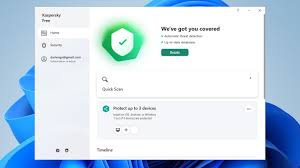
The Ultimate Guide to Antivirus Software: Choosing The Right Protection For Your PC
Are you tired of dealing with viruses, malware, and other online threats? Do you want to protect your PC from cyber attacks without slowing it down? Look no further! In this article, we’ll explore the world of antivirus software and help you choose the right protection for your device.
Why You Need Antivirus Software
In today’s digital age, having antivirus software is essential. Malware and viruses can spread quickly, causing damage to your computer, stealing your personal data, and even holding your files hostage. With so many online threats lurking in the shadows, it’s crucial to have a reliable security solution to keep you safe.
The Top Antivirus Software For Pcs
Here are some of the best antivirus software for PCs:
1. Microsoft Defender Antivirus (Windows)
If you’re using Windows 10 or later, you’re already protected by Microsoft Defender Antivirus. This built-in security tool is lightweight and effective, providing real-time protection against viruses, malware, and other online threats.
How to Activate Microsoft Defender Antivirus
To activate this feature, follow these steps:
- Click on the Start button (the Windows logo) and select Settings.
- Go to Update & Security > Windows Defender.
- Ensure that the toggle switch is turned on for both Real-time protection and Cloud-delivered protection.
2. Panda Dome Free (Windows/MacOS)
Panda Dome Free is another lightweight antivirus software that’s perfect for those who want a hassle-free security solution. It uses cloud technology to scan files, update definitions, and detect threats without slowing down your device.
How to Install Panda Dome Free
- Visit the official website and download the installation file.
- Run the installer and follow the prompts to install the software.
- Launch Panda Dome Free and start a full system scan.
3. Avast (Windows/MacOS)
Avast is another popular antivirus software that’s available for Windows, MacOS, and Android devices. It offers real-time protection against malware, viruses, and other online threats, as well as features like password management and Wi-Fi scanning.
How to Install Avast
- Visit the official website and download the installation file.
- Run the installer and follow the prompts to install the software.
- Launch Avast and start a full system scan.
4. Bitdefender Antivirus Free (Android)
Bitdefender Antivirus Free is an excellent choice for Android users who want a reliable security solution without breaking the bank. This antivirus software offers real-time protection against malware, viruses, and other online threats, as well as features like password management and Wi-Fi scanning.
How to Install Bitdefender Antivirus Free
- Visit the Google Play Store or an alternative store.
- Download and install the Bitdefender Antivirus Free app.
- Launch the app and start a full device scan.
5. Avira Security Internet (Android)
Avira Security Internet is another antivirus software that’s available for Android devices. It offers real-time protection against malware, viruses, and other online threats, as well as features like password management and Wi-Fi scanning.
How to Install Avira Security Internet
- Visit the Google Play Store or an alternative store.
- Download and install the Avira Security Internet app.
- Launch the app and start a full device scan.
Conclusion
Choosing the right antivirus software for your PC can be overwhelming, but with this guide, you’re well-equipped to make an informed decision. Whether you opt for Microsoft Defender Antivirus, Panda Dome Free, Avast, Bitdefender Antivirus Free, or Avira Security Internet, remember that having a reliable security solution is essential in today’s digital age.
Frequently Asked Questions
-
What is The Best Antivirus Software For Pcs?
The top antivirus software for PCs are Microsoft Defender Antivirus (Windows), Panda Dome Free (Windows/MacOS), and Avast (Windows/MacOS). -
Do I Need Antivirus Software on my Android Device?
Yes, having antivirus software on your Android device can help protect against malware, viruses, and other online threats. -
Can I Use Multiple Antivirus Software at The Same Time?
It’s not recommended to use multiple antivirus software at the same time, as this can cause conflicts and slow down your device. -
How Often Should I Update my Antivirus Software?
Regularly check for updates and install them as soon as they become available. -
Can Antivirus Software Detect All Types of Malware?
While antivirus software is effective against most types of malware, no solution is 100% foolproof. Always use caution when browsing the internet or opening unknown files.


