
The Ultimate Guide to Free Photo Editing Apps
Are you tired of using your smartphone’s default camera app and wanting more out of your photos? Do you want to edit and enhance your photos without breaking the bank? Look no further! In this article, we will explore the best free photo editing apps available for both Android and iOS devices.
Why Use Free Photo Editing Apps?
Using a free photo editing app can be beneficial in many ways. Firstly, it allows you to edit and enhance your photos without spending any money. Secondly, these apps are often user-friendly and easy to navigate, even for those who are not tech-savvy. Lastly, they offer a wide range of features and tools that can help you achieve professional-looking results.
Top Free Photo Editing Apps
Here are some of the top free photo editing apps available for both Android and iOS devices:
Snapseed
Snapseed is one of the most popular free photo editing apps available for both Android and iOS devices. It offers a wide range of features, including:
- Adjusting exposure, contrast, and color balance
- Using filters and effects to enhance your photos
- Correcting red-eye and blemishes
- Adding text and shapes to your photos
To use Snapseed, simply download the app from the Play Store or App Store, then follow these steps:
- Open the app and select the photo you want to edit.
- Use the tools in the top toolbar to adjust exposure, contrast, and color balance.
- Select the “Filter” tab to apply filters and effects to your photo.
- Choose from a range of effects, including black and white, sepia, and more.
- Save your edited photo by tapping on the “Export” button.
Vsco
VSCO is another popular free photo editing app available for both Android and iOS devices. It offers a wide range of features, including:
- Adjusting exposure, contrast, and color balance
- Using filters and effects to enhance your photos
- Correcting red-eye and blemishes
- Adding text and shapes to your photos
To use VSCO, simply download the app from the Play Store or App Store, then follow these steps:
- Open the app and select the photo you want to edit.
- Use the tools in the top toolbar to adjust exposure, contrast, and color balance.
- Select the “Filter” tab to apply filters and effects to your photo.
- Choose from a range of effects, including black and white, sepia, and more.
- Save your edited photo by tapping on the “Save” button.
Other Free Photo Editing Apps
There are many other free photo editing apps available for both Android and iOS devices. Some popular options include:
- Pixlr: Offers a range of features, including adjust exposure, contrast, and color balance.
- Afterlight: Offers a range of features, including using filters and effects to enhance your photos.
- Adobe Photoshop Express: Offers a range of features, including adjusting exposure, contrast, and color balance.
The Best Free Photo Printing Apps
In addition to free photo editing apps, there are also many free photo printing apps available for both Android and iOS devices. Some popular options include:
Photosì
PhotoSì is a popular free photo printing app available for both Android and iOS devices. It offers a range of features, including:
- Printing photos in various formats and on different materials
- Adjusting exposure, contrast, and color balance
- Using filters and effects to enhance your photos
- Correcting red-eye and blemishes
To use PhotoSì, simply download the app from the Play Store or App Store, then follow these steps:
- Open the app and select the photo you want to print.
- Use the tools in the top toolbar to adjust exposure, contrast, and color balance.
- Select the “Print” tab to choose the format and material for your printed photo.
- Choose from a range of effects, including black and white, sepia, and more.
- Save your edited photo by tapping on the “Save” button.
Other Free Photo Printing Apps
There are many other free photo printing apps available for both Android and iOS devices. Some popular options include:
- Lalalab: Offers a range of features, including printing photos in various formats and on different materials.
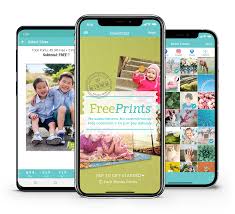
- Freeprints: Offers a range of features, including printing 45 photos per month in format 10 x 15 cm.
- Cheerz: Offers a range of features, including printing photos in various formats and on different materials.
Conclusion
In conclusion, there are many free photo editing and printing apps available for both Android and iOS devices. These apps offer a wide range of features and tools that can help you achieve professional-looking results without breaking the bank. Some popular options include Snapseed, VSCO, Pixlr, Afterlight, Adobe Photoshop Express, PhotoSì, Lalalab, FreePrints, and CHEERZ.
Frequently Asked Questions
Here are some frequently asked questions about free photo editing and printing apps:
Q: What is The Best Free Photo Editing App?
A: The best free photo editing app depends on your personal preferences and needs. Some popular options include Snapseed, VSCO, Pixlr, Afterlight, and Adobe Photoshop Express.
Q: Can I Use a Free Photo Editing App to Edit Photos Taken With my Smartphone’s Camera?
A: Yes, you can use a free photo editing app to edit photos taken with your smartphone’s camera. These apps often have built-in tools and features that allow you to adjust exposure, contrast, and color balance.
Q: Can I Print Photos Using a Free Photo Printing App?
A: Yes, some free photo printing apps allow you to print photos in various formats and on different materials. Some popular options include PhotoSì, Lalalab, FreePrints, and CHEERZ.
Q: Do I Need to Pay For Any Services or Features When Using a Free Photo Editing or Printing App?
A: Some free photo editing and printing apps may require you to pay for certain services or features. For example, PhotoSì requires you to pay for the cost of printing photos, while FreePrints charges only for the cost of dispatch. Always check the pricing and terms of service before using a free photo editing or printing app.
Q: Are There Any Other Benefits to Using a Free Photo Editing or Printing App?
A: Yes, there are many other benefits to using a free photo editing or printing app. For example, these apps often have user-friendly interfaces that make it easy to edit and enhance your photos. They may also offer a range of effects and filters that can help you achieve professional-looking results. Additionally, some free photo editing and printing apps may offer additional features, such as sharing and exporting options.
References
- Snapseed: A popular free photo editing app available for both Android and iOS devices.
- Vsco: A popular free photo editing app available for both Android and iOS devices.
- Pixlr: A popular free photo editing app available for both Android and iOS devices.
- Afterlight: A popular free photo editing app available for both Android and iOS devices.
- Adobe Photoshop Express: A popular free photo editing app available for both Android and iOS devices.
- Photosì: A popular free photo printing app available for both Android and iOS devices.
- Lalalab: A popular free photo printing app available for both Android and iOS devices.
- Freeprints: A popular free photo printing app available for both Android and iOS devices.
- Cheerz: A popular free photo printing app available for both Android and iOS devices.
This article provides a comprehensive guide to the best free photo editing and printing apps available for both Android and iOS devices. It highlights the features and benefits of each app, as well as some frequently asked questions and answers. Whether you’re a seasoned photographer or just starting out, these apps can help you achieve professional-looking results without breaking the bank.


